214323 255 Revision B
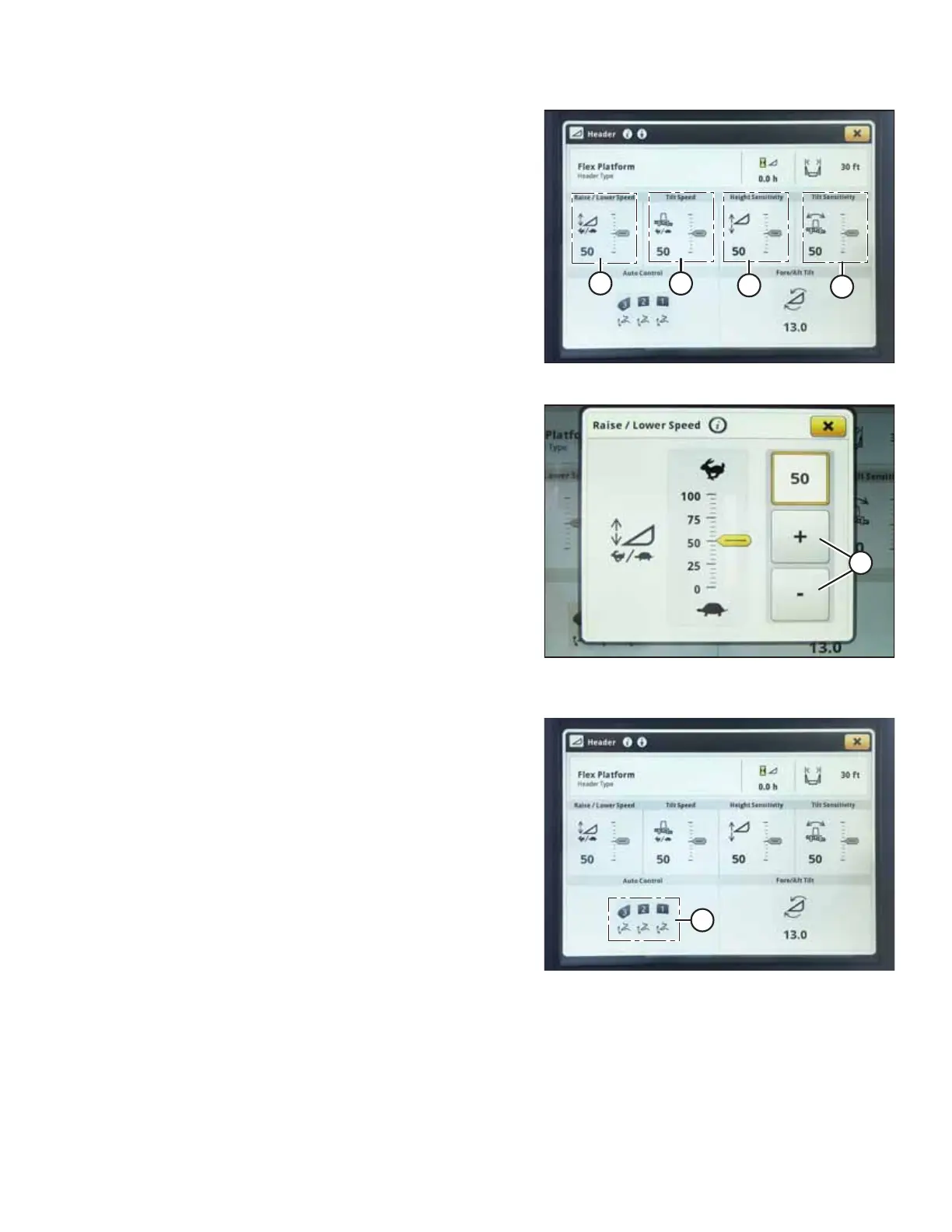
Figure 4.253: John Deere S7 Display – Header Page
7. Raise/lower speed (A), tilt speed (B), height sensitivity (C),
and tilt sensitivity (D) can all be adjusted from this page.
Select the option you would like to adjust. The following
example shows the raise/lower speed adjustment.
Figure 4.254: John Deere S7 Display – Raise/Lower
Speed Adjustment
8. Use + and – buttons (A) to adjust the setting.
9. Press the close button in top right corner of the window to
return to the HEADER page.
Figure 4.255: John Deere S7 Display – Header Page
10. Select AUTO CONTROL icons (A). The AUTO HEADER
CONTROLS page opens.
AUTO HEADER HEIGHT CONTROL








 To Next Page