214323 263 Revision B
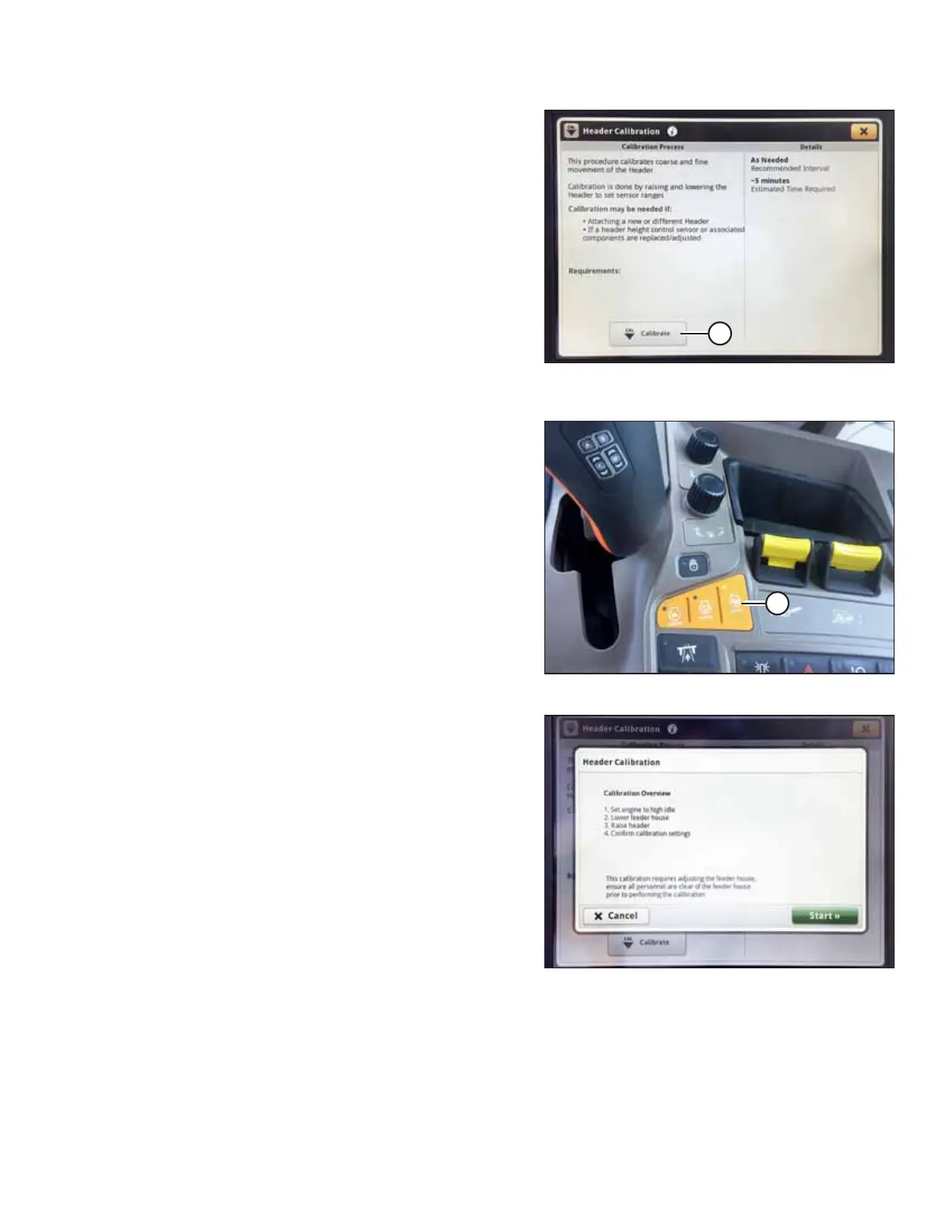
Figure 4.273: John Deere S7 Display – Header
Calibration
9. Select CALIBRATE (A) at the bottom of the page. The
calibration overview window opens.
Figure 4.274: John Deere S7 Console
10. Press button (A) on the console to set the engine to
high idle.
Figure 4.275: John Deere S7 Display – Header
Calibration
11. Select START on the CALIBRATION OVERVIEW page.
12. Follow the instructions that appear on the combine display.
As you proceed through the calibration process, the display
will automatically update to show the next step.
NOTE:
If an error code appears during the calibration, the sensor is
out of voltage range and will require adjustment. For
instructions, refer to 4.4.2 Adjusting Voltage Limits, page
137.
AUTO HEADER HEIGHT CONTROL








 To Next Page