214323 408 Revision B
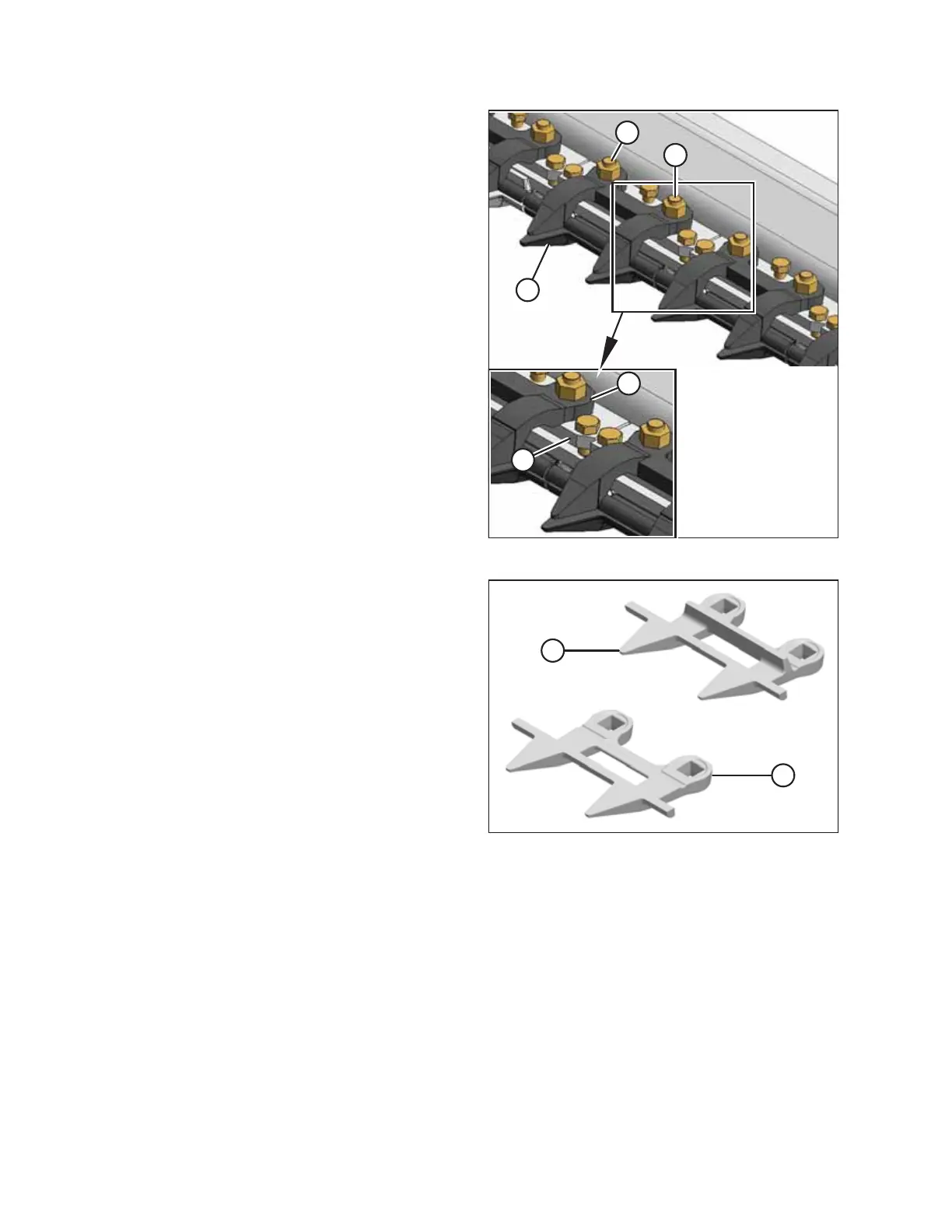
Figure 6.116: Stub Guards
2. Stroke the knife manually until the knife sections are
spaced midway between the guards.
3. Remove two nuts (A) and bolts attaching guard (B) and
hold-down (C) to the cutterbar.
4. Remove guard (B), plastic wearplate (if installed), hold-
down (C), and adjuster bar (D).
IMPORTANT:
Note the position of the miter on adjuster bar (D), and
reinstall the adjuster bar in the same position. Miters
should NOT be adjacent to each other.
Figure 6.117: Stub Guards
A - Normal Guard B - Drive Side Guard
IMPORTANT:
The first four outboard guards (B) on the drive sides of the
header do NOT have ledger plates. Ensure the proper
replacement guards are installed at these locations.
MAINTENANCE AND SERVICING








 To Next Page