214323 476 Revision B
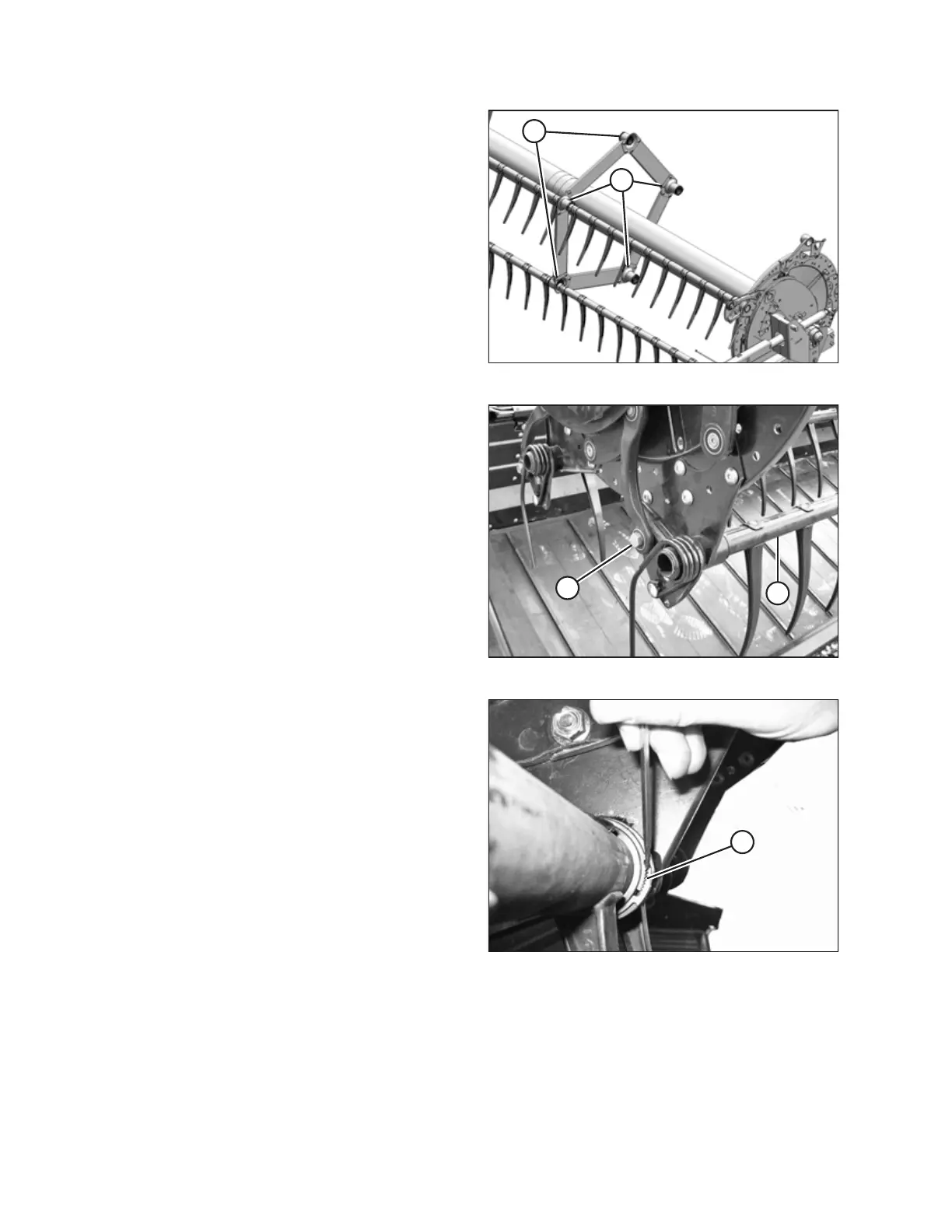
Figure 6.253: Tine Tube Supports
13. Release the bushing clamps or disconnect the support
channels from the tine tube support (if installed) depending
on which tine tube is being moved. Three tine tubes (A)
require channel disconnection and two tine tubes (B)
require only bushing clamp removal.
Figure 6.254: Cam End
14. Remove bolt (A) from the cam linkage so tine tube (B) is
free to rotate.
NOTE:
Be sure to not lose the shim, and mark the shim location
for reassembly.
Figure 6.255: Bushing Clamp
15. Release bushing clamps (A) at the cam disc using a small
screwdriver to separate the serrations. Move the clamps off
the bushings.
MAINTENANCE AND SERVICING








 To Next Page