8.4
SEL-2414 Transformer Monitor Instruction Manual Date Code 20130214
Front-Panel Operations
Human-Machine Interface
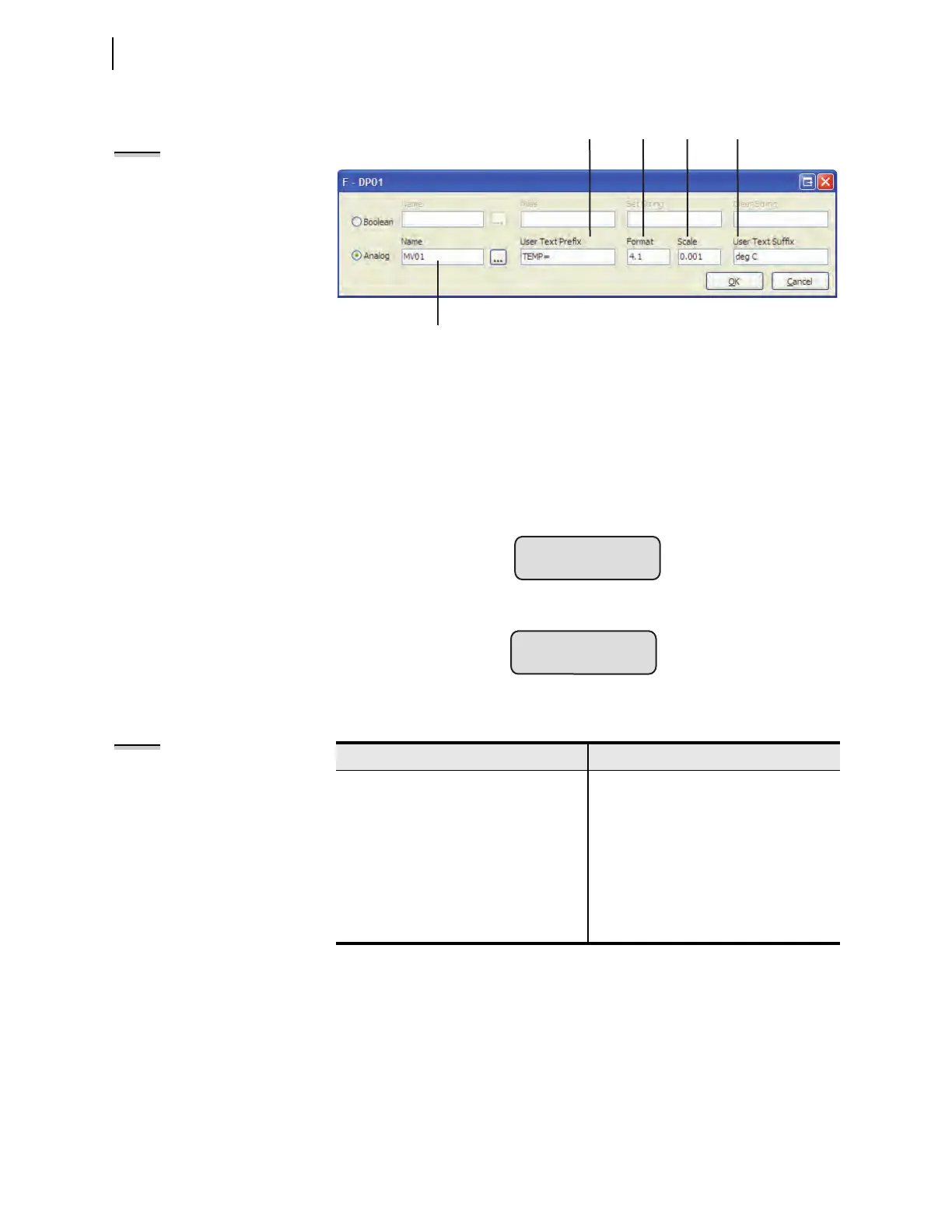
Figure 8.7 shows the front-panel display for a setting with a Name string only. If
the User Text and Formatting string is left void then the analog quantity name
will always be displayed on the first line and the value and units (if available) will
always be displayed on the second line.
Figure 8.8 shows the front-panel display for a setting with a Name string, a
“TEMPERATURE” User Text Prefix string, and known engineering units.
Figure 8.6 Quickset—Settings for an Analog Quantity
Figure 8.7 Front-Panel Display for an Analog Entry in the Name String Only
Figure 8.8 Analog Name and User Text and Formatting Strings
Table 8.4 Example Settings and Displays
Example Display Point Setting Value Example Display
MV01,"TEMP {4}deg C" TEMP 1234 deg C
MV01,"TEMP = {4.1}" TEMP =1234.0
MV01,"TEMP = {5}" TEMP = 1234
MV01,"TEMP={4.2,0.001} C" TEMP=1.23 C
MV01,"TEMP HV HS1={4,1000}" TEMP HV HS1=1234000
1,{} Empty line
User Text and Formatting String
"PREFIX {FORMAT,SCALE} SUFFIX"
Analog Quantity name, which occupies
one line on the front-panel LCD.
NOTE: The format field specifies the
total width of the numeric value
(includes the sign character and
decimal point) and the optional scale
field specifies any multiplication of
value.
TEMPERATURE:
0.024 mA
(b) Analog
NOTE: Format and Scale
The format value includes the
decimal point and sign character, if
applicable. The scale value is
optional; if omitted, the scale factor is
1. If the numeric value is smaller than
the string size requested, the string is
padded with spaces to the left of the
number. If the numeric value does not
fit within the string width given, the
string grows (to the left of the
decimal point) to accommodate the
number.



 To Next Page