4.10
SEL-2414 Transformer Monitor Instruction Manual Date Code 20130214
Logic Functions
SELOGIC Control Equation Operators
Boolean Rising Edge Operator (R_TRIG)
Apply the rising edge operator, R_TRIG, to individual Device Word bits only;
you cannot apply R_TRIG to groups of elements within parentheses. When any
Device Word bit asserts (going from logical 0 to logical 1), R_TRIG interprets
this logical 0 to logical 1 transition as a “rising edge” and asserts to logical 1 for
one processing interval.
Boolean Falling Edge Operator (F_TRIG)
Apply the falling edge operator, F_TRIG, to individual Device Word bits only;
you cannot apply F_TRIG to groups of elements within parentheses. When the
Device Word bit deasserts, F_TRIG interprets this logical 1 to logical 0 transition
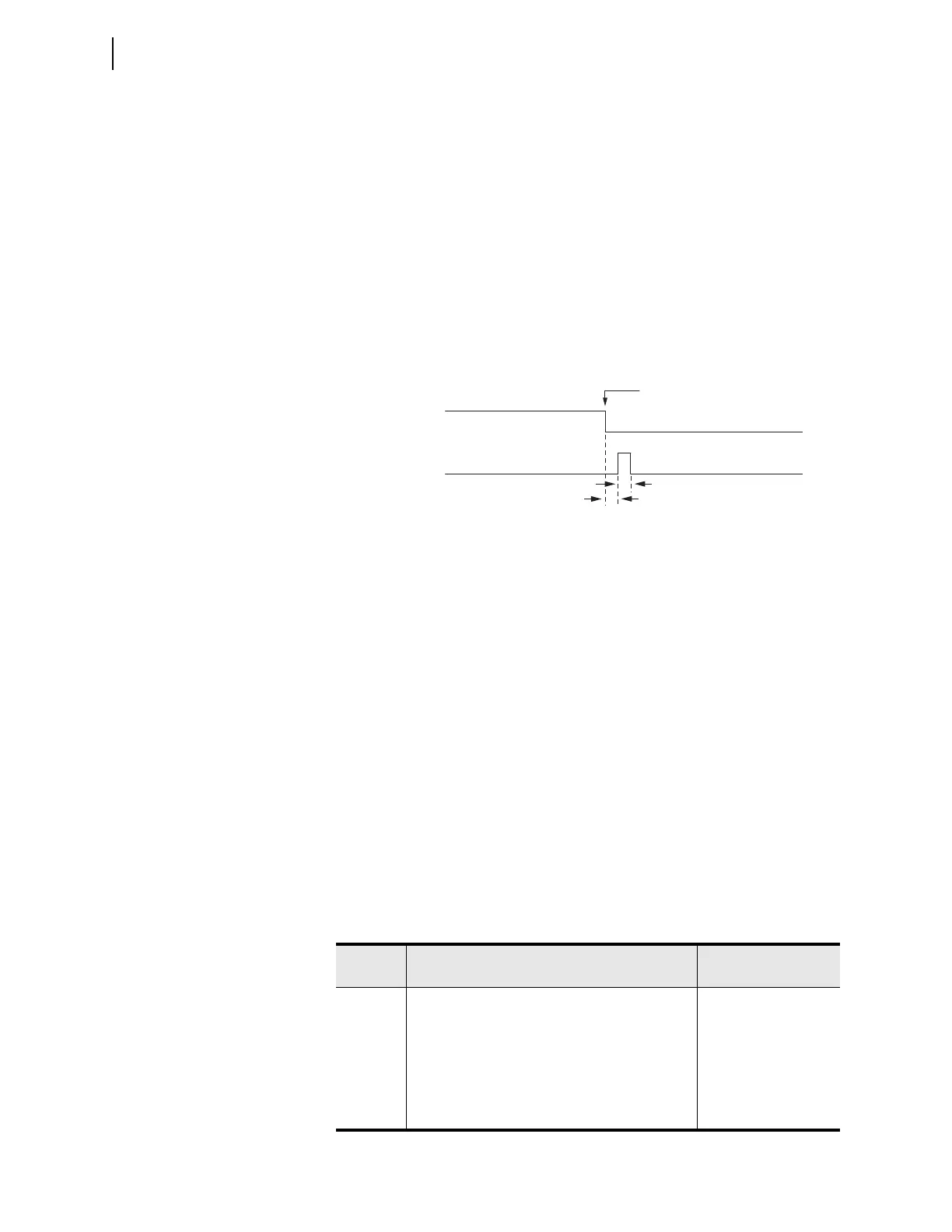
as a “falling edge” and asserts to logical 1 for one processing interval, as shown
in Figure 4.10.
Math Arithmetic Operators (*, /, +, and –)
Device Word bits (which are effectively Boolean resultants, equal to logical 1 or
logical 0) may be used in mathematical operations, they are treated as numerical
values 0 and 1.
Boolean Comparison Operators (<, >, <=, and >=)
Comparisons are mathematical operations that compare two numerical values,
with the result being a logical 0 or logical 1. Thus, what starts out as a mathemat-
ical comparison ends up as a Boolean resultant.
Boolean Equality (=) and Inequality (<>) Operators
Equality and inequality operators operate similar to the comparison operators.
Other
Table 4.9 shows other operators and values that you can use in writing SELOGIC
control equations.
Figure 4.10 Result of Falling Edge Operator on a Deasserting Input
F_TRIG IN101
IN101
Falling Edge
One Processing Interval
One Processing Interval
Tab le 4.9 Oth er SELOGIC Control Equation Operators/Values
Operator/
Value
Function Function Type
0Set SELOGIC control equation directly to logical 0 Boolean
1Set SEL
OGIC control equation directly to logical 1 Boolean
# Characters entered after the # operator are not
processed and deemed as comments
Boolean and
Mathematical
\ Indicates that the preceding logic should be
continued on the next line (“\” is entered only at the
end of a line)
Boolean and
Mathematical



 To Next Page