5-4 Calibrating the instrument
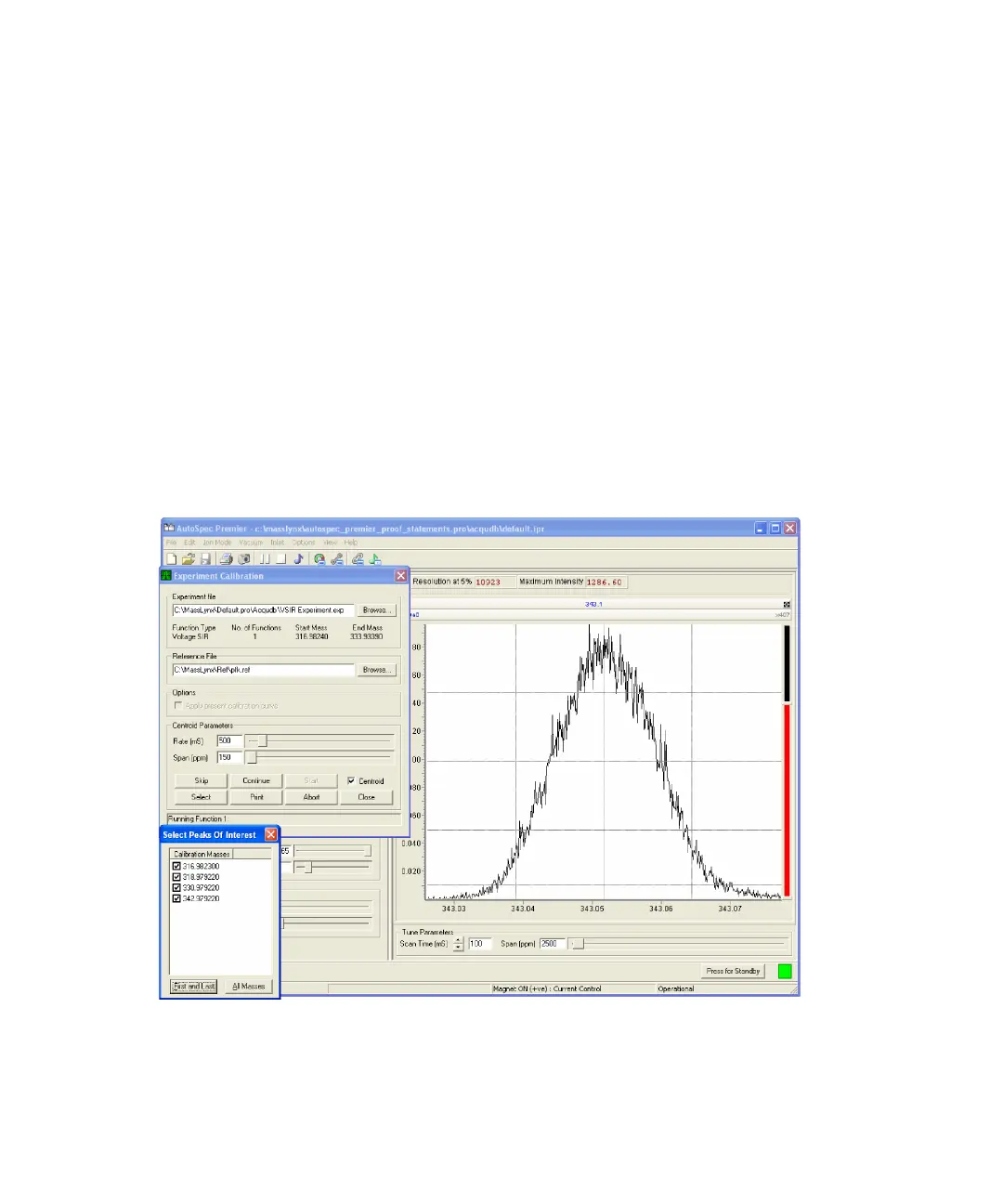
7. In the Experiment Calibration dialog box, select Centroid to center the
peaks within the peak display.
8. Use the Span (ppm) slider to zoom in on the reference peaks when
centered on the display to allow more accurate calibration.
Requirement: Each mass must be a similar shape, have a similar
resolution, and be in the center of the display.
Tip: See “Poor peak shape” on page 8-6, if peak shaping is poor.
9. If any peak is problematical, in the Experiment Calibration dialog box,
click Select, and, in the Select Peaks Of Interest dialog box, clear the
appropriate mass.
Tip: For calibration, always use the first and last peaks, and as many of
the intermediate reference masses as possible.
Instrument calibration











 To Next Page