383
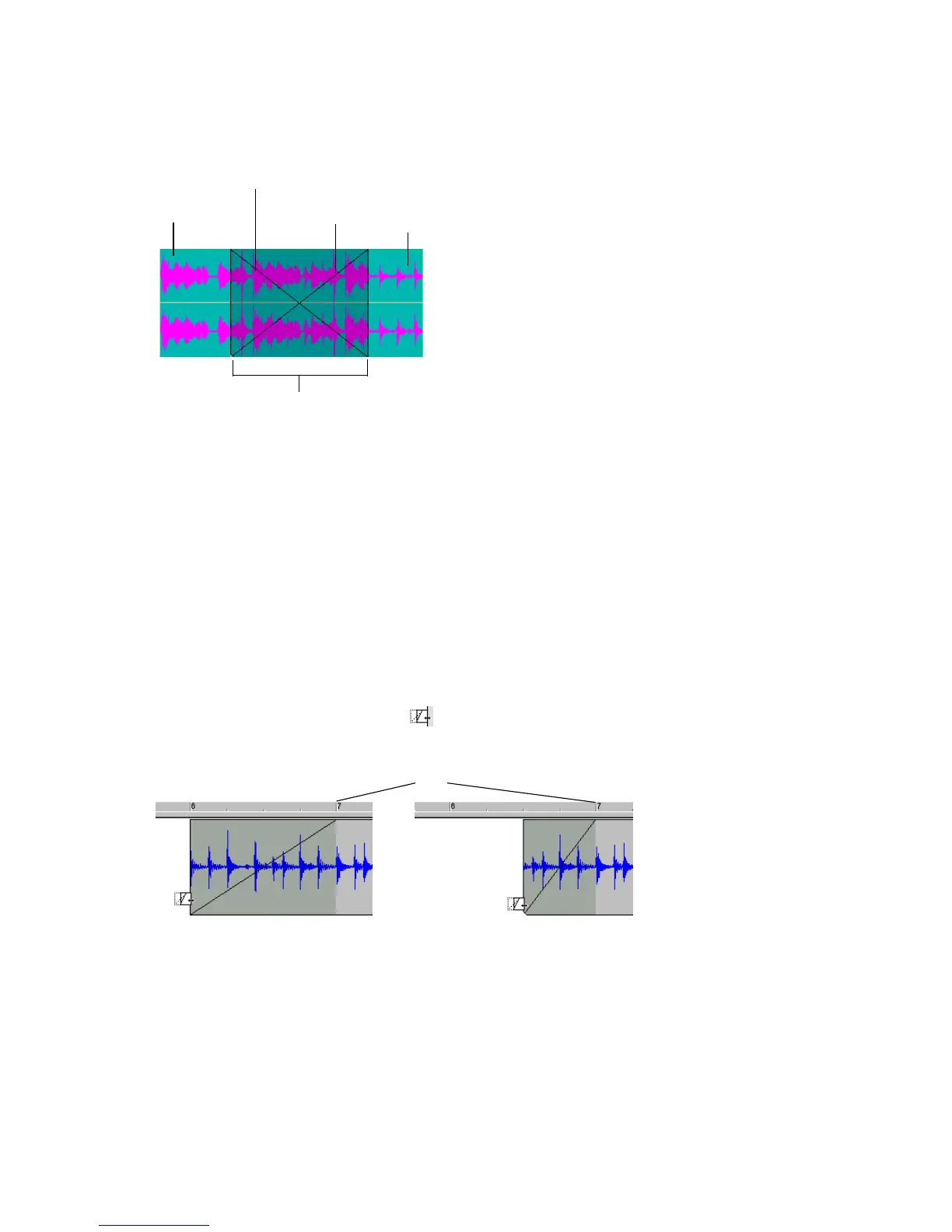
6. The two clips now overlap with a crossfade, looking something like this:
You can edit fade-ins and fade-outs. You can change the start, end and position of a
fade. The following procedures all demonstrate edits to a fade-in, but fade-outs
work exactly the same.
To Edit the Start Time of a Fade While Maintaining the End
Time of the Fade
Changing the start time of a fade-in is essentially slip editing the beginning of the
clip. The beginning of the fade-in can not be separated from the beginning of the
clip. Use this procedure to change the start time of the fade-in while maintaining
the current end time of the fade:
1. In the Clips pane, move your cursor over the bottom part of the beginning of a
clip which has a fade-in.
2. When your cursor looks like this , click and drag the beginning of the
fade-in (and the clip) to the desired location and release.
Crossfade
Fade-in
Fade-out
First clip
Second clip
Fade-in before being edited
Fade-in after being edited
Fade in end time unchanged



 To Next Page