4
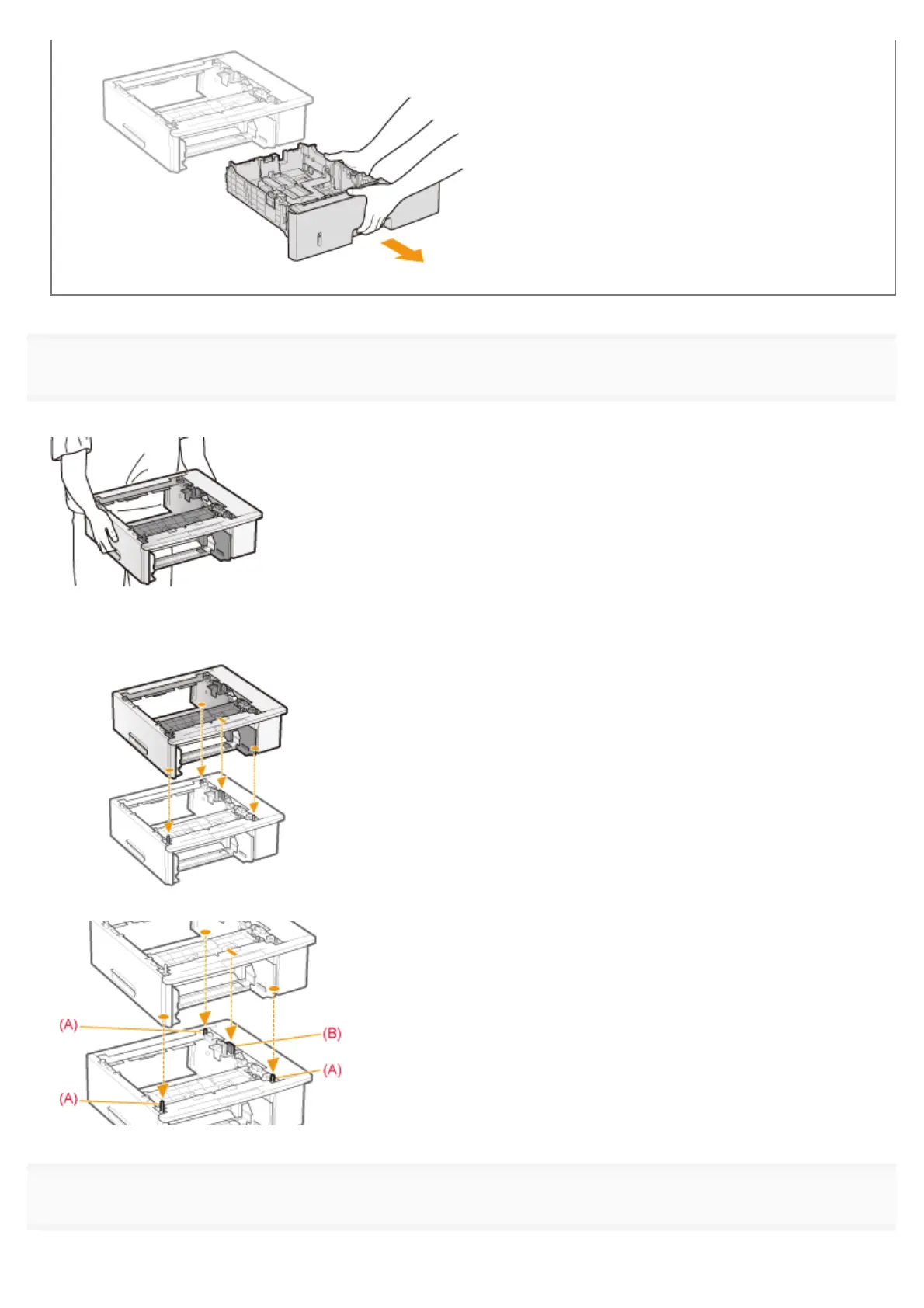
Carry the paper feeder to the installation site.
When carrying the paper feeder, hold the lift handles on both sides with both hands.
If you want to install the two paper feeders
Gently place the other paper feeder on the one already installed.
Also, match the positioning pins (A) and connector (B) when placing another paper feeder.
5
Pull out the paper drawer of the printer.
㻝㻜㻠㻌㻛㻌㻥㻣㻜



 To Next Page