0978-05H
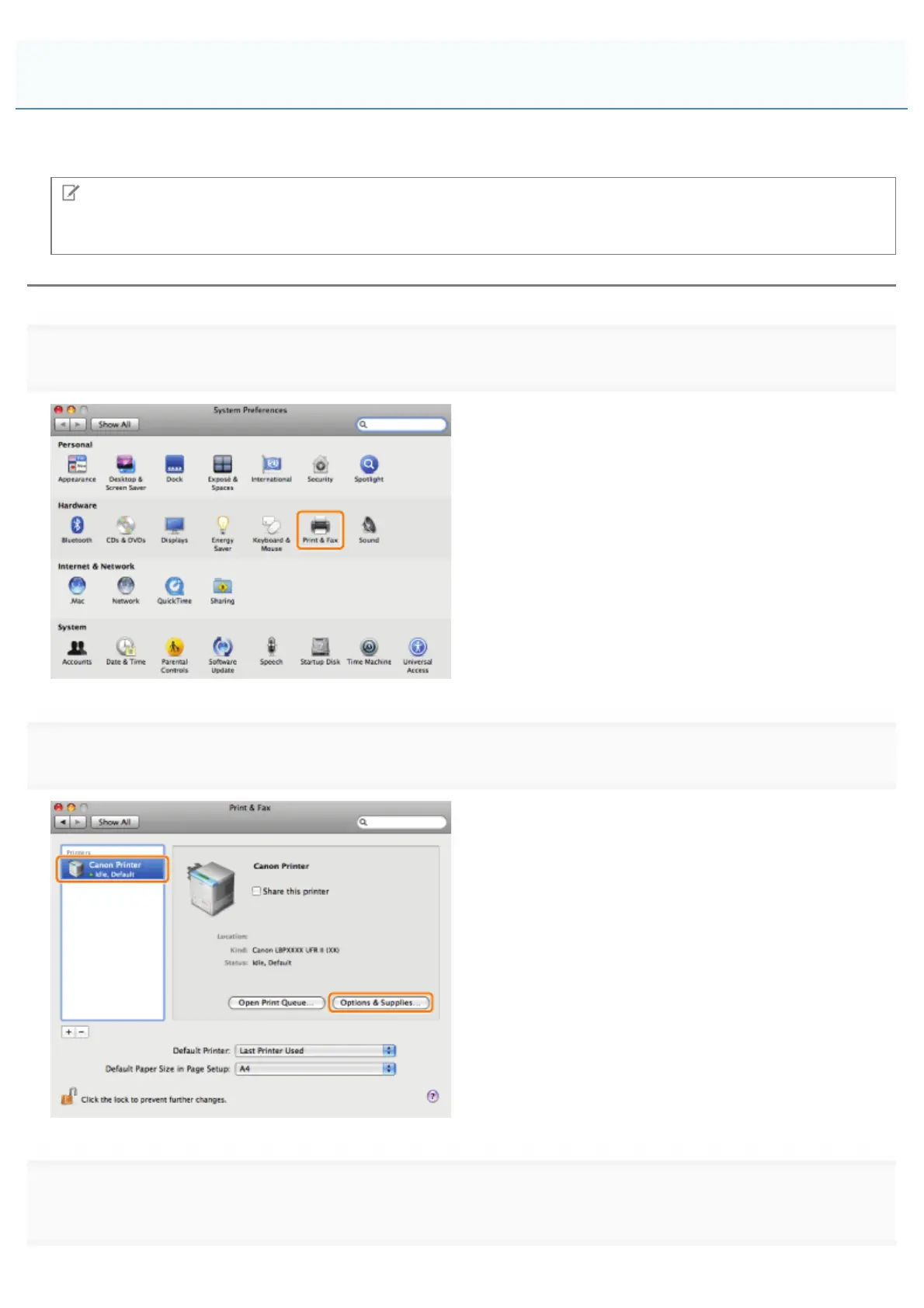
If the machine is connected by unidirectional communication, you must set the printer options (such as paper feed options,
paper output options, etc.) attached to and installed in the machine manually.
NOTE
If the machine is connected by bidirectional communication, the settings for this procedure are disabled. Follow the
procedure in "Verifying the Printer Information" to automatically set the options.
1.
2.
3.
in the printer.
Manually Setting the Printer Options
㻞㻠㻢㻌㻛㻌㻥㻣㻜



 To Next Page