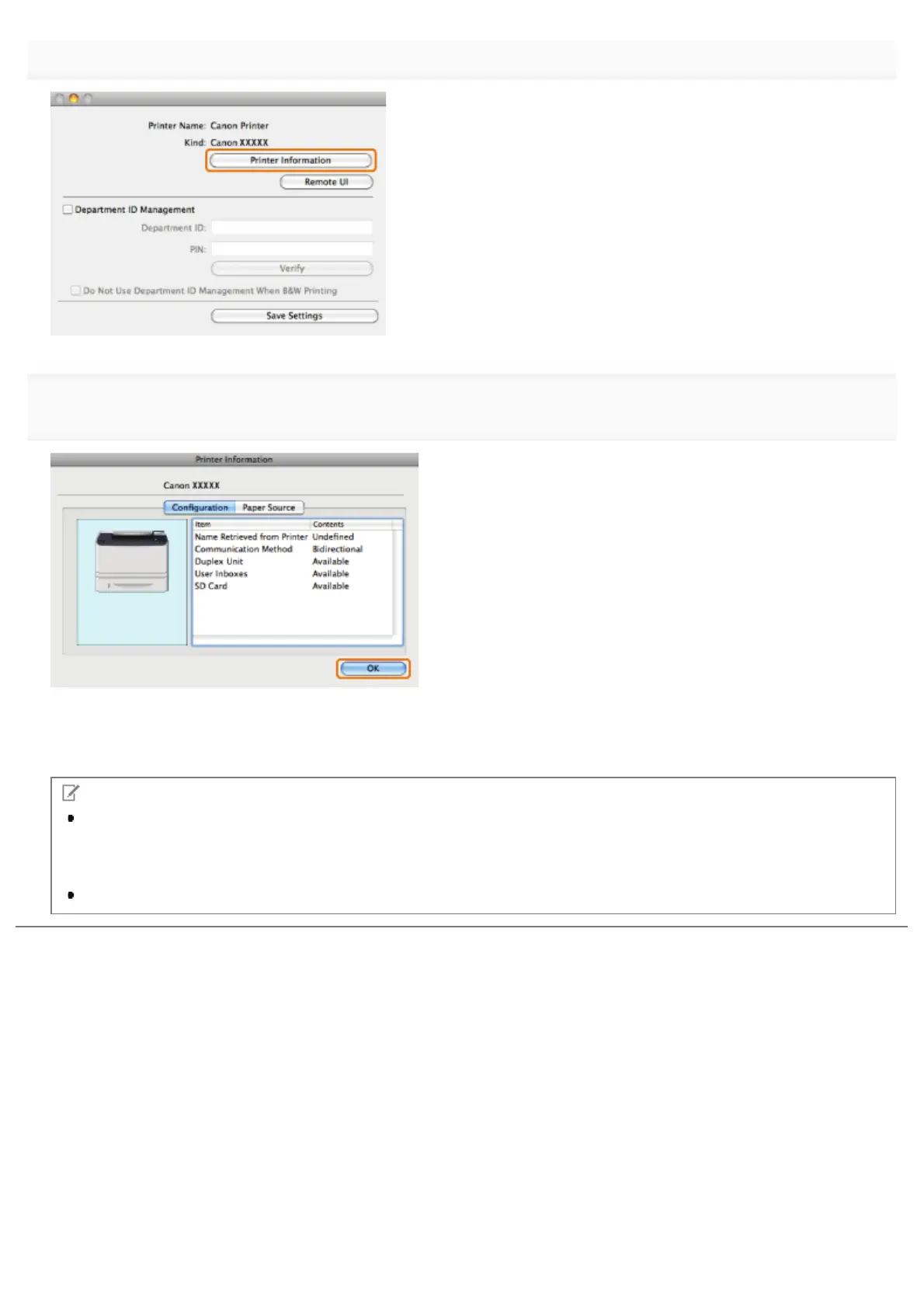
Click [Printer Information].
5.
If [Bidirectional] is displayed for [Communication Method], the options are automatically set.
If [Unidirectional] is displayed for [Communication Method], you must set the options manually (see "Manually Setting the
Printer Options").
NOTE
If the printer driver name displayed at the top of the [Printer Information] dialog box and the printer name displayed
as [Name Retrieved from the Printer] do not correspond correctly, you may not be able to use the printer functions
correctly. If the names do not correspond, delete the printer you have added in [System Preferences] and add it
again. For details, see the NOTE (see "Printer Driver Installation Guide").
The display may vary according to the operating system, as well as the type and version of the printer driver.
㻞㻠㻡㻌㻛㻌㻥㻣㻜



 To Next Page