0978-081
You can restrict the users who can specify and browse the settings using the SNMP protocol using a Web browser
(Remote UI).
1
Start the Remote UI, and then log in as Administrator.
"Starting the Remote UI"
2
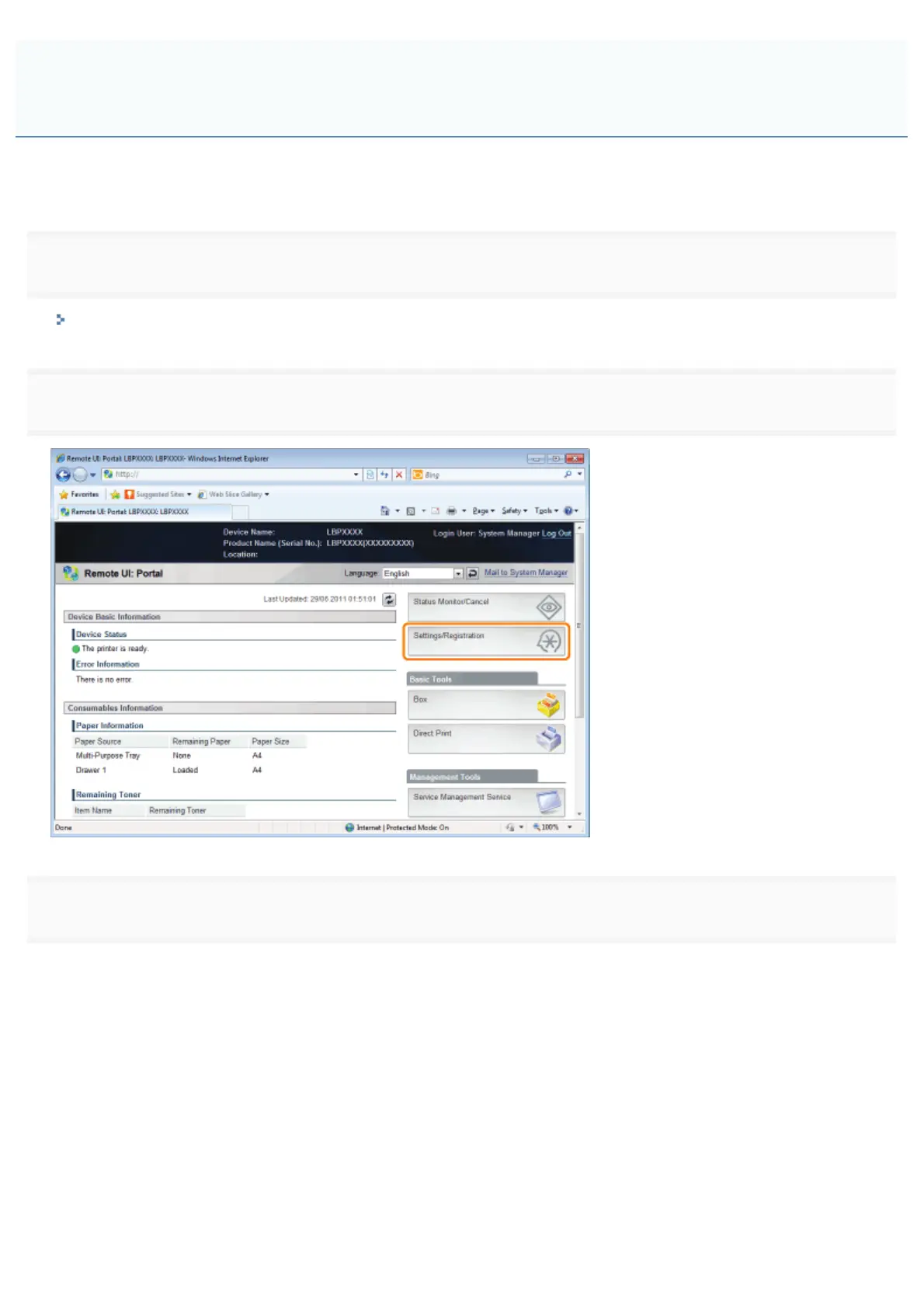
Click [Settings/Registration].
3
Select [Network] from the [Preferences] menu.
Restricting the Users Who Can Monitor/Change the Settings Using the
SNMP Protocol
㻟㻣㻞㻌㻛㻌㻥㻣㻜



 To Next Page