0978-01F
Before replacing the toner cartridge, see "Attention (Toner Cartridge)."
1
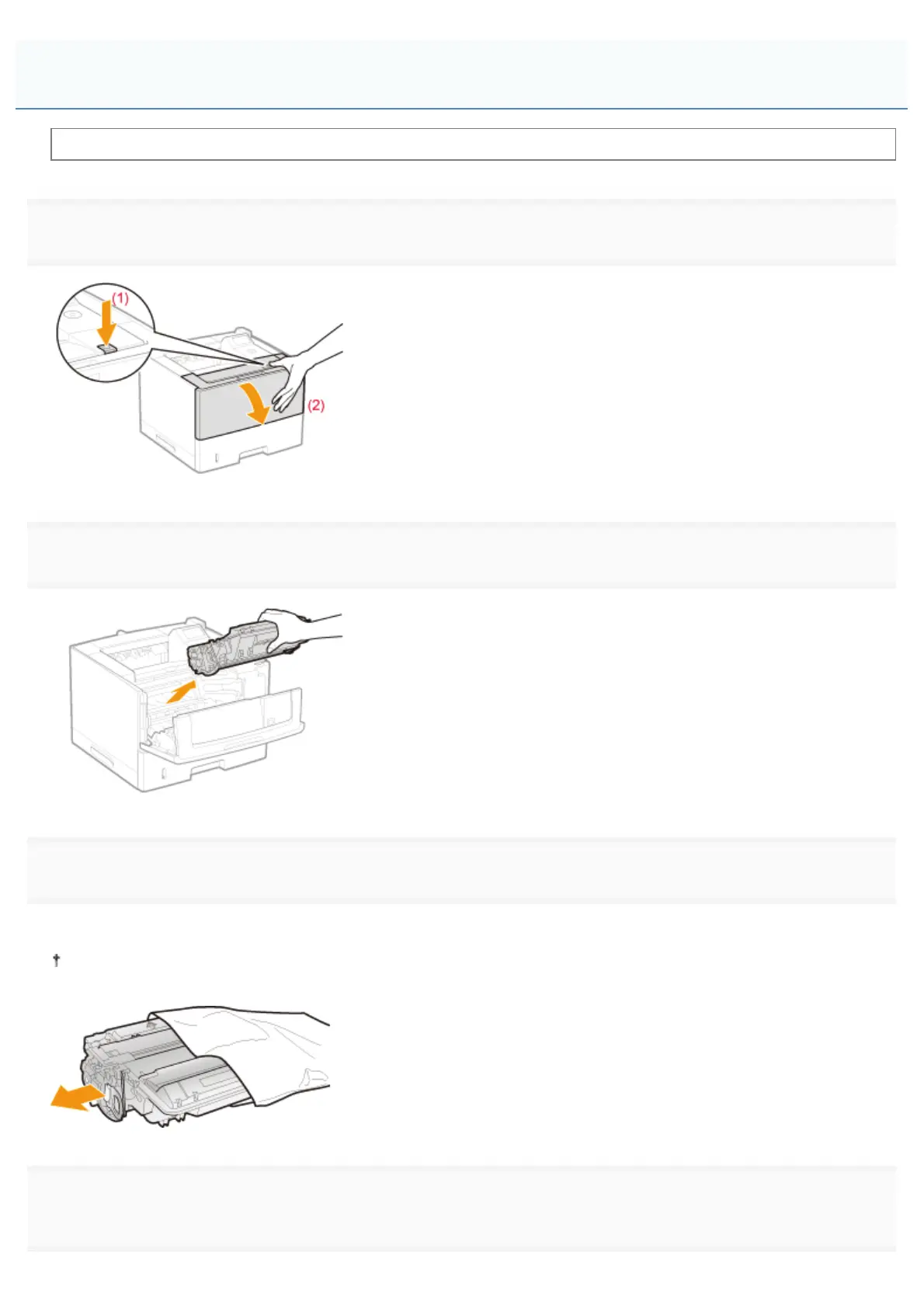
Open the front cover while pressing the open button.
2
Remove the toner cartridge.
3
Take out the new toner cartridge from the protective bag.
You can open the protective bag with your hands from the notch.
Keep the protective bag. Do not discard it. You will need it when you remove the toner cartridge for printer
maintenance or other purposes.
4
Shake the toner cartridge five or six times as shown in the figure to evenly distribute the toner inside
the cartridge.
Replacing the Toner Cartridge
㻢㻤㻌㻛㻌㻥㻣㻜



 To Next Page