0978-07U
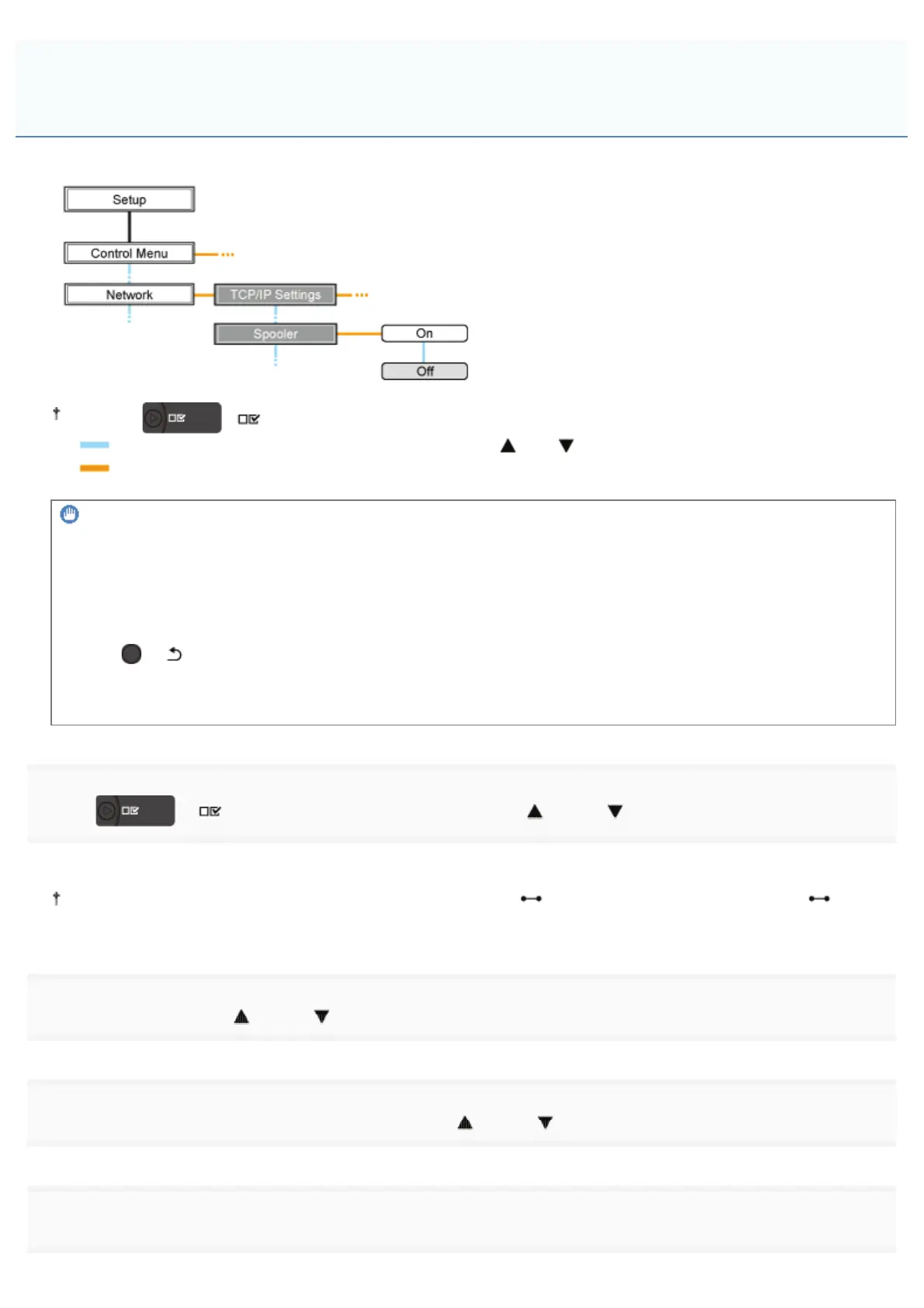
When configuring the spooler function using the printer's control panel, use the following menu hierarchy.
Pressing [ ] ( : Settings) displays the common Setup menu.
indicates that the procedure is performed by pressing [ ] or [ ] on the control panel.
indicates that the procedure is performed by pressing [OK] on the control panel.
IMPORTANT
After performing the configuration
To enable the settings, perform a hard reset or restart the printer.
For details on a hard reset, see "Canceling All the Jobs (Hard Reset)."
To go back up the hierarchy
Press [
] ( : Back).
About the control panel
For details on the control panel, see "Control Panel."
1
Press [ ] ( : Settings), select [Network] using [ ] and [ ], and then press [OK].
When the message is displayed, press [OK].
You can specify the settings when the printer is either online (the (Online) indicator is on) or offline (the
(Online) indicator is off).
2
Select [Spooler] using [ ] and [ ], and then press [OK].
3
Specify the setting for the spooler function using [ ] and [ ], and then press [OK].
4
Perform a hard reset or restart the printer.
Performing the Configuration Using the Printer's Control Panel (the
Settings to Be Performed First)
㻟㻡㻥㻌㻛㻌㻥㻣㻜



 To Next Page