0978-0K8
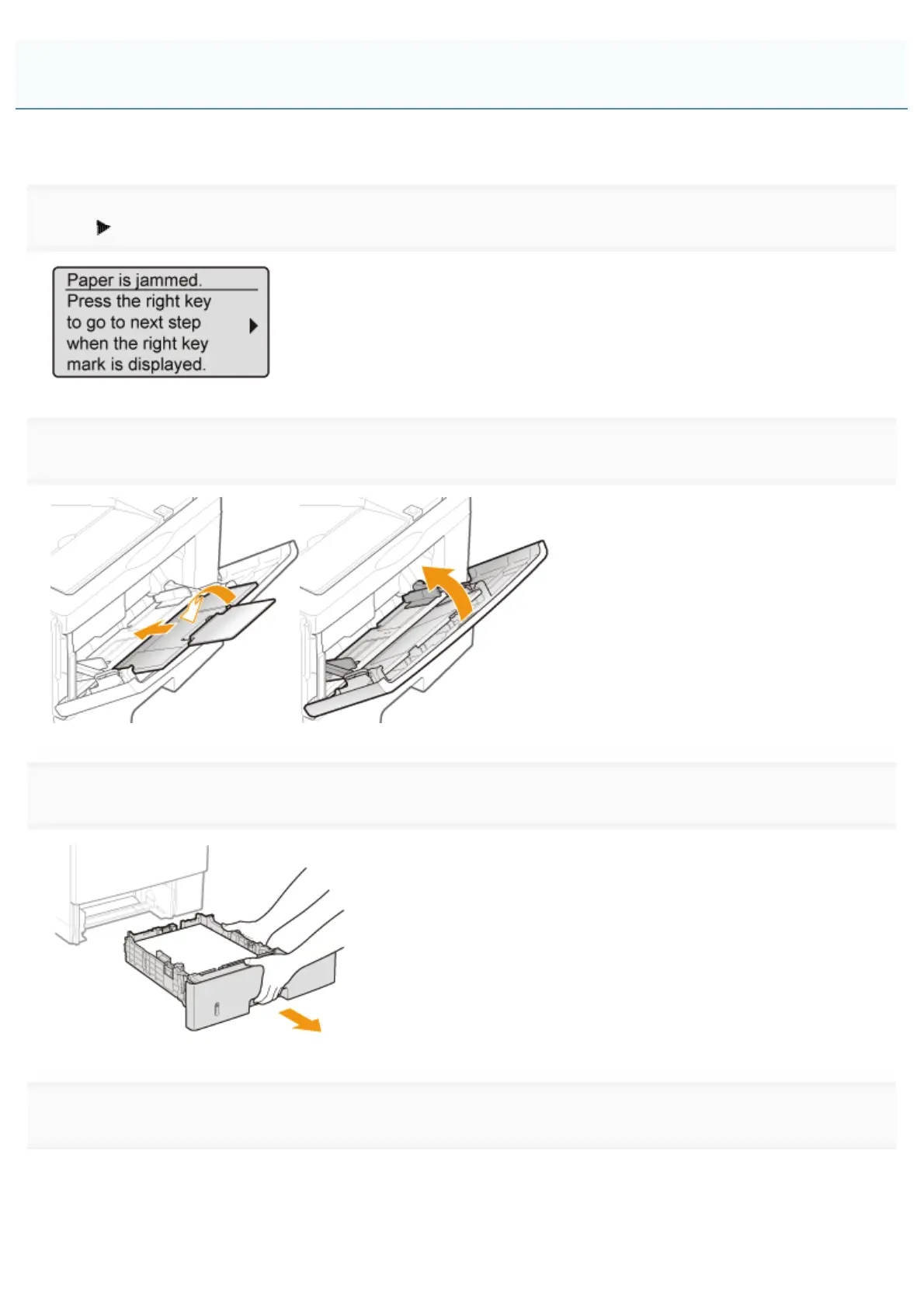
Referring to the procedure on the display, follow the steps below to remove jammed paper.
1
Press [ ].
2
If you are using the multi-purpose tray, close it.
3
Pull out the paper drawer.
4
Press the green lock release switch (A) to open the duplex print transport guide.
Clearing Paper Jams (Duplex Unit)
㻤㻣㻠㻌㻛㻌㻥㻣㻜



 To Next Page