0978-09E
Configure all the computers to be used for printing so that they can be used on an SMB network.
Connecting to an SMB Network
1
Perform the following procedure.
)URPWKH>6WDUW@PHQXVHOHFW>&RQWURO3DQHO@DQGWKHQFOLFN>1HWZRUNDQG,QWHUQHW&RQQHFWLRQV@ĺ>1HWZRUN&RQQHFWLRQV@
)URPWKH>6WDUW@PHQXVHOHFW>&RQWURO3DQHO@DQGWKHQFOLFN>9LHZQHWZRUNVWDWXVDQGWDVNV@ĺ>0DQDJHQHWZRUN
connections].
)URPWKH>6WDUW@PHQXVHOHFW>&RQWURO3DQHO@DQGWKHQFOLFN>9LHZQHWZRUNVWDWXVDQGWDVNV@ĺ>&KDQJHDGDSWHUVHWWLQJV@
)URPWKH>6WDUW@PHQXVHOHFW>&RQWURO3DQHO@ĺ>1HWZRUN&RQQHFWLRQV@ĺ>/RFDO$UHD&RQQHFWLRQ@
From the [Start] menu, select [Control Panel], double-click [Network and Sharing Center], and then click [Manage network
connections].
2
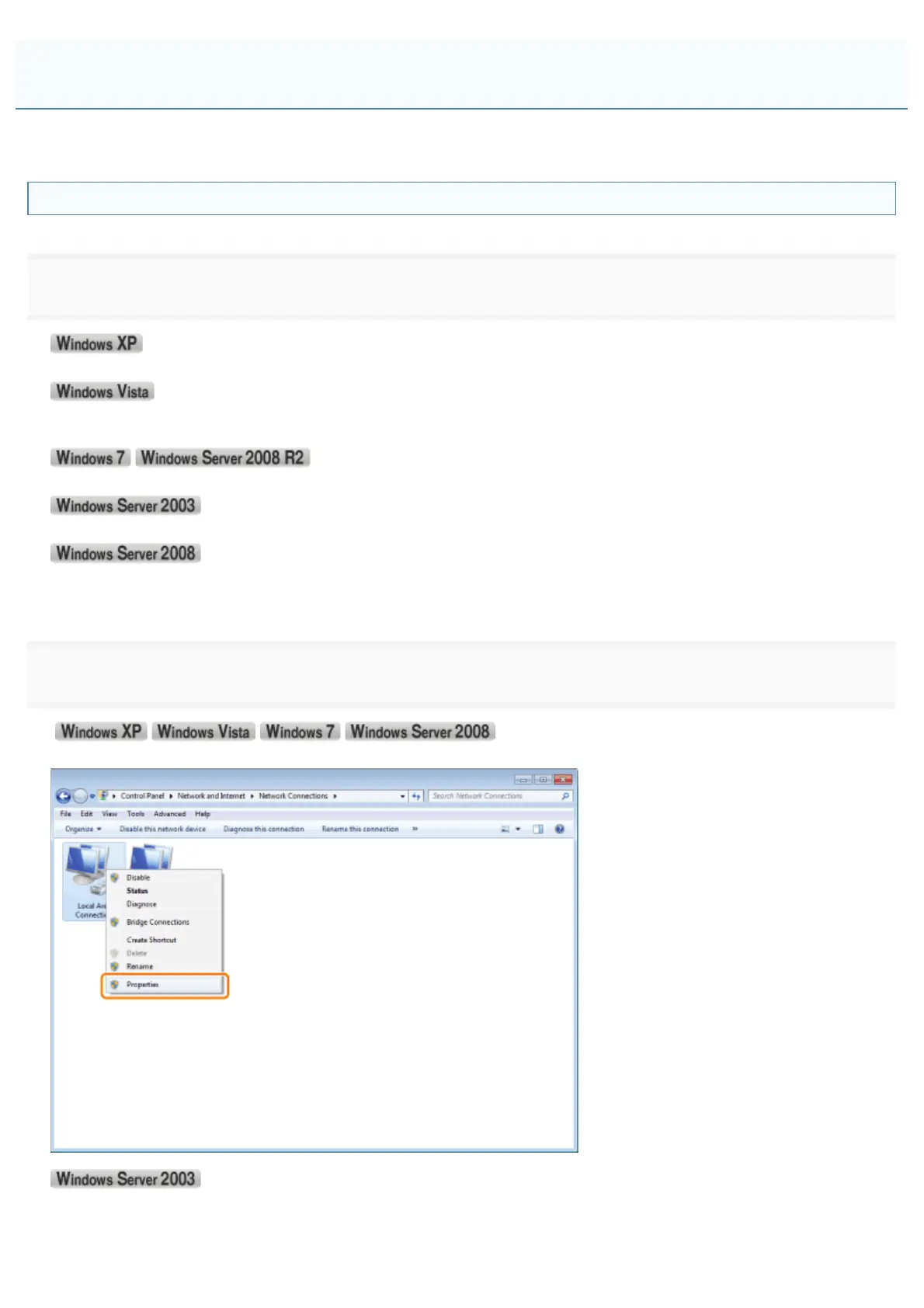
Display the [Local Area Connection Properties] dialog box.
Right-click the [Local Area Connection] icon, and then select [Properties] from the pop-up menu.
Click [Properties].
Configuring a Computer that Performs Printing
㻡㻜㻢㻌㻛㻌㻥㻣㻜



 To Next Page