0978-03J
This section describes the procedures for turning the printer ON/OFF and checking the printer operation.
Before printing, see "Attention (Turning the Printer ON/OFF)."
Turning ON the Printer
To use this printer, press the power switch to turn the printer ON. After checking the status of the printer unit and optional
accessories, the printer is ready to print.
1
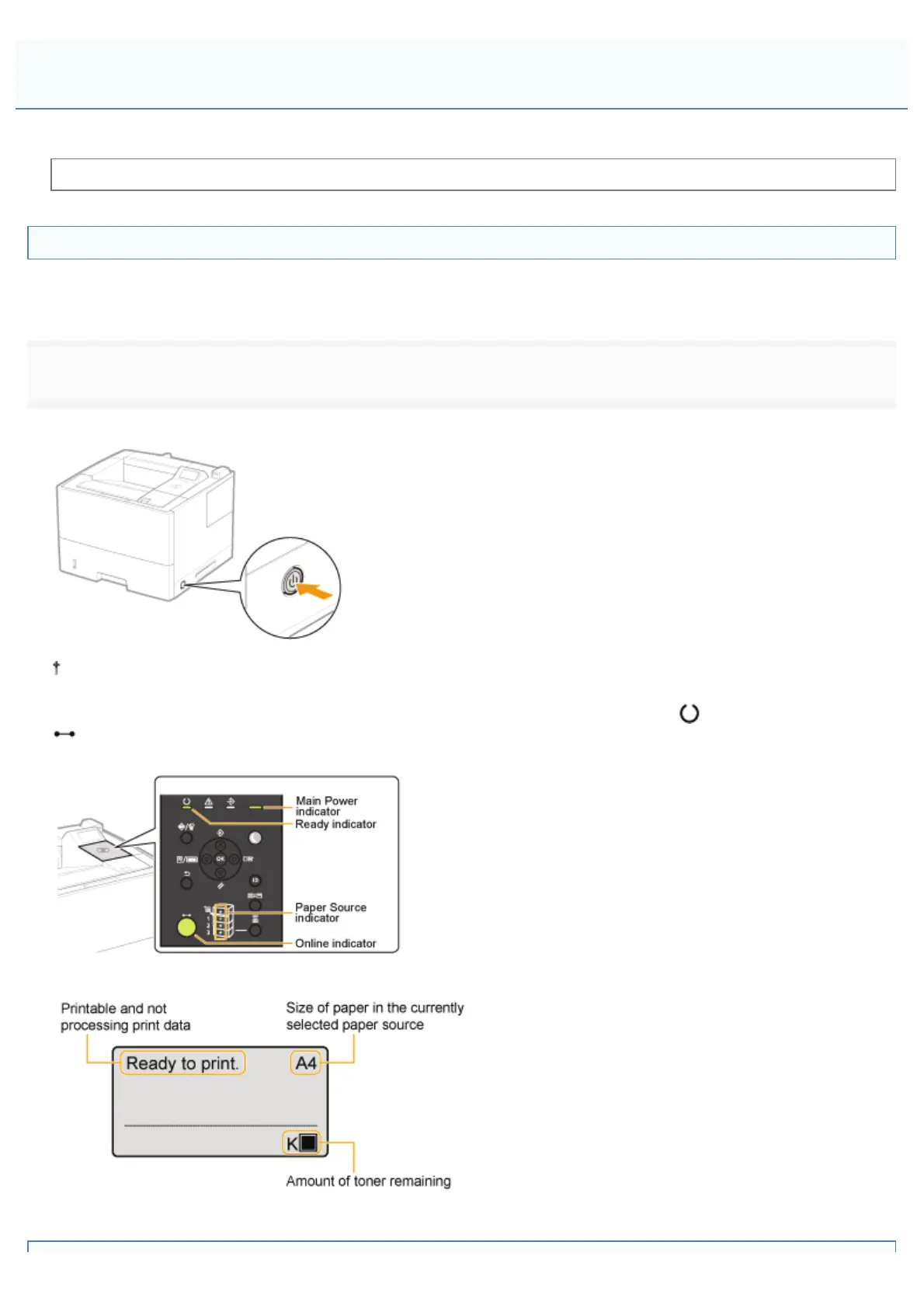
Press the power switch to turn the printer ON.
The indicators and display on the control panel come on, and the printer initiates a self-diagnostic test on the printer
unit and optional accessories.
If no abnormality is found during the self-diagnostic test, the Main Power indicator (green),
(Ready) indicator (green),
(Online) indicator (green) and Paper Source indicator (green) come on, <Ready to print.> appears in the display, and
the printer is ready to print.
The following information is displayed in the display.
Turning the Printer ON/OFF
㻝㻣㻞㻌㻛㻌㻥㻣㻜



 To Next Page