0978-0FS
IMPORTANT
If the license status is not "Not Installed"
Uninstall the application after disabling and deleting the license files.
"Disabling License Files"
"Deleting Disabled License Files"
1
Start SMS (Service Management Service).
"Launching SMS (Log in)"
2
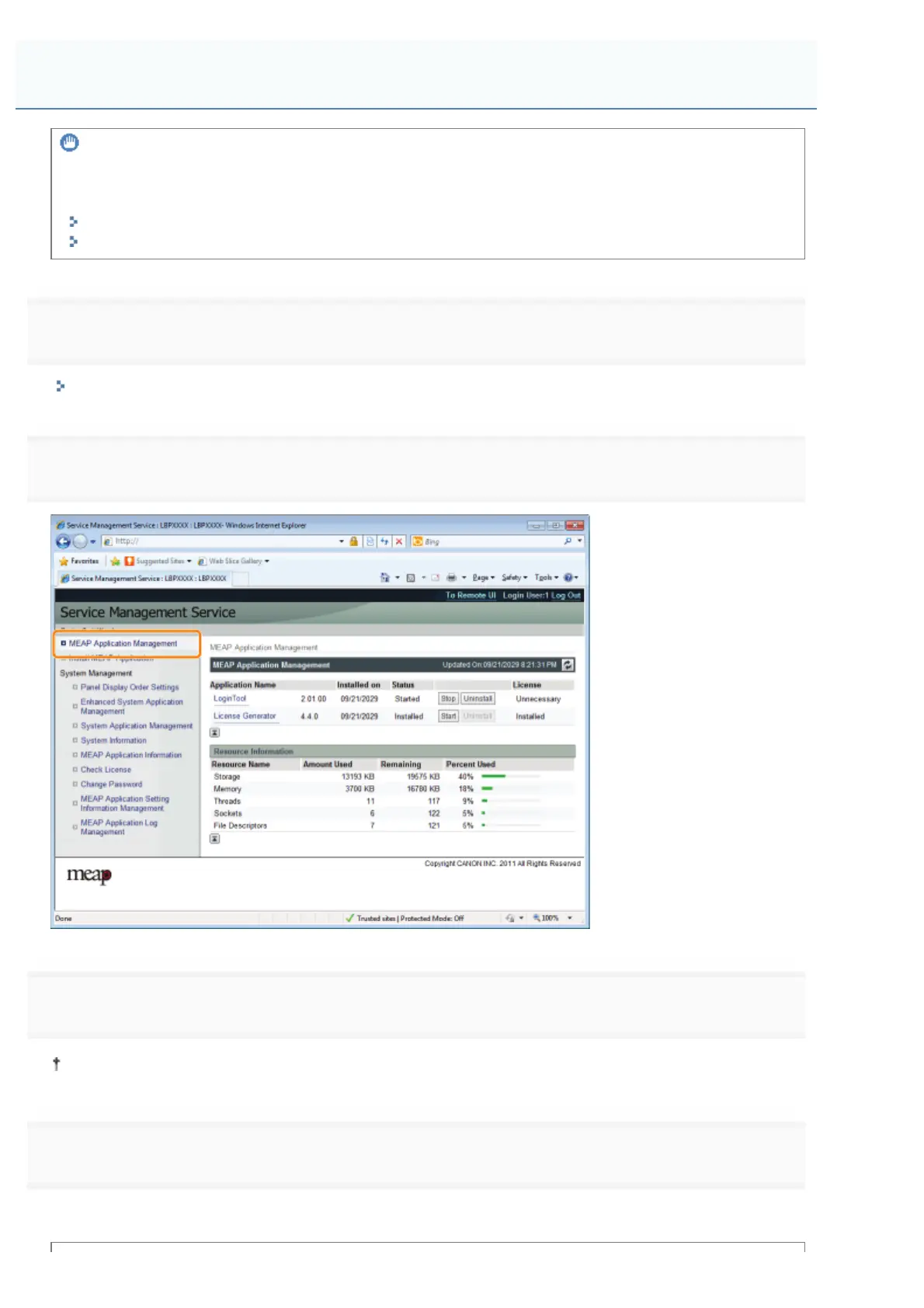
Click [MEAP Application Management].
3
Click [Uninstall] for the application to uninstall.
Applications with [Uninstall] grayed out cannot be deleted.
4
Click [Yes].
ĺ The uninstall begins.
Uninstalling MEAP Applications
㻣㻢㻝㻌㻛㻌㻥㻣㻜



 To Next Page