0978-0KC
Cleaning the feed roller may prevent frequent paper jams.
If you have any questions on how to clean the feed roller, or if you feel uncomfortable cleaning the feed roller by yourself,
contact your local authorized Canon dealer.
IMPORTANT
Do not use cleaning agents or detergents.
When wiping the feed roller, use a cloth dampened with water and well wrung out. Do not use cleaning agents or
detergents, including ones containing grease or oil.
Do not touch the rubber pad of the feed roller directly with your hand.
When cleaning the feed roller, make sure not to touch the rubber pad directly with your hand.
1
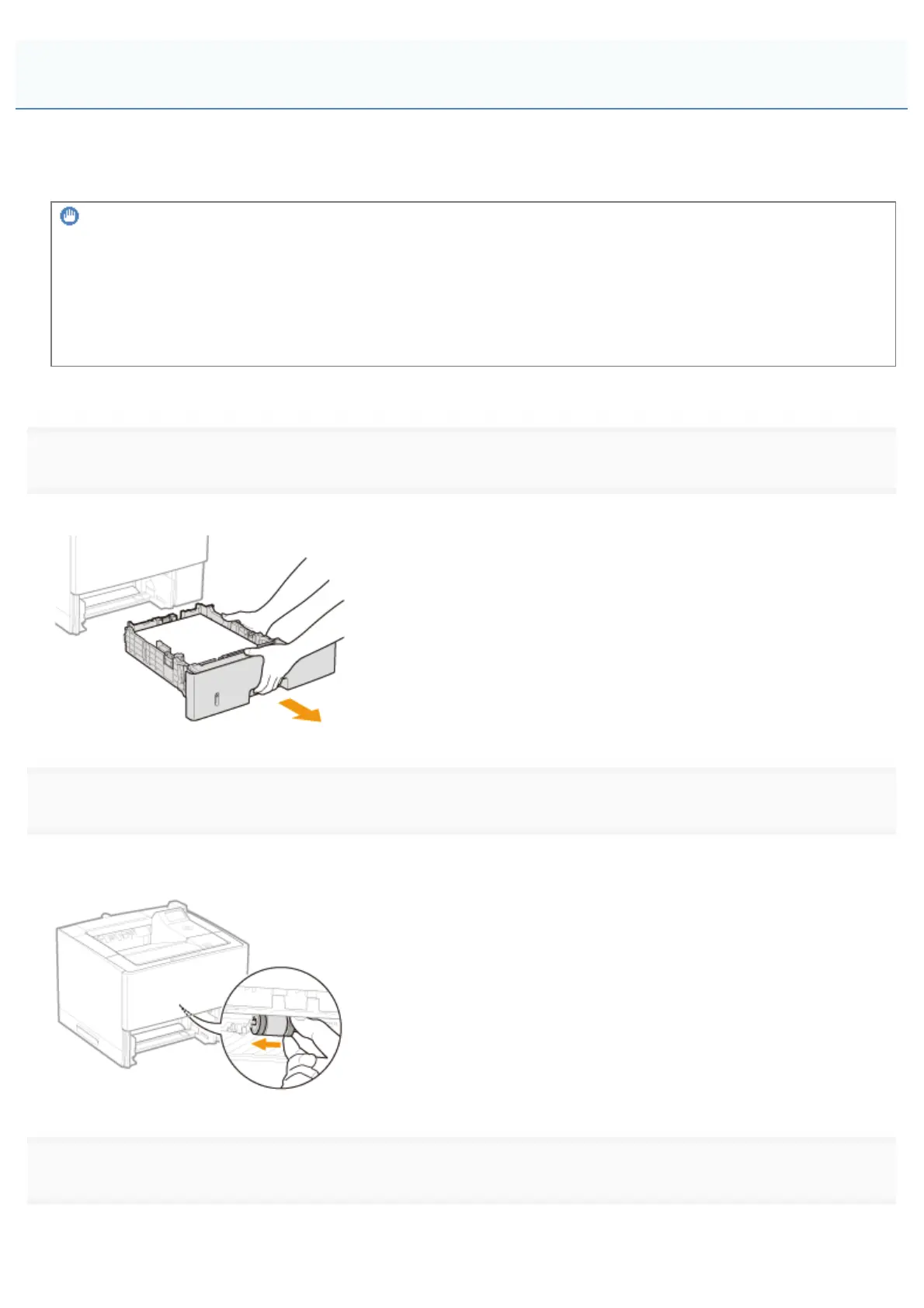
Pull out the paper drawer.
If the paper feeder is installed, pull out the paper drawer of the paper feeder also.
2
Pull the feed roller in the direction of the arrow.
Make sure not to touch the rubber pad.
3
Remove the feed roller.
(1) While pushing the feed roller to the left, remove it as shown in the figure.
Cleaning the Feed Roller
㻤㻤㻟㻌㻛㻌㻥㻣㻜



 To Next Page