0978-02R
When Connecting Using a USB Cable
Before connecting the printer to a computer, see "Important Safety Instructions."
IMPORTANT
Do not plug or unplug the USB cable while the printer or computer is ON.
This may cause the printer to malfunction.
About unidirectional communication equipment
The printer performs bi-directional communication. Operation of the printer when connected via unidirectional
communication equipment was not tested, and as a result, Canon cannot guarantee printer operation if the printer is
connected using unidirectional print servers, USB hubs or switching devices.
NOTE
About the USB interface
This printer supports Hi-Speed USB/USB. For more details, contact your local authorized Canon dealer.
About the interface cable
This printer does not come with an interface cable. Have an appropriate one available for the computer you are
using or the connecting method.
Use a USB cable with the following symbol.
1
Make sure that the printer and computer are OFF.
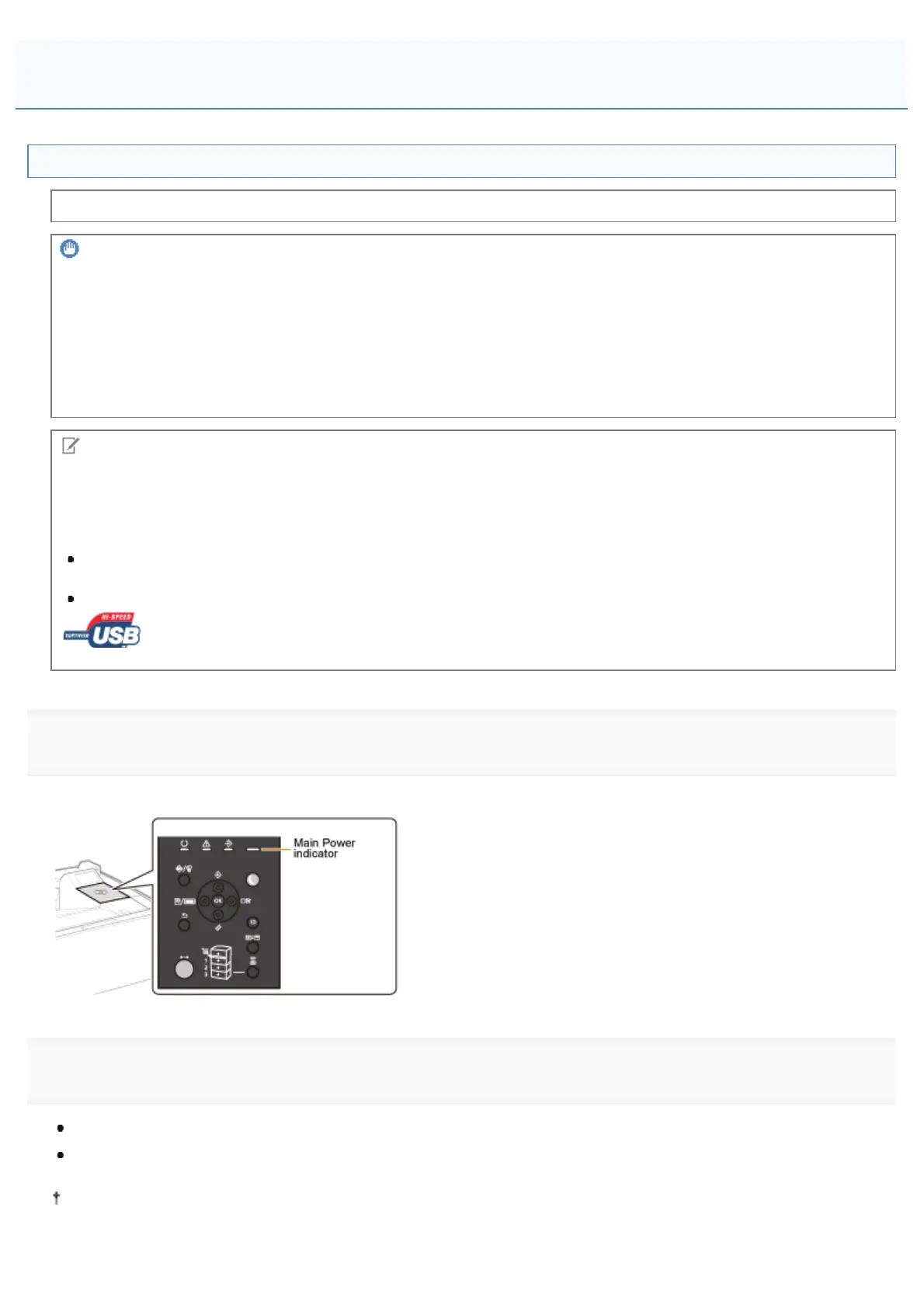
Check if the Main Power indicator on the control panel is turned off.
2
Connect the USB cable.
Flat end (A): Connects to a USB port on your computer.
Square end (B): Connects to the USB connector on this printer.
Do not turn the printer ON at this stage even if you want to install the printer driver.
Connecting to a Computer
㻝㻟㻠㻌㻛㻌㻥㻣㻜



 To Next Page