0978-0K4
Before removing jammed paper, see "Attention (Paper Jams)."
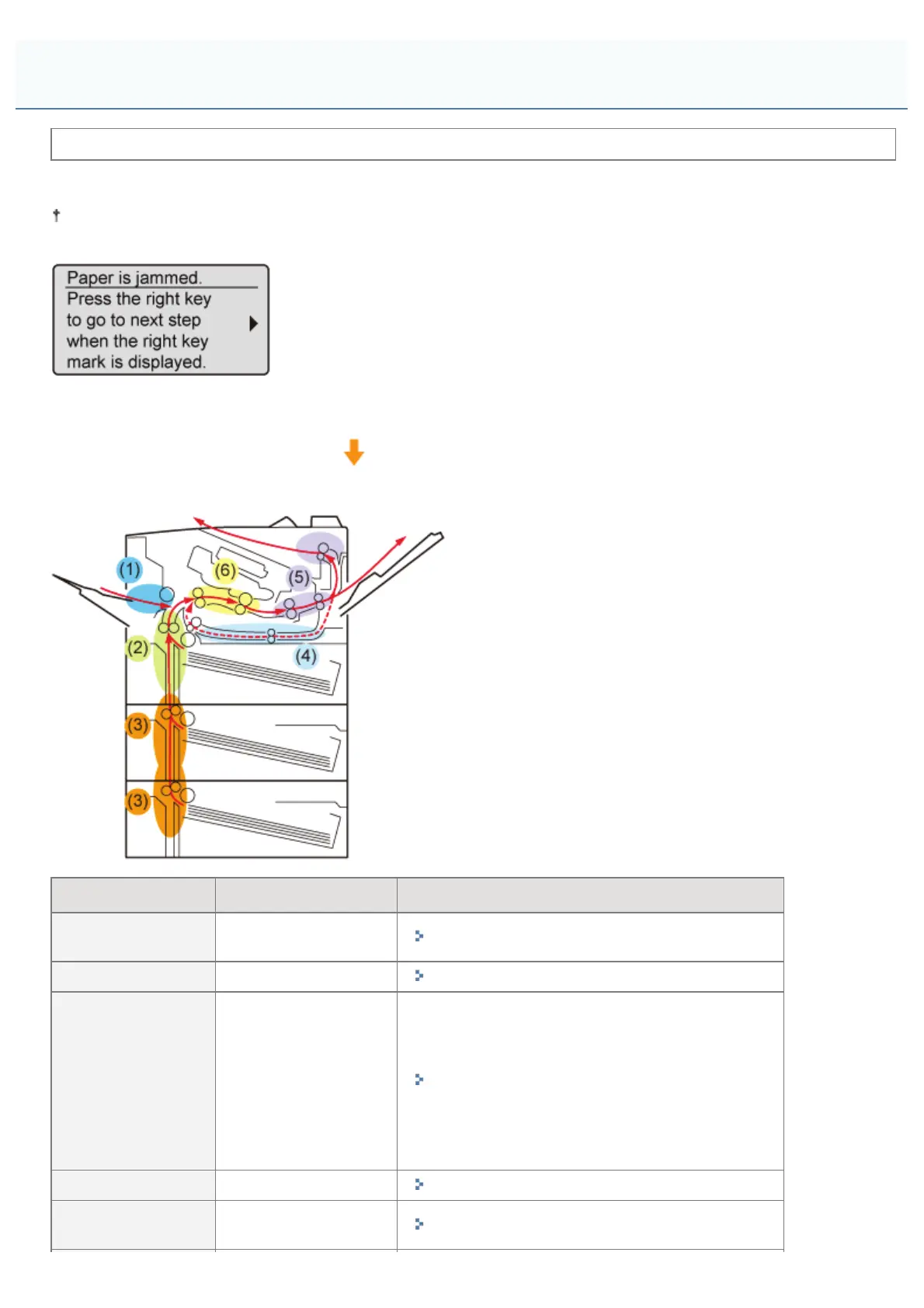
When a paper jam occurs, the printer beeps, displaying the message <Paper is jammed.> in the display.
This section describes the procedure for when [Animated Instruction] is set to [On] (default setting).
If [Animated Instruction] is set to [Off], the following screen is not displayed.
Messages appear one at a time. Confirm all of them.
As the messages disappear when the cover is open, take a note of them if required.
Remove the jammed paper according to the displayed message.
Paper Jam Area Message Clearance Procedure
(1) Multi-purpose
tray
<MP Tray area>
"Clearing Paper Jams (Multi-purpose Tray)"
(2) Drawer 1 <Drawer 1 area>
"Clearing Paper Jams (Paper Drawer)"
(3) Drawer 2
*
,
Drawer 3
*
*
Only when
the paper
feeder
(optional) is
installed
<Drawer 2 area>
<Drawer 3 area>
"Clearing Paper Jams (Paper Drawer)"
(4) Duplex unit area <2-sided unit area>
"Clearing Paper Jams (Duplex Unit)"
(5) Output tray/Sub-
output tray
<Sub/output tray area>
"Clearing Paper Jams (Inside the Output Area)"
Paper Jams
㻤㻢㻢㻌㻛㻌㻥㻣㻜



 To Next Page