0978-04R
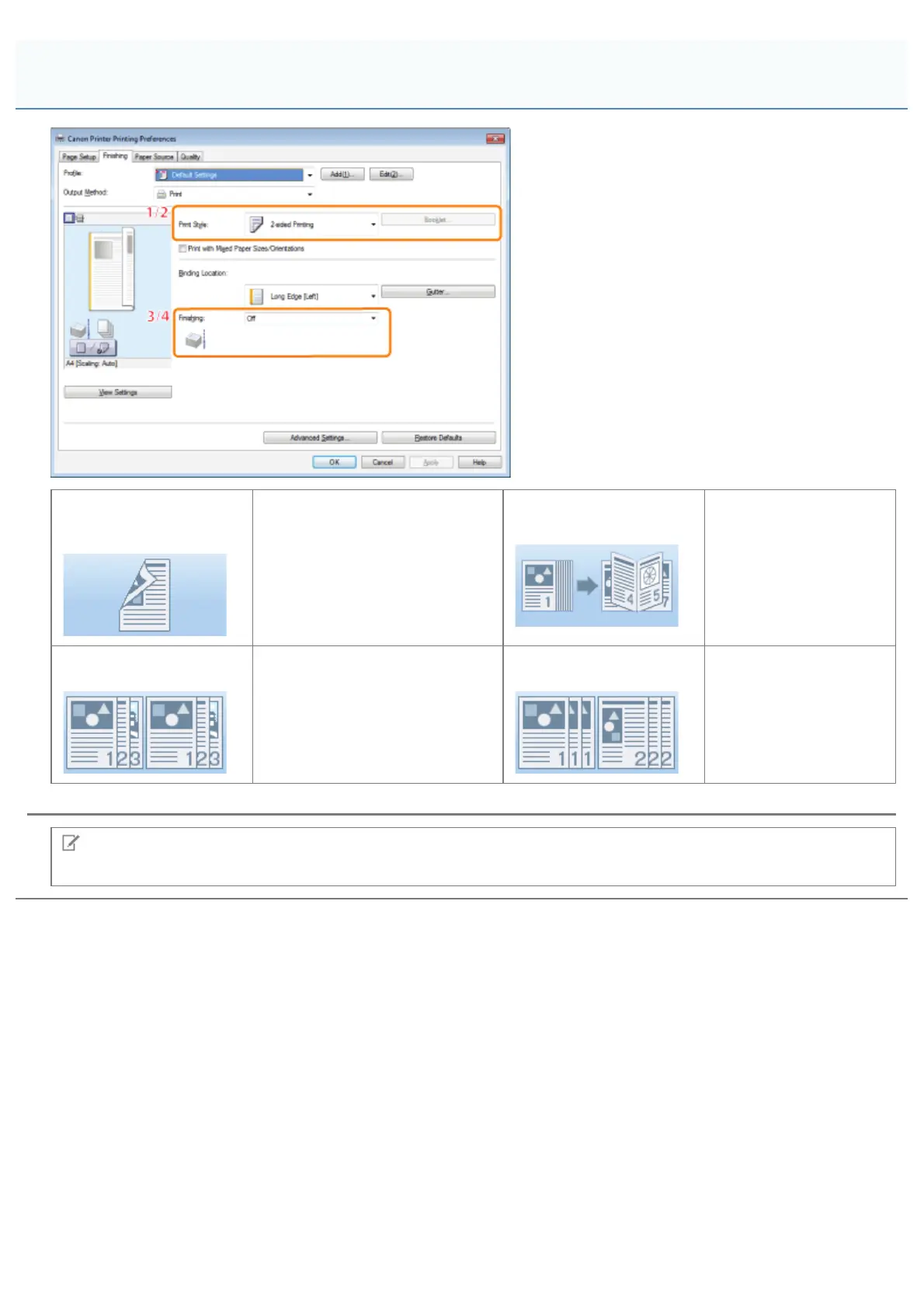
1.1-sided/2-sided
Printing
Prints on one or both sides of
the paper. The default setting for
[Print Style] is [2-sided printing].
2.Booklet Printing
Prints pages in a
sequence that allows
them to be folded and
grouped into a booklet
when output (see
"Booklet Printing").
3.Collating
When printing multiple sets of
copies, outputs each set
separately in page order.
4.Grouping
When printing multiple
sets of copies, outputs
the pages in groups
according to their page
numbers.
NOTE
For instructions on how to display the printer driver screen, see "Printing" or "Configuring the Default Print Settings."
[Finishing] Tab
㻞㻝㻝㻌㻛㻌㻥㻣㻜



 To Next Page