0978-0AF
NOTE
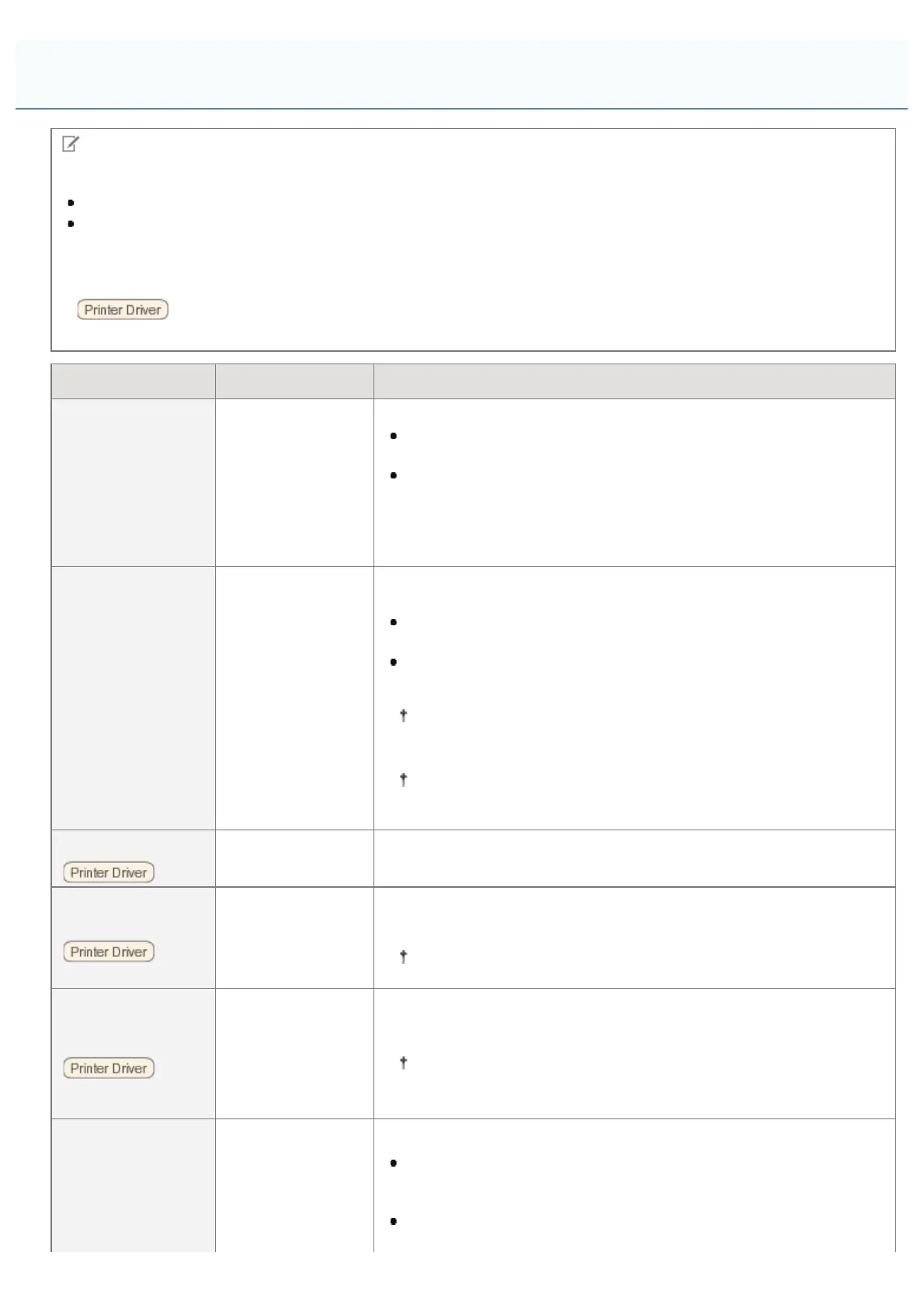
Table description
Bold values in the table indicate the default settings.
The setting items or setting values with "*" may not be displayed depending on the availability of the optional
accessories and other settings.
About the icons
:
The settings for the printer driver are prioritized for this item.
Setting Item Setting Value Setting
[Resolution]
[600 dpi], [1200
dpi]
Specify the print resolution for processing print data.
[600 dpi] is suited for printing ordinary documents and
spreadsheets at fast speeds.
[1200 dpi] provides a high level of resolution to reproduce fine
details such as text and layout or drawing borders faithfully and
clearly.
It is especially suited for printing data containing small font sizes
and thin lines.
[Image Refinement]
*
[Off], [On]
Set whether to use the smoothing process to print the jagged edges of
text and graphics.
When this setting is set to [On], the smoothing process is
performed.
When this setting is set to [Off], no smoothing process is
performed.
The effect of the smoothing process varies depending on the
gradation patterns of text, graphics, and images (such as
drawings, tables, and graphs).
When [Resolution] is set to [1200 dpi], this setting is not
displayed.
[Toner Save]
[Off], [On]
[Toner Save] is used for test printing. When you use [Toner Save], you
can save toner when you print.
[Density]
*
-8 Light to 0 to +8
Dark
Adjust the print density when printing. The larger the setting value, the
greater the print density.
When [Toner Save] is set to [On], this setting is unselectable.
[Density (Fine Adj)]
*
[High]: -8 Light to
0 to +8 Dark
[Mid]: -8 Light to 0
to +8 Dark
[Low]: -8 Light to 0
to +8 Dark
Fine-tune the toner density for printing.
When [Toner Save] is set to [On], this setting is unselectable.
[Text]:
[Resolution],
[Gradation], [Color
Tone], [High
Resolution]
[Graphics]:
Specify the halftone display method when printing.
[Resolution] allows you to print in fine detail so that the edges of
text data can be seen clearly. It is suitable for printing data
containing text and fine lines.
[Gradation] allows you to perform printing that combines smooth
gradation with edge quality. It is suitable for printing graphics or
[Setup] Menu ([Quality] Options)
㻡㻣㻢㻌㻛㻌㻥㻣㻜



 To Next Page