0978-0EJ
1
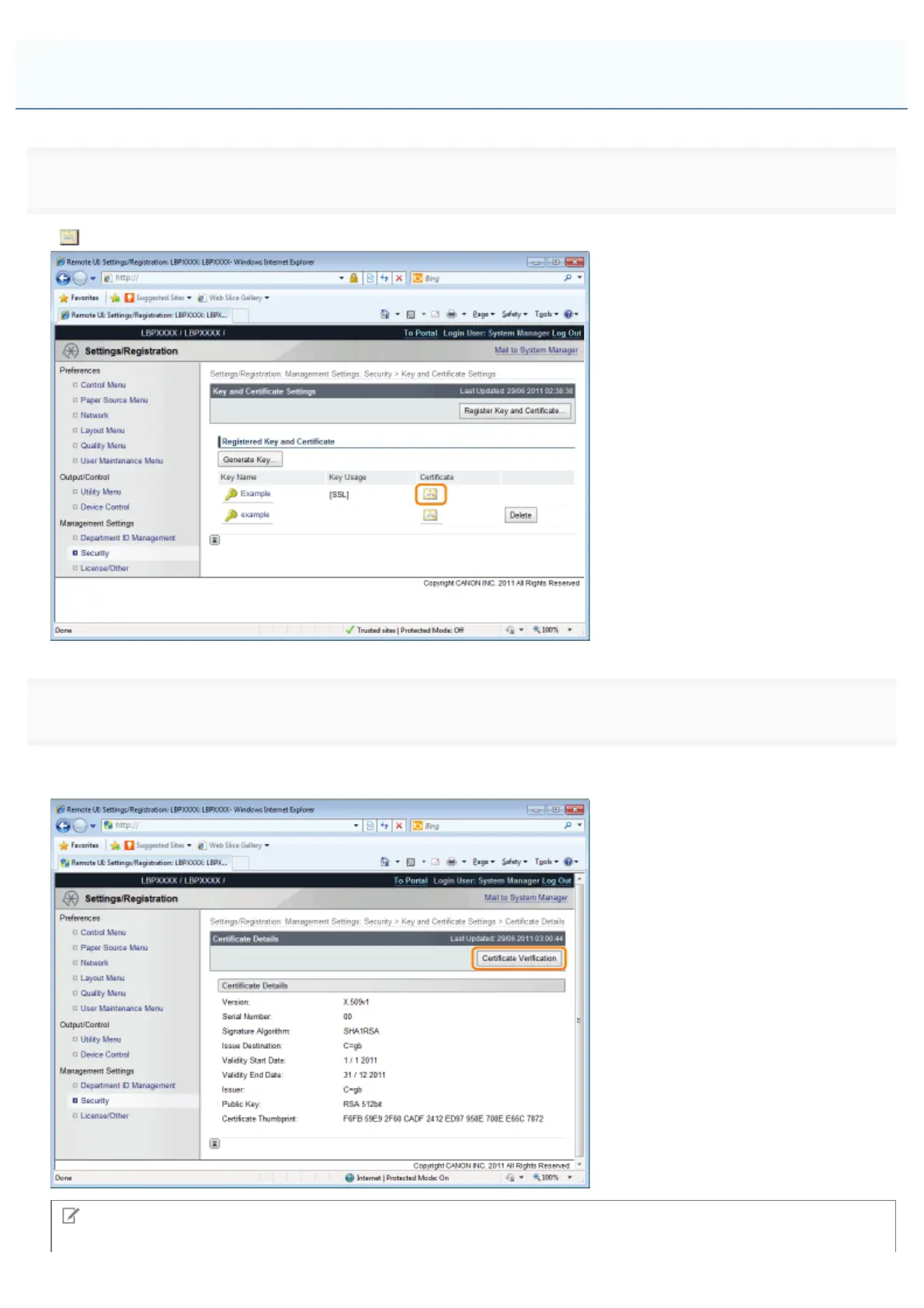
Click the icon of the certificate to be confirmed.
[
] is displayed only when a certificate has been issued for the created key.
2
If you want to verify the certificate, click [Certificate Verification].
ĺ The verification result is displayed.
NOTE
If "An error has occurred during verification." is displayed in the verification result screen, this key pair cannot be used.
Checking a Certificate
㻣㻜㻞㻌㻛㻌㻥㻣㻜



 To Next Page