0978-04K
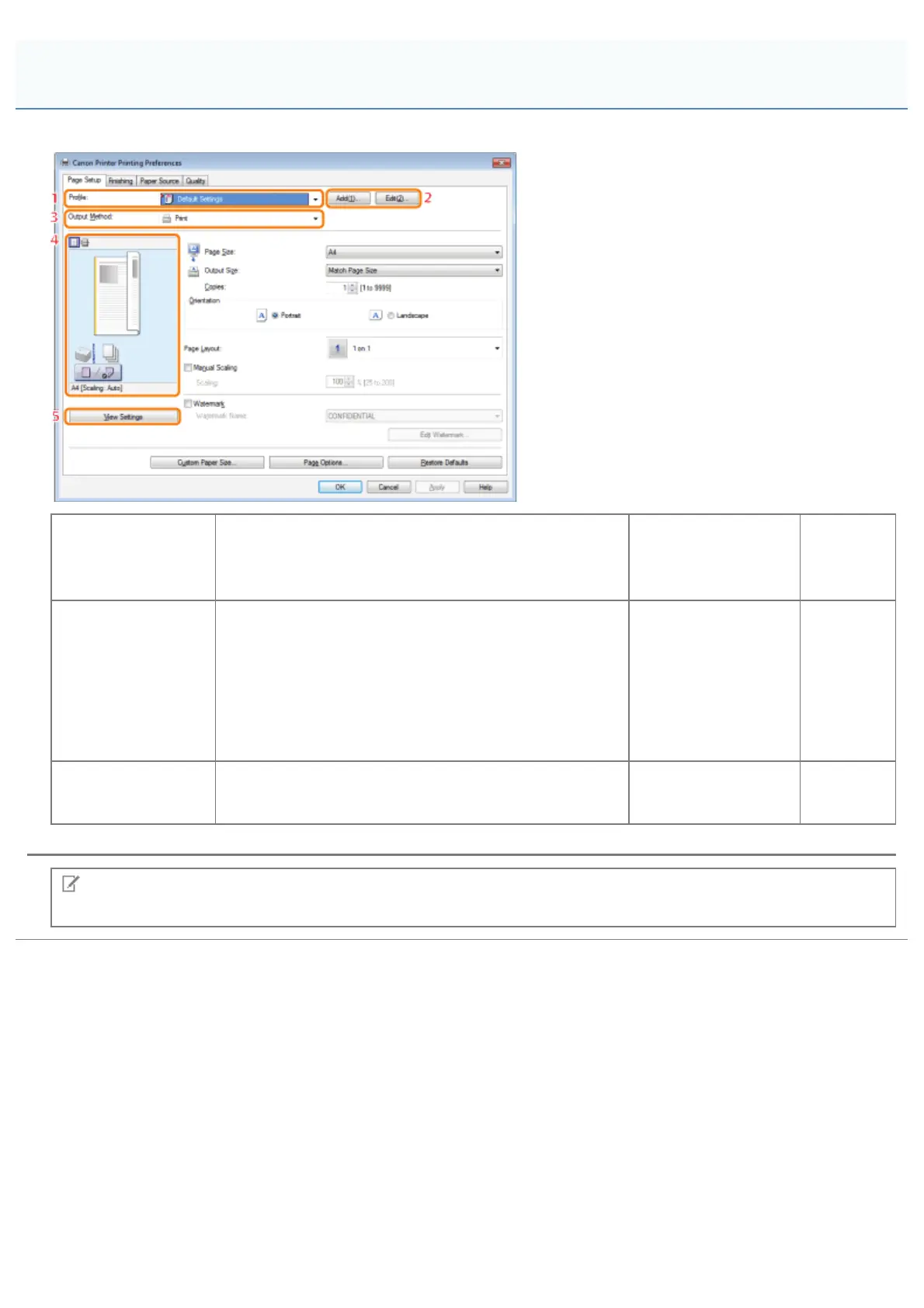
The following functions are common to the [Page Setup], [Finishing], [Paper Source], and [Quality] tabs.
1.Profiles
You can select a profile to conveniently repeat the same
print settings (see "Selecting a Profile for Printing").
2.Adding/Editing
Profiles
You can
add and
edit profile
settings.
3.Changing the
Output Method
Enables you to change output methods. For example,
you can combine multiple sets of print data and
configure print settings for the combined data (see
"Combining and Printing Multiple Files").
4.Preview
The
settings
configured
in each
sheet are
displayed
in the
preview.
5.Verifying
Settings
You can verify the settings specified in each sheet.
NOTE
For instructions on how to display the printer driver screen, see "Printing" or "Configuring the Default Print Settings."
Common Functions
㻞㻜㻥㻌㻛㻌㻥㻣㻜



 To Next Page