0978-03W
When a job is canceled from the computer or the data is less than one page, the data may remain in the printer memory,
and the job may not be completed properly. As long as the printer remains in this state, you cannot perform printing
because the printer cannot receive the next data.
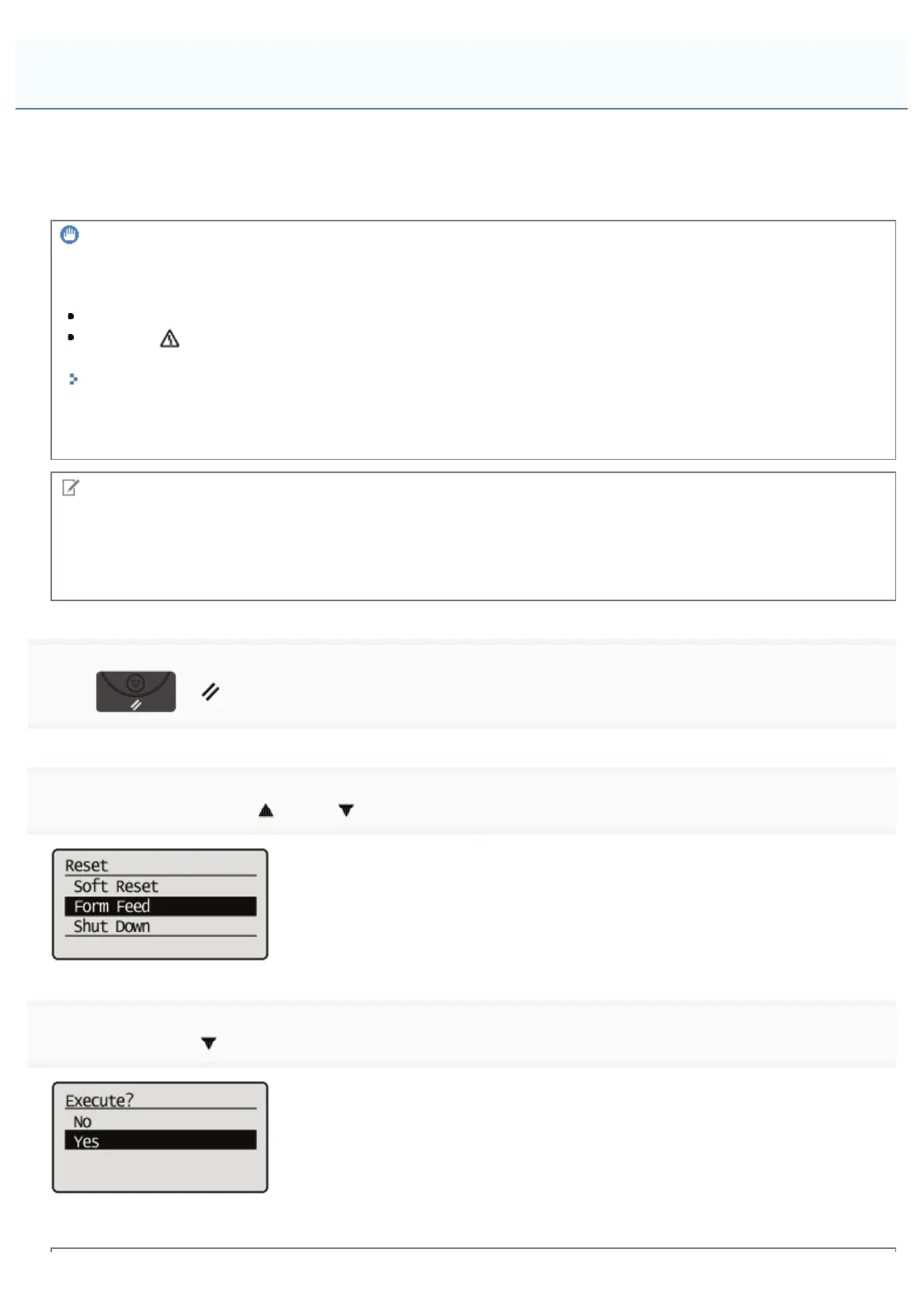
In this case, force the printer to output the print data using the following procedure.
IMPORTANT
If you cannot output data
You cannot output data for the following jobs or in the following state.
Data from the PCL/PS/UFR II printer driver
When the
(Message) indicator is on
Perform a soft reset.
"Canceling the Process Currently Being Performed (Soft Reset)"
The data that is being printed is deleted.
When you output data, print it again.
NOTE
About automatic output
When [Timeout] under [Interface] in the Setup Menu is set to [On], even less than a page of data is discharged
automatically. (Data from the PCL/UFR II printer driver is not output.) [Timeout] for a job is set to 15 seconds in the
default settings.
1
Press [ ] ( : Reset).
2
Select [Form Feed] using [ ] and [ ], and then press [OK].
3
Select [Yes] using [ ], and then press [OK].
ĺ The data remaining in the memory is printed.
Outputting Data (Forced Output)
㻝㻤㻟㻌㻛㻌㻥㻣㻜



 To Next Page