0978-047
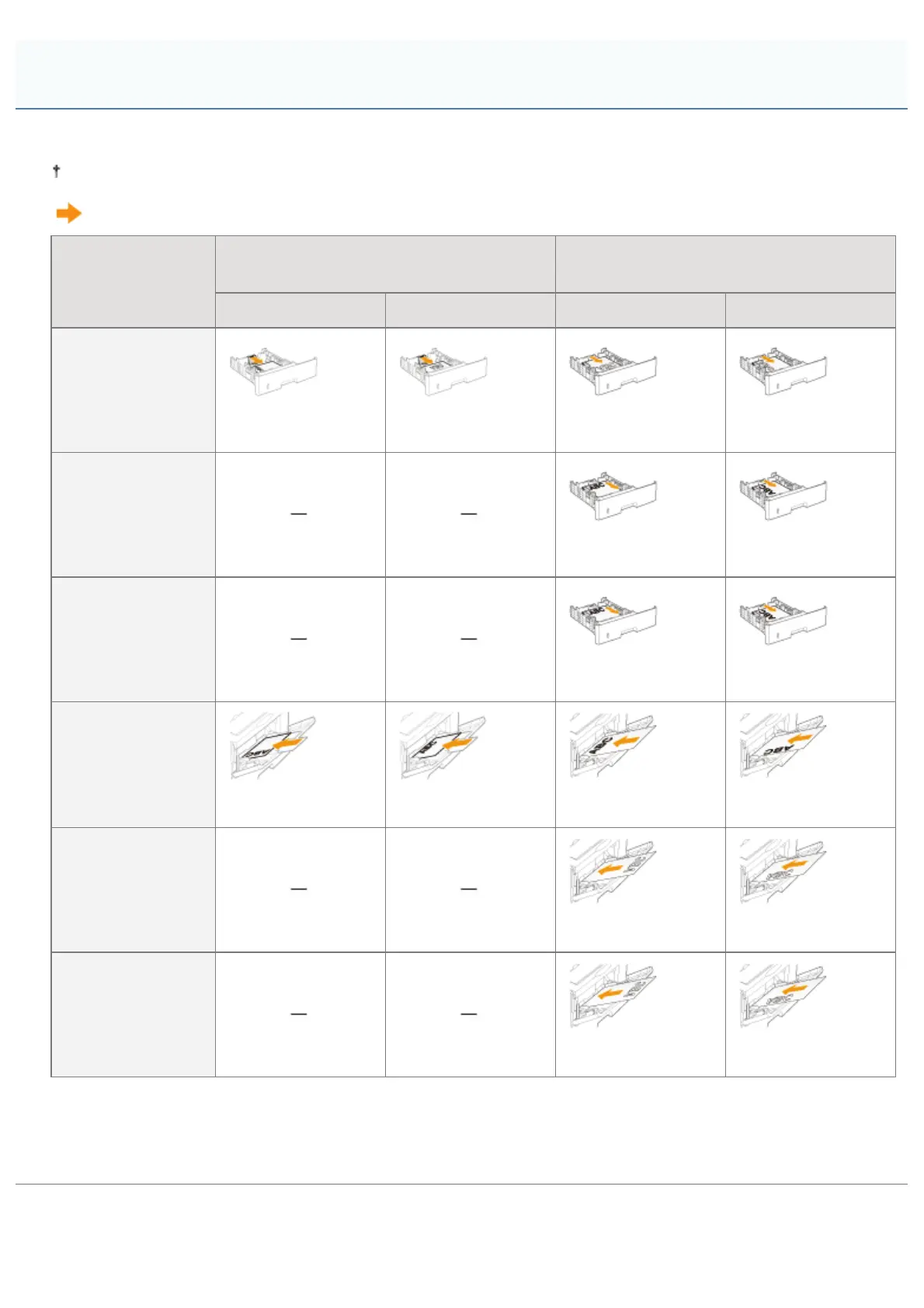
To print paper with letterheads or logos, load the paper in the proper orientation as follows.
When printing on envelopes, see "Printing on Envelopes."
(
: Feeding direction)
When paper is loaded in landscape
orientation
When paper is loaded in portrait
orientation
Portrait Layout Landscape Layout Portrait Layout Landscape Layout
Paper drawer (1-
sided printing)
*1
(With the printing
side facing down)
(With the printing
side facing down)
(With the printing
side facing down)
(With the printing
side facing down)
Paper drawer (1-
sided printing)
*2
(With the printing
side facing up)
(With the printing
side facing up)
Paper drawer (2-
sided printing)
(With the front side
facing up)
(With the front side
facing up)
Multi-purpose tray
(1-sided printing)
*1
(With the printing
side facing up)
(With the printing
side facing up)
(With the printing
side facing up)
(With the printing
side facing up)
Multi-purpose tray
(1-sided printing)
*2
(With the printing
side facing down)
(With the printing
side facing down)
Multi-purpose tray
(2-sided printing)
(With the front side
facing down)
(With the front side
facing down)
*1
With [Paper Feed Method] set to [Speed Priority]
*2
With [Paper Feed Method] set to [Print Side Priority]
For details on [Paper Feed Method], see "[Setup] Menu ([User Maintenance] Options)."
Paper Loading Orientation
㻝㻥㻢㻌㻛㻌㻥㻣㻜



 To Next Page