0978-0AE
NOTE
Table description
Bold values in the table indicate the default settings.
About the icon
:
The settings for the printer driver are prioritized for this item.
Setting Item
Setting
Value
Setting
[Copies]
1 to 9999
Specifies the number of copies to be printed.
The printer prints the specified number of copies.
[Offset Y]/[Offset X]
-50.0 to
0.0 to
+50.0
(mm)
Adjusts the printing position in the vertical direction (Y) or the horizontal direction
(X) by the specified value.
"Adjusting the Printing Position for All the Jobs"
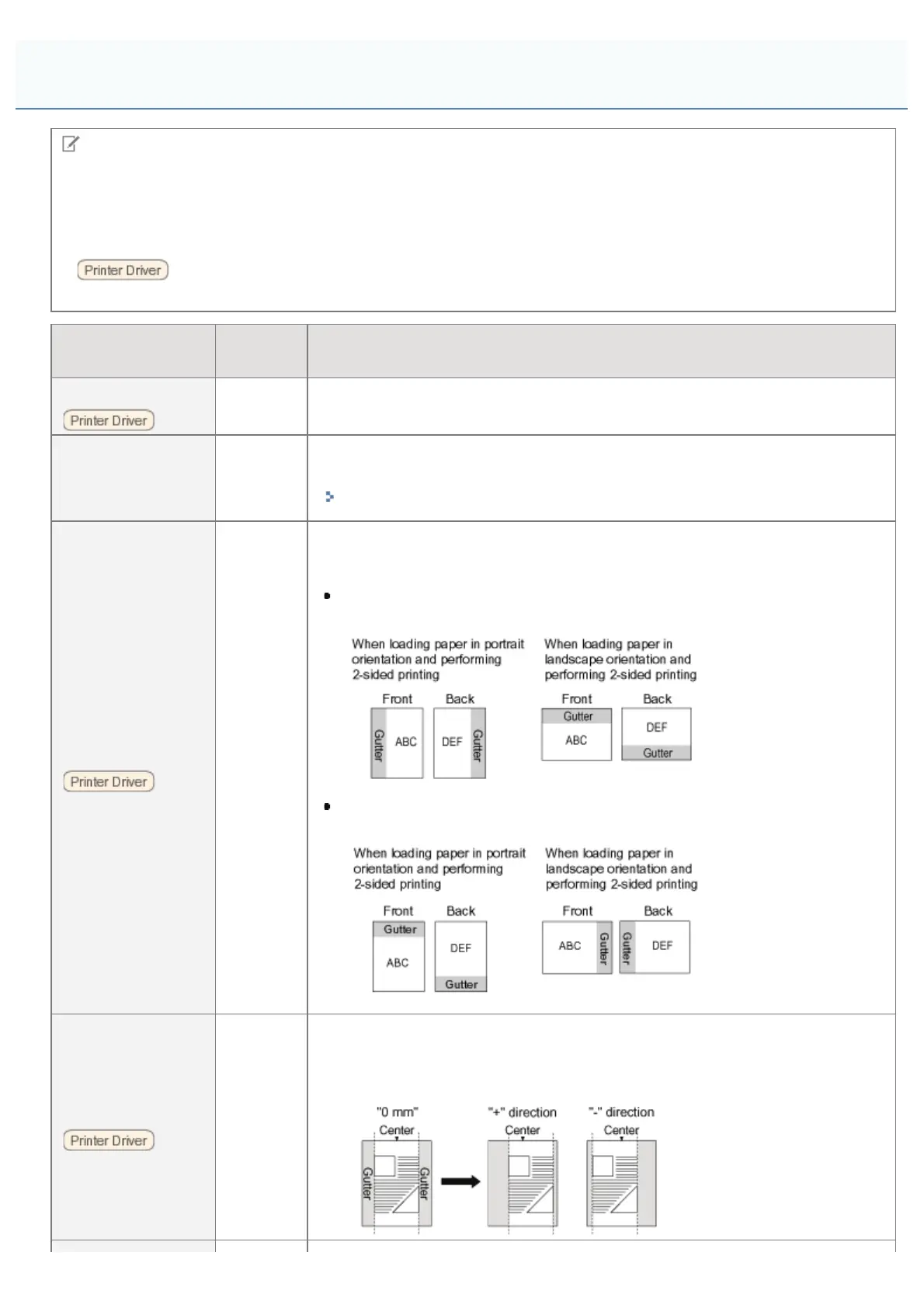
[Binding Location]
[Long
Edge],
[Short
Edge]
Specifies which edge of the paper, the long edge or short edge, is to be bound.
When performing 2-sided printing, the printer adjusts the binding location
automatically according to the paper surface.
If [Long Edge] is specified, the binding location is created on the long edge
of the paper.
If [Short Edge] is specified, the binding location is created on the short edge
of the paper.
[Gutter]
-50.0 to
0.0 to
+50.0
(mm)
Specifies the gutter width for printing with the binding location created. A gutter is
created with the image shifted by the specified value.
You can shift the image in the "+" direction with a positive value and in the "-"
direction with a negative value.
[Setup] Menu ([Layout] Options)
㻡㻣㻠㻌㻛㻌㻥㻣㻜



 To Next Page