0978-03X
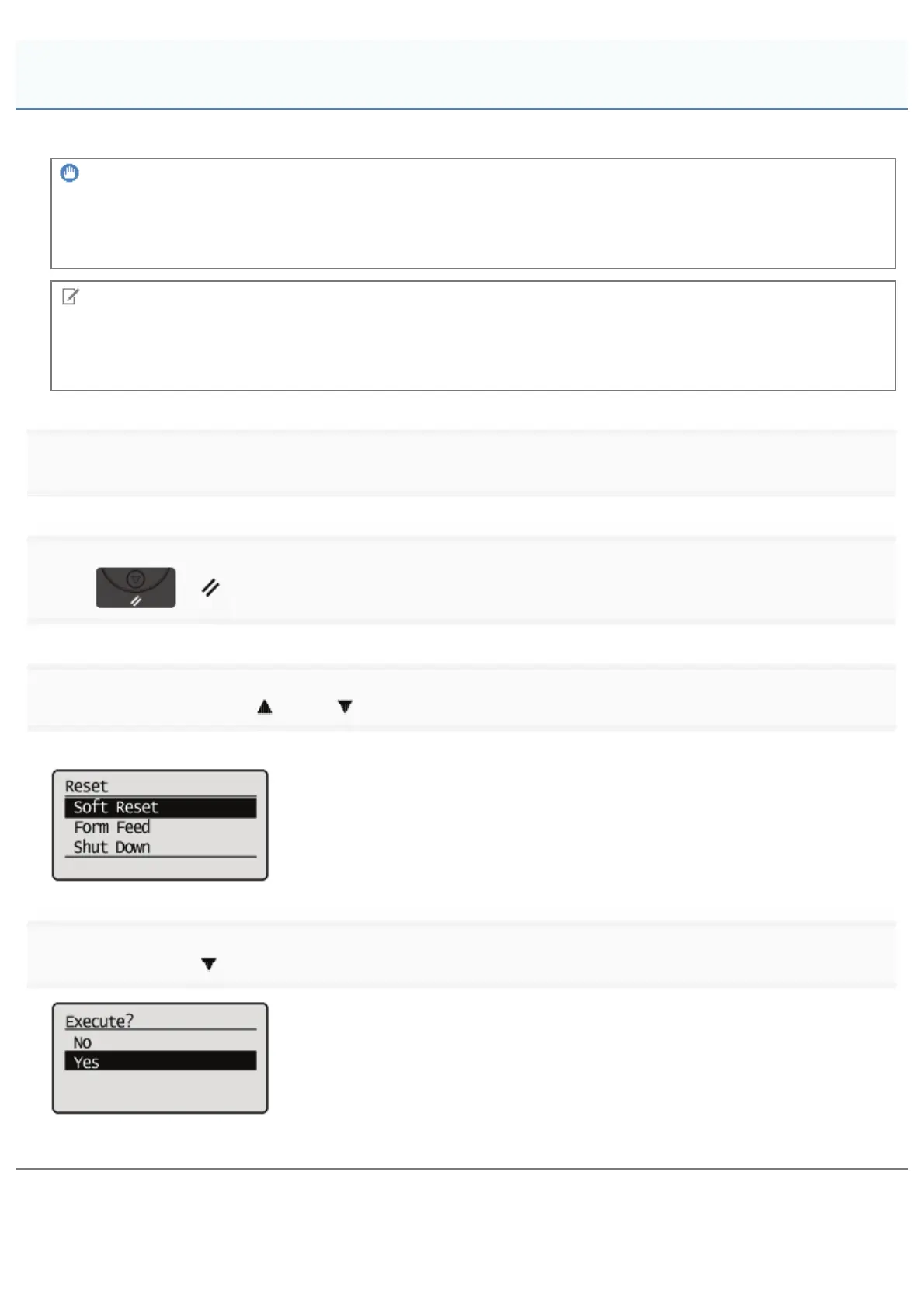
If you want to cancel the process currently being performed, perform [Soft Reset] using the following procedure.
IMPORTANT
The data that is being printed, that is on the print queue, or that is being received is deleted.
Performing a soft reset deletes all the jobs (those from other computers and interfaces).
Make sure that other users are not printing before performing a soft reset.
NOTE
About the difference from a hard reset
Hard resets delete all the registered files, such as the form data saved in the RAM of the printer, but soft resets do not
delete them.
1
Cancel printing from the computer.
2
Press [ ] ( : Reset).
3
Select [Soft Reset] using [ ] and [ ], and then press [OK].
Hold down the [OK] key 5 seconds or more if you want to perform a [Hard Reset].
4
Select [Yes] using [ ], and then press [OK].
ĺ When <Resetting software...> disappears, the soft reset is completed.
Canceling the Process Currently Being Performed (Soft Reset)
㻝㻤㻡㻌㻛㻌㻥㻣㻜



 To Next Page