0978-0HS
IMPORTANT
SMS Password
To prevent unauthorized access, we recommend that the administrator change the password before SMS use is
begun.
This password is to prevent unauthorized operation of the printer. Do not let anyone know except the administrator.
Make sure that you do not forget your password. If you forget your password, you will not be able to use SMS. If
this happens, contact your local dealer.
1
Start SMS (Service Management Service).
"Launching SMS (Log in)"
2
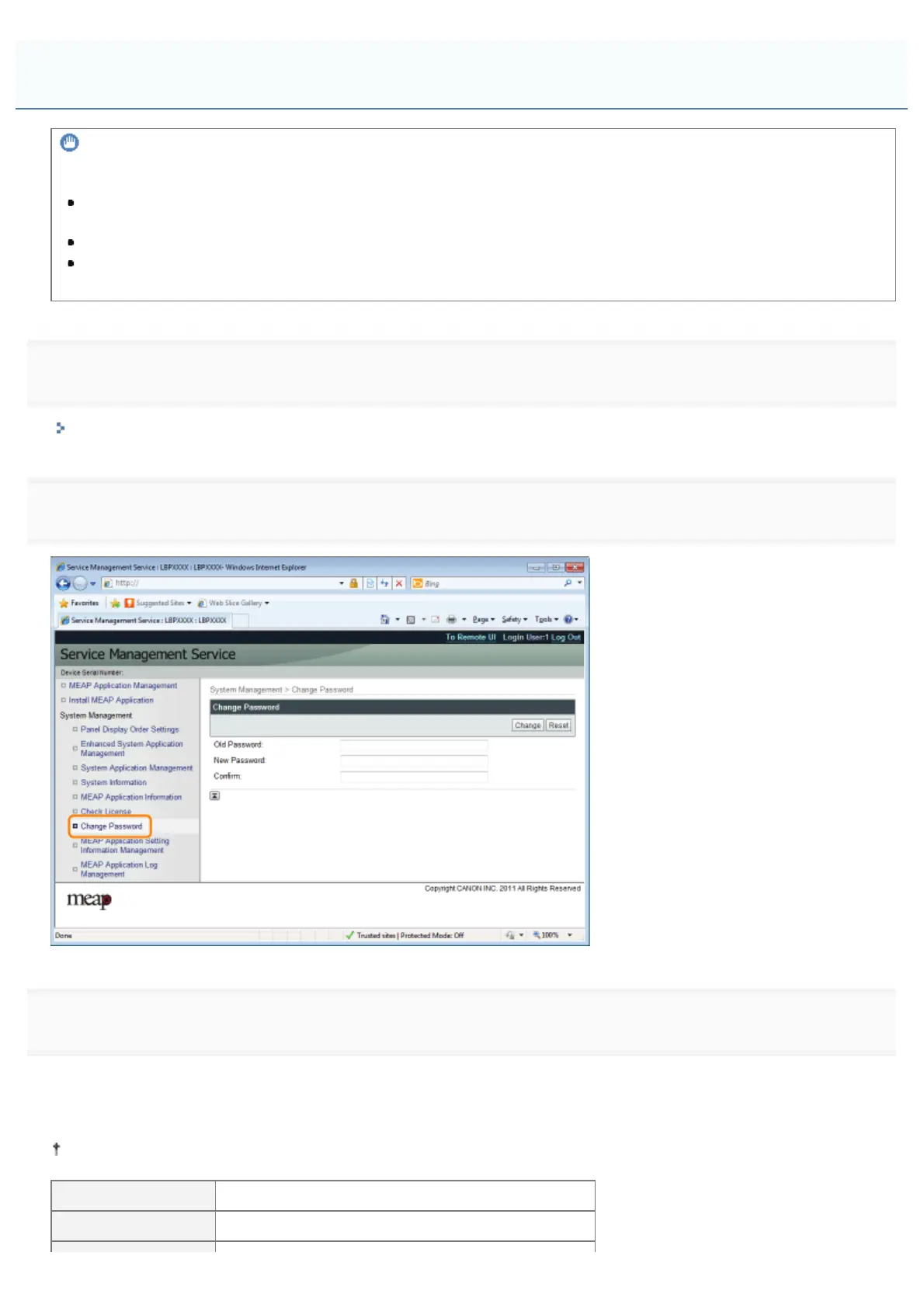
Click [Change Password].
3
Set the password.
(1) Set the password.
(2) Click [Change].
Enter between 8 and 32 alphanumeric characters (a to z, A to Z, and 0 to 9) for the password.
[Old Password] Enter the password that is currently used.
[New Password] Enter the new password.
Changing the SMS Password
㻤㻜㻟㻌㻛㻌㻥㻣㻜



 To Next Page