0978-0F0
Select keys and certificates used by SSL encrypted communication functions.
NOTE
When Selecting Keys and Certificates
A key and certificate need to be generated for encrypted SSL traffic. For more information, see "Setting Keys and
Certificates."
About [Default Key Settings]
[Default Key Settings] is only displayed when the key is not specified as use key.
To prevent keys in use from being changed, [Default Key Settings] is not displayed in the following cases.
[Use SSL] under [Remote UI Settings] is set to ON.
[SSL] under [TCP/IP Settings] is set to On for IPP printing.
If you want to set the key as use key, first disable the above settings and then set the key as use key.
1
Start the Remote UI, and then log in as Administrator.
"Starting the Remote UI"
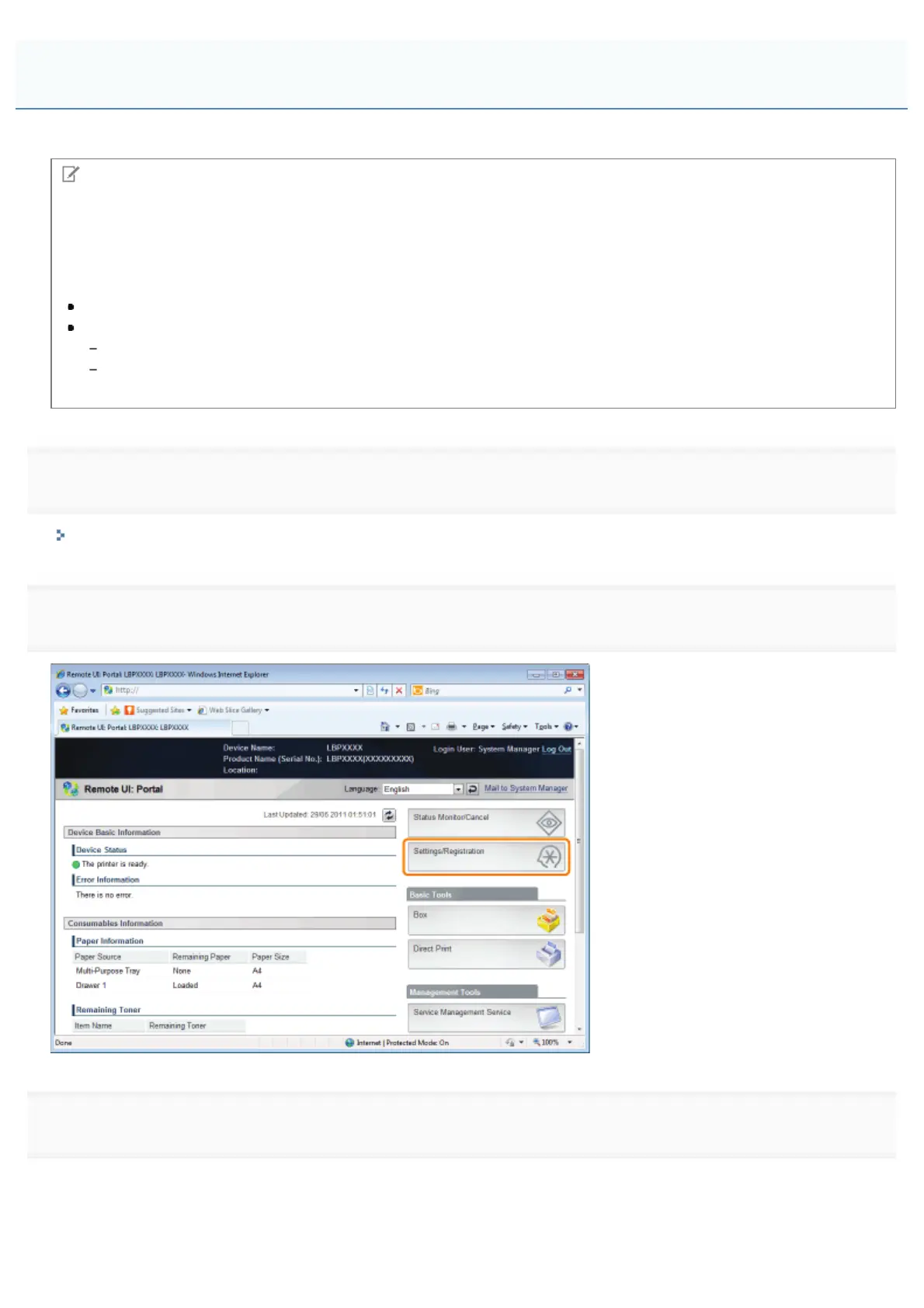
2
Click [Settings/Registration].
3
Select [Network] from the [Preferences] menu.
Selecting Keys and Certificates
㻣㻝㻡㻌㻛㻌㻥㻣㻜



 To Next Page