0978-0KA
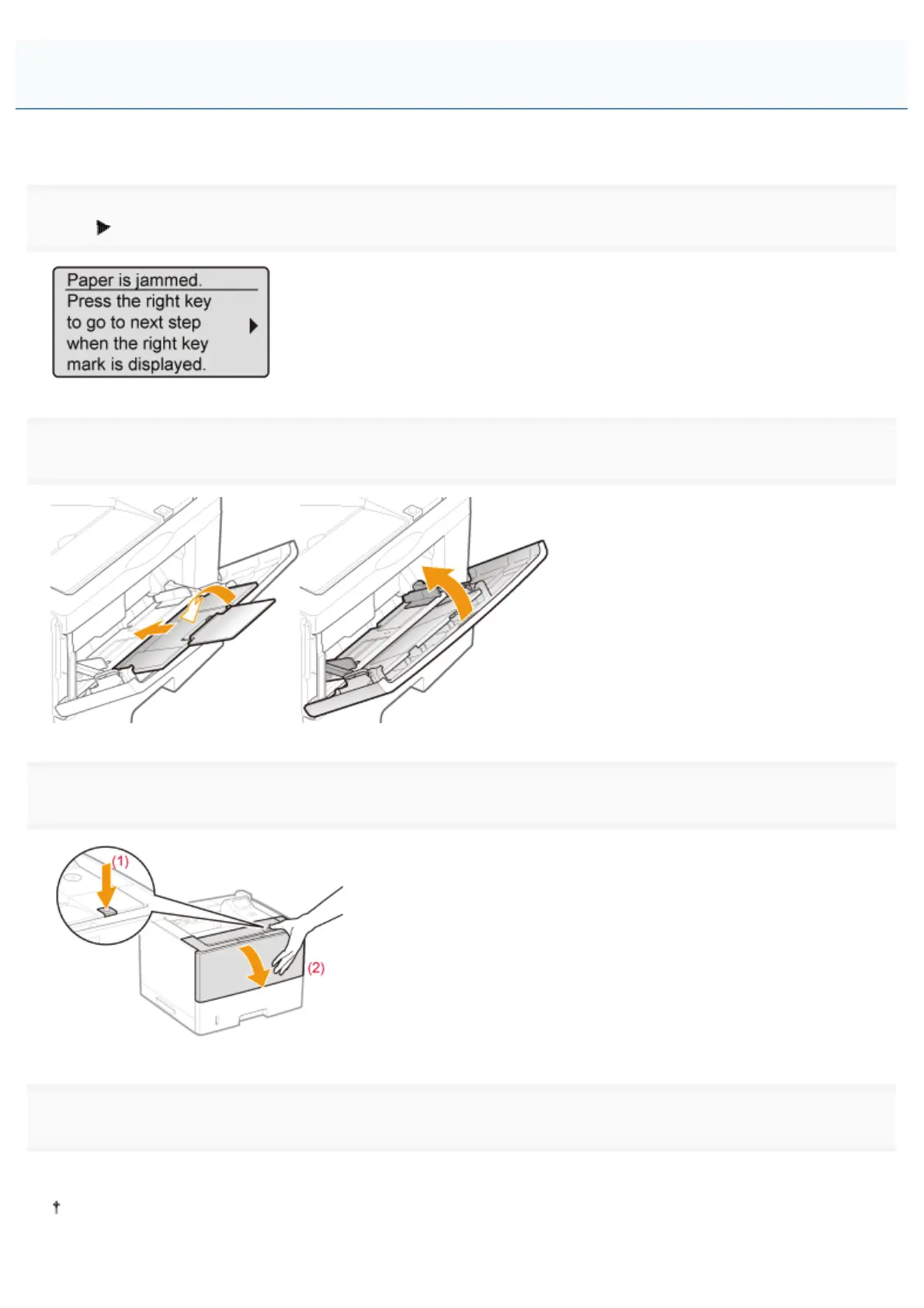
Referring to the procedure on the display, follow the steps below to remove jammed paper.
1
Press [ ].
2
If you are using the multi-purpose tray, close it.
3
Open the front cover while pressing the open button.
4
Remove the toner cartridge.
Immediately place the removed toner cartridge into the original protective bag or wrap it with a thick cloth.
For details on handling the toner cartridge, see "Attention (Toner Cartridge)."
Clearing Paper Jams (Inside the Front Cover)
㻤㻣㻥㻌㻛㻌㻥㻣㻜



 To Next Page