0978-0CJ
1
Press [ ] ( : Online).
The
(Online) indicator goes off, allowing you to specify the settings on the control panel.
2
Press [ ] ( : Settings).
3
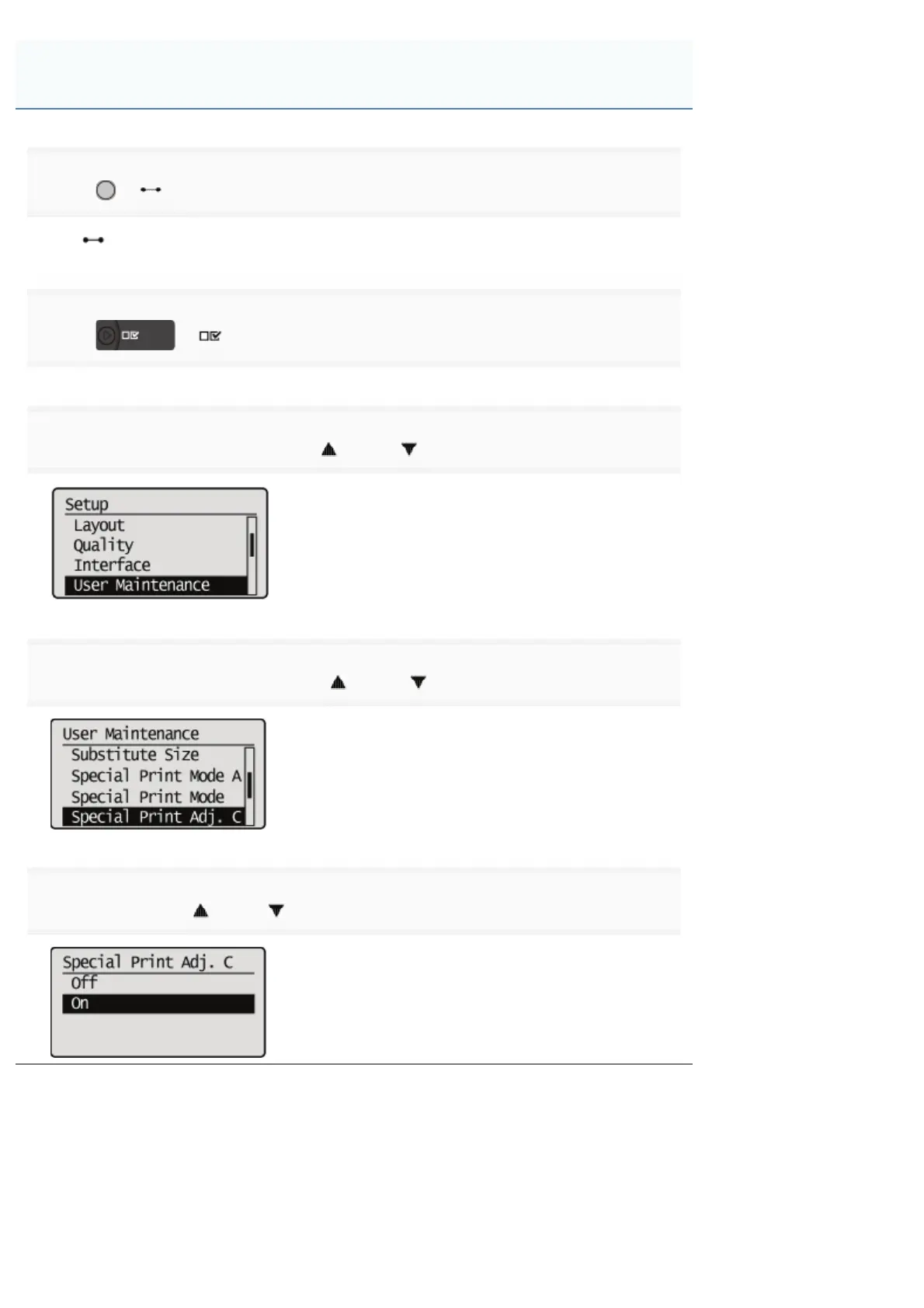
Select [User Maintenance] using [ ] and [ ], then press [OK].
4
Select [Special Print Adj. C] using [ ] and [ ], then press [OK].
5
Select [On] using [ ] and [ ], then press [OK].
Performing Printing Always with Silent Mode
㻢㻞㻠㻌㻛㻌㻥㻣㻜



 To Next Page