0978-00J
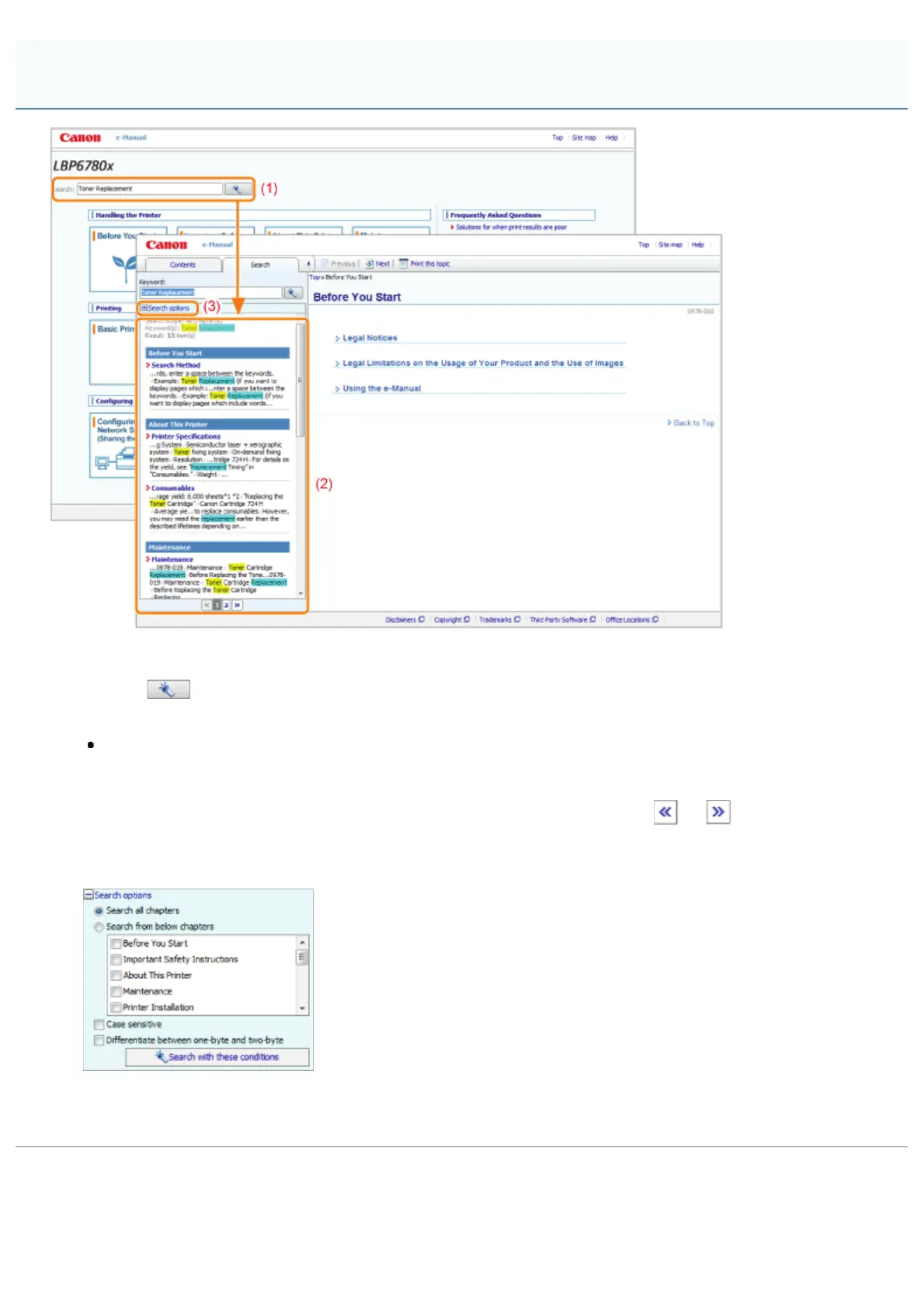
(1) Search
Entering a character string in [Search] on the top page or in the [Keyword] text box on the search panel and then
clicking [
] displays the search results.
The AND search is available in the e-Manual so you can refine the search results by entering two or more keywords.
When entering keywords, enter a space between the keywords.
Example: Toner Replacement (if you want to display pages which include words, "Toner" and "Replacement")
(2) Search result
The search results for a keyword are displayed.
If there are more than 10 search results, you can see the other results by clicking [
], [ ], or the number
which is located below the result.
(3) [Search options]
Click to display the search options.
The search options can be used to specify the chapter to search, case sensitivity, and whether to differentiate
between one- and two-byte characters.
Click [Search with these conditions] to search with the specified conditions.
Search Method
㻞㻤㻌㻛㻌㻥㻣㻜



 To Next Page