0978-04Y
Multiple pages can be printed on one sheet of paper.
1.
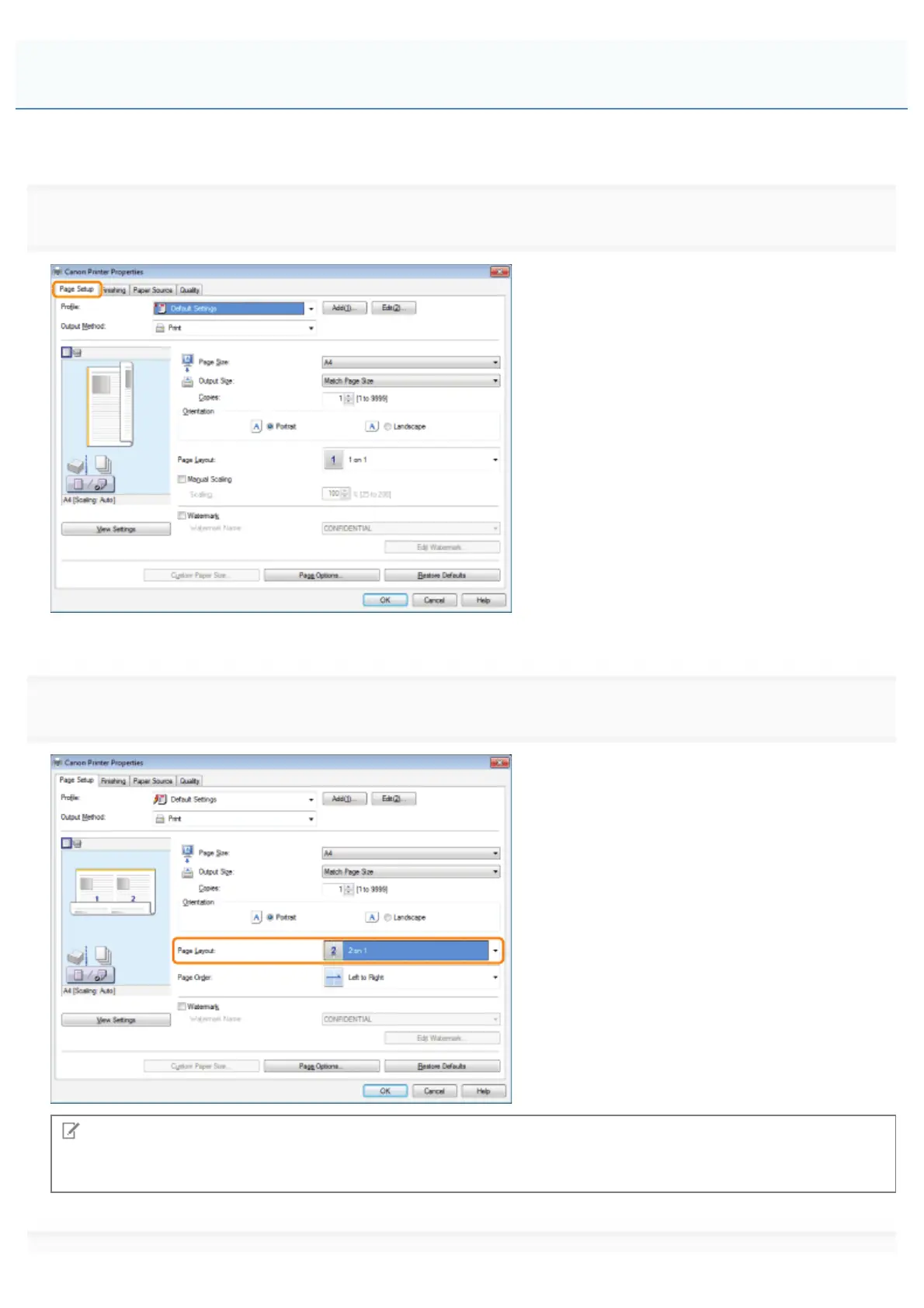
Click [Page Setup].
For instructions on how to display the printer driver screen, see "Printing" or "Configuring the Default Print Settings."
2.
Select [N on 1] from [Page Layout] (where "N" is the number of pages you want to print on the sheet).
Note
If you cannot select the options for [Page Layout], display the [Device Settings] tab, and then select [Auto] or [Enabled]
from [Spooling at Host]. For instructions on how to display the [Device Settings] tab, see "Setting the Printer Options."
Printing Multiple Pages on One Sheet
㻞㻝㻣㻌㻛㻌㻥㻣㻜



 To Next Page