0978-0AU
NOTE
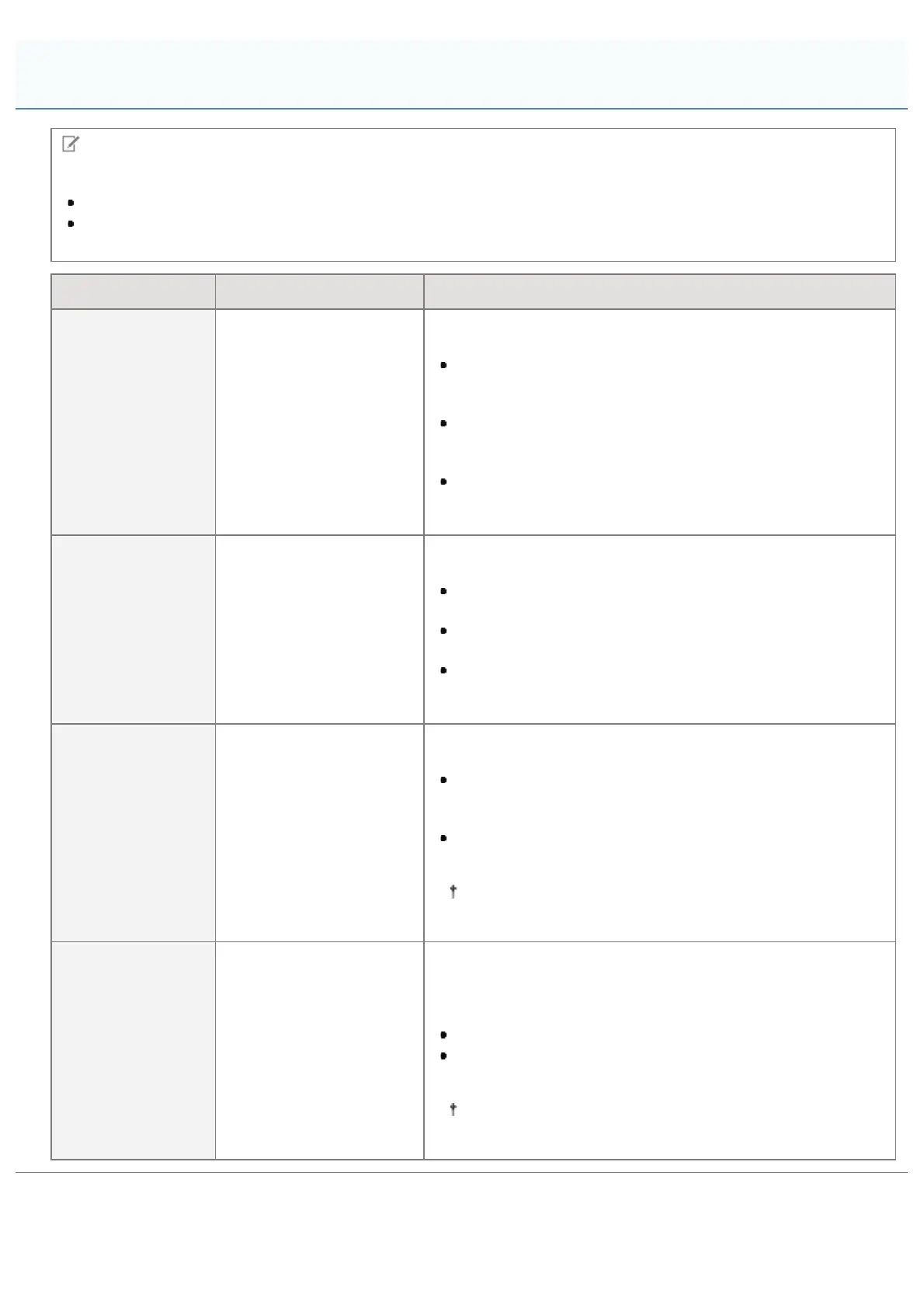
Table description
Bold values in the table indicate the default settings.
The setting items or setting values with "*" may not be displayed depending on the availability of the optional
accessories and other settings.
Setting Item Setting Value Setting
[Halftones]
[Text]: [Resolution],
[Gradation], [High
Resolution]
[Graphics]:
[Resolution],[Gradation],
[High Resolution]
[Image]: [Resolution] ,
[Gradation], [High
Resolution]
You can select the halftone display method from
[Resolution], [Gradation] and [High Resolution].
[Resolution] allows you to perform printing that combines
smooth gradation with edge quality. It is suitable for printing
graphics or graphs that use gradation.
[Gradation] allows you to print with a sharp gradation and
well-balanced texture, contrasting light and shade, which is
best suited for printing photo images.
[High Resolution] allows you to print in fine detail so that
the edges of text data can be seen clearly. It is suitable for
printing data containing text and fine lines.
[Grayscale
Conversion]
[Text]: [sRGB], [NTSC],
[Uniform RGB]
[Graphics]: [sRGB],
[NTSC], [Uniform RGB]
[Image]: [sRGB], [NTSC],
[Uniform RGB]
Select the method for converting color print data to grayscale for
printing.
When it is set to [sRGB], it calculates the grayscale value
using the sRGB standard color conversion method.
When it is set to [NTSC], it calculates the grayscale value
using the NTSC standard color conversion method.
When it is set to [Uniform RGB], it takes the average value
of the Red, Green and Blue color values as the grayscale
value.
[Compressed Img
Mode]
*
[Image Priority],
[Output Priority]
Choose how the printer behaves in case the printer is running
low on memory when printing an XPS file.
When [Image Priority] is selected, printing is performed with
the image quality given a higher priority. If the printer is
running low on memory, printing is cancelled.
When [Output Priority] is selected, this may degrade the
image quality, but printing can still be performed.
When [SD Card] is set to [On], the printer always runs in
[Output Priority] mode.
[Compressed Img
Outpt]
[Output], [Display Error]
If output is given a higher priority, this may gradually degrade
the image quality over time, depending on the type of print data.
If this happens, continue printing by lowering the image quality or
display an error message to decide whether to cancel printing.
When [Output] is selected, printing continues.
When [Display Error] is selected, an error message
appears, and printing is cancelled.
This setting is effective when [Compressed Img Mode] is
set to [Output Priority], or when [SD Card] is set to [On].
[Setup] Menu ([XPS] Options)
㻡㻤㻤㻌㻛㻌㻥㻣㻜



 To Next Page