0978-01E
If the message <16 Tnr cart. will soon reach end of lifetime.> or <Toner cartridge will soon reach end of lifetime.> appears,
or if white streaks, unevenness, or faded print appears on printout results, perform the following procedure before replacing
the toner cartridge. You may be able to print for a while until the toner is used up completely.
Before performing the following procedure, see "Attention (Toner Cartridge)."
1
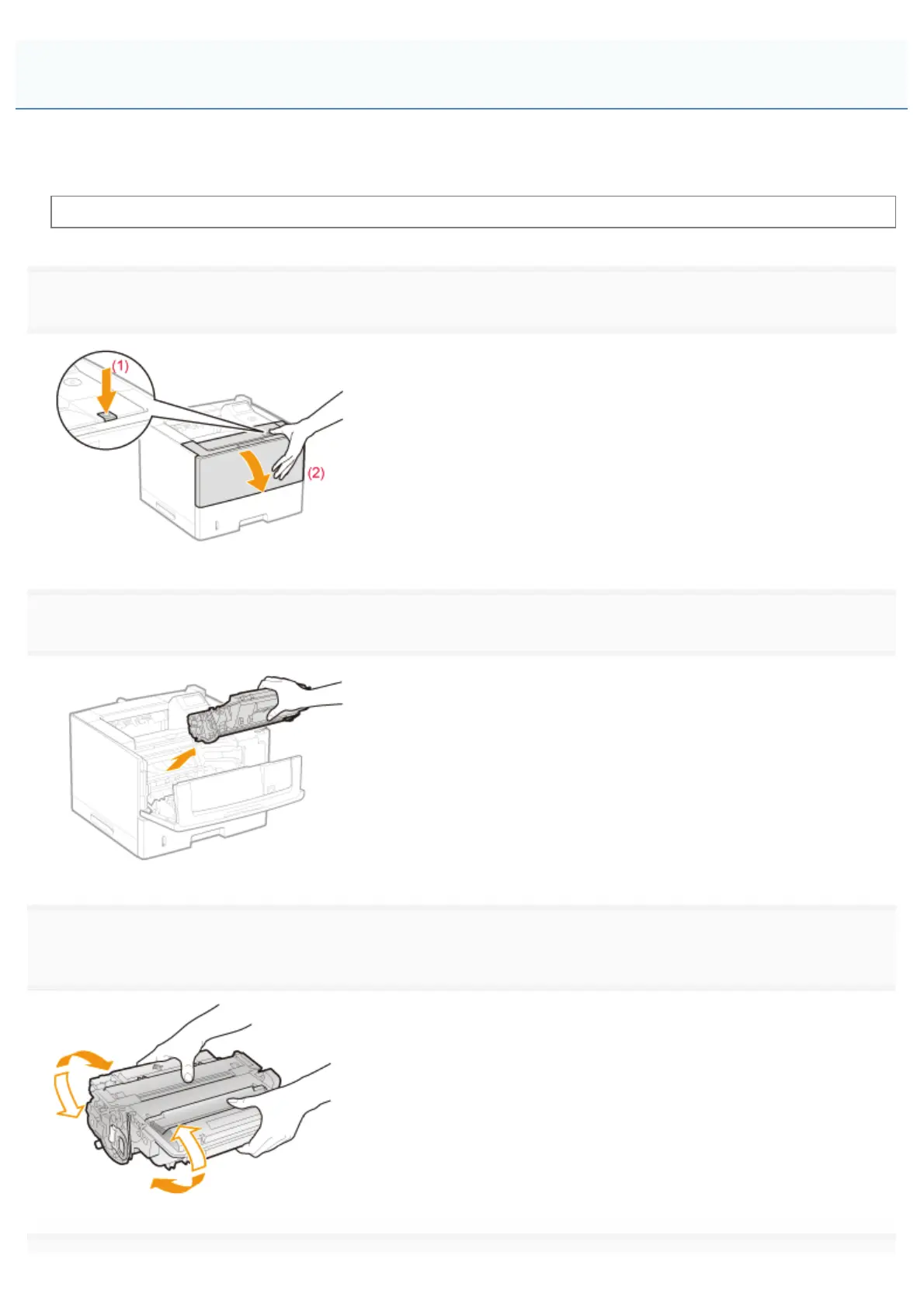
Open the front cover while pressing the open button.
2
Remove the toner cartridge.
3
Shake the toner cartridge five or six times as shown in the figure to evenly distribute the toner inside
the cartridge.
Before Replacing the Toner Cartridge
㻢㻢㻌㻛㻌㻥㻣㻜



 To Next Page