0978-039
NOTE
When loading custom size paper in the multi-purpose tray
Load custom size paper in the same manner as you load standard size paper.
"Loading Paper in the Multi-purpose Tray"
Loading Custom Size Paper in the Paper Drawer
For details on the paper that you can load in the paper drawer, see "Usable Paper."
Load paper in Drawer 2 or 3 (optional) in the same manner as you load paper in Drawer 1.
Before loading paper, see "Attention (Paper Drawer)."
1
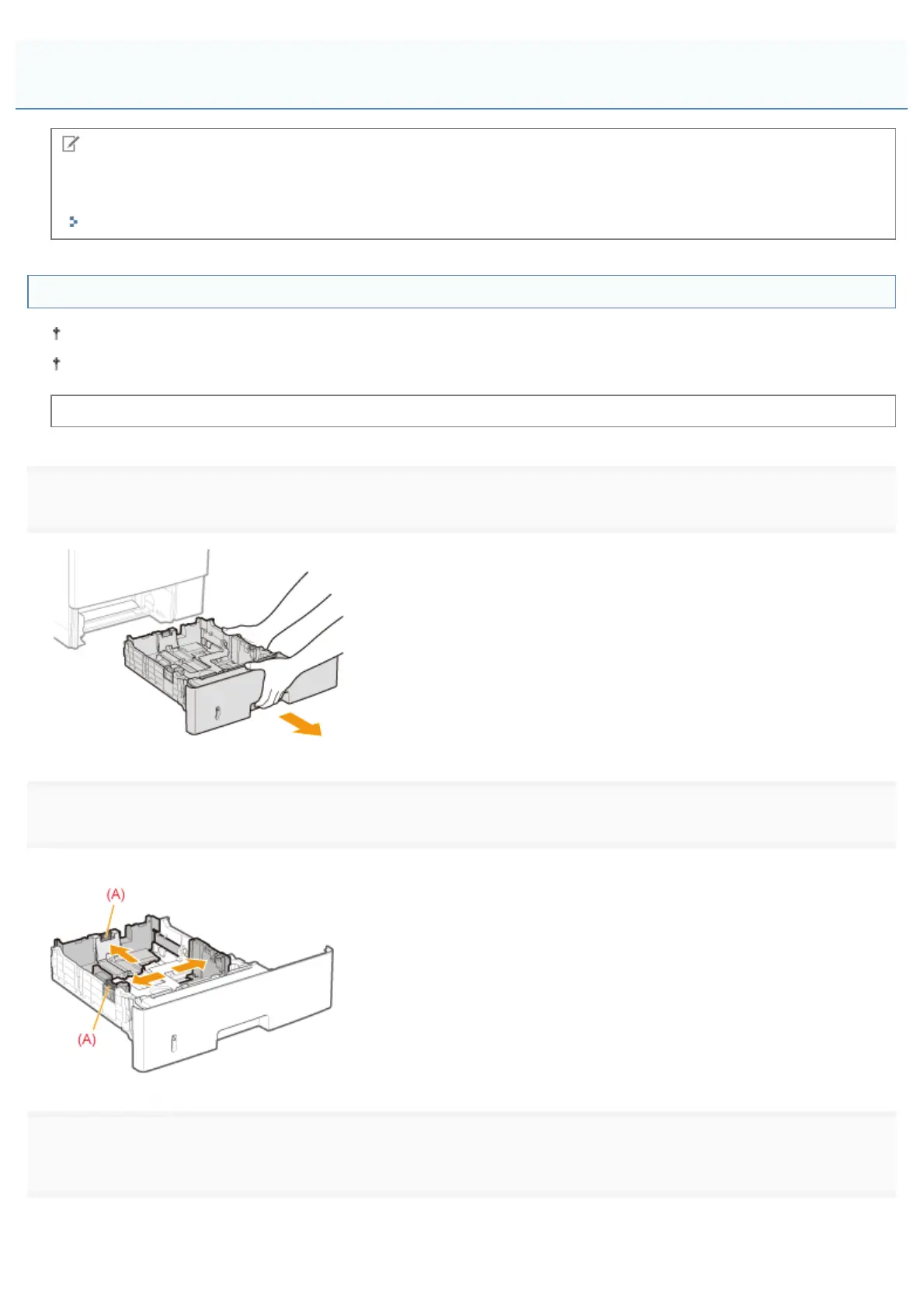
Pull out the paper drawer.
2
Slide the paper guides a little wider and longer than the actual paper size.
While holding the lock release lever (A), adjust the guides.
3
Load the paper with the printing side facing down so that the edges of the stacked paper are aligned
with the front side of the paper drawer.
Loading Custom Size Paper
㻝㻡㻥㻌㻛㻌㻥㻣㻜



 To Next Page