0978-084
Set authentication information for using TTLS or PEAP with IEEE802.1X authentication.
TTLS and PEAP perform mutual authentication using the authentication server's certificate and the user name and
password set in the printer.
IMPORTANT
In order to set a user name and password
You need to set up the SSL encryption communication function in advance.
Setting the SSL Encryption Communication Function
1
Start the Remote UI, and then log in as Administrator.
Starting the Remote UI
2
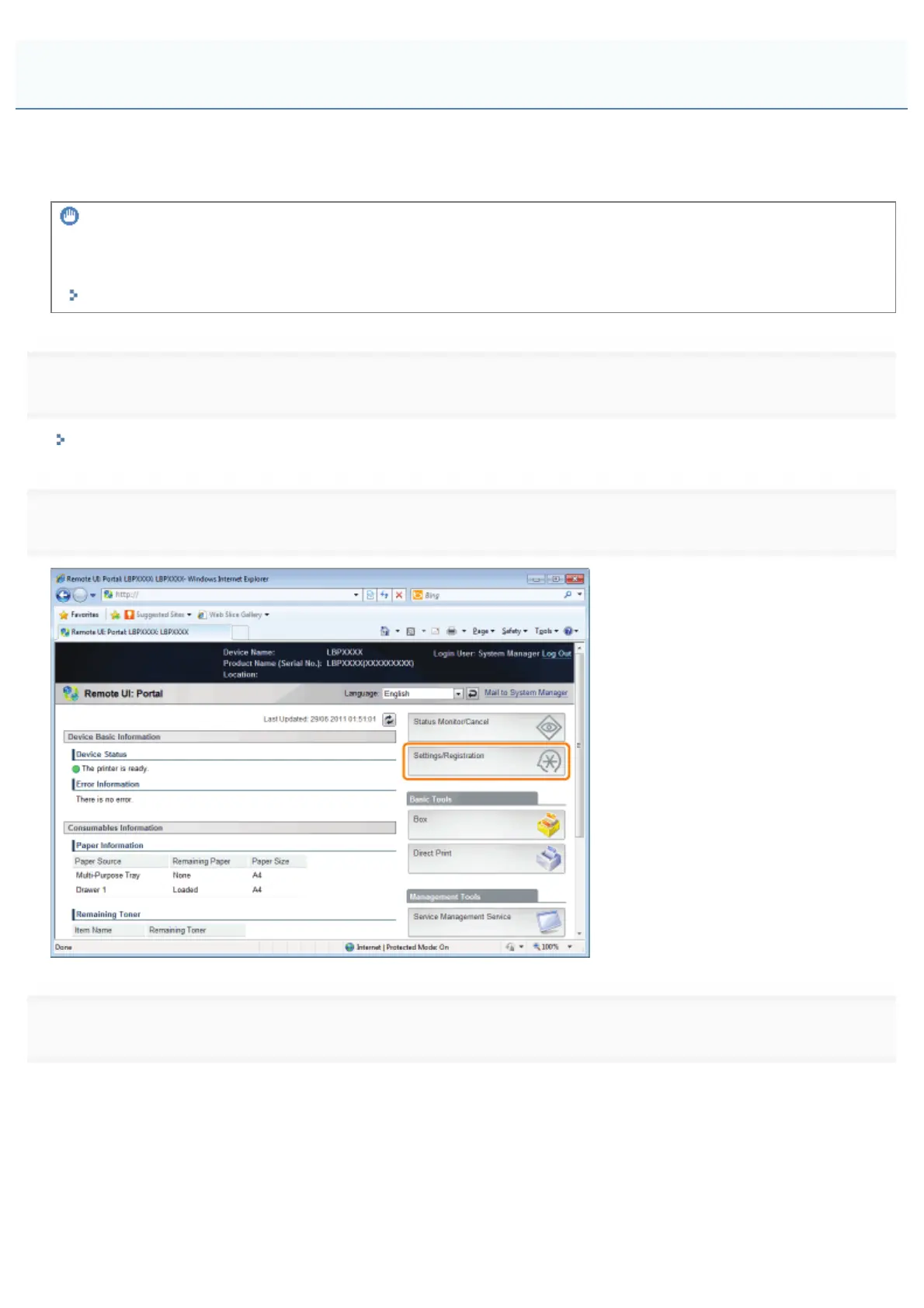
Click [Settings/Registration].
3
Select [Network] from the [Preferences] menu.
Setting TTLS/PEAP Authentication Information
㻟㻥㻝㻌㻛㻌㻥㻣㻜



 To Next Page