0978-0E0
Update from the Remote UI.
NOTE
Communication test
To check that the transmission with the delivery server is properly operating, if necessary, perform a communication test
before installation.
"Testing Communication Using the Remote UI"
Updating by Connecting This Printer to an Outside Network
If the printer is connected to an outside network, you can update to a most recent firmware by linking with the delivery
server.
IMPORTANT
Estimated time required to apply firmware
The time required to apply the downloaded firmware is approximately 20 minutes. This operation may take more time
depending on the system configuration and network environment of your printer.
Checking the New Firmware/Specifying the Delivery Settings
You can check the new firmware that is applicable with the printer and specify the delivery settings.
1
Start the Remote UI, and then log in as Administrator.
"Starting the Remote UI"
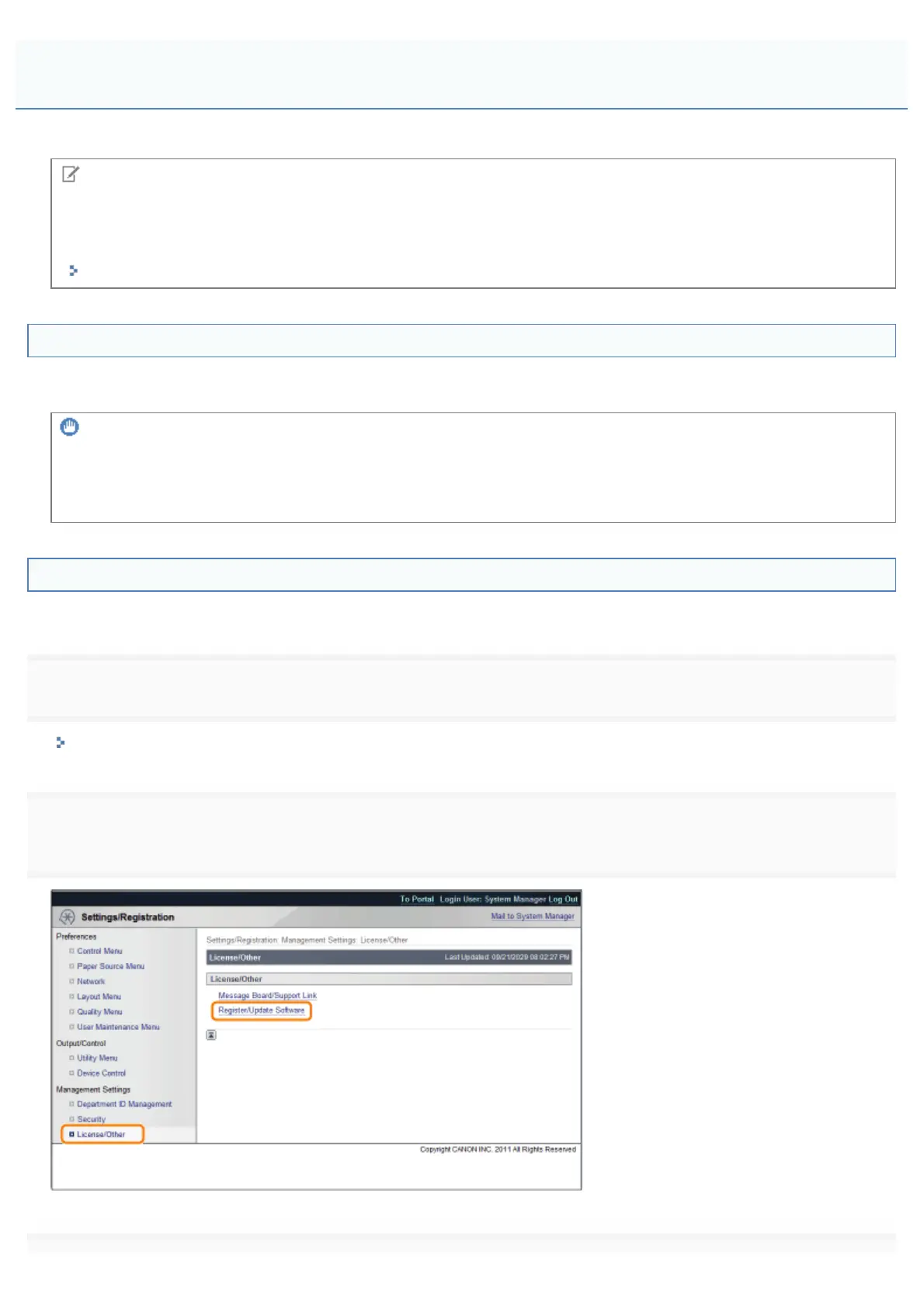
2
[Register/Update Software].
Updating the Firmware
㻢㻠㻞㻌㻛㻌㻥㻣㻜



 To Next Page