EasyManua.ls Logo

Canon LBP6780x - Printing Multiple Pages on One Sheet

Canon LBP6780x
970 pages
Print Icon
To Next Page IconTo Next Page
To Previous Page IconTo Previous Page
Loading...
0978-061
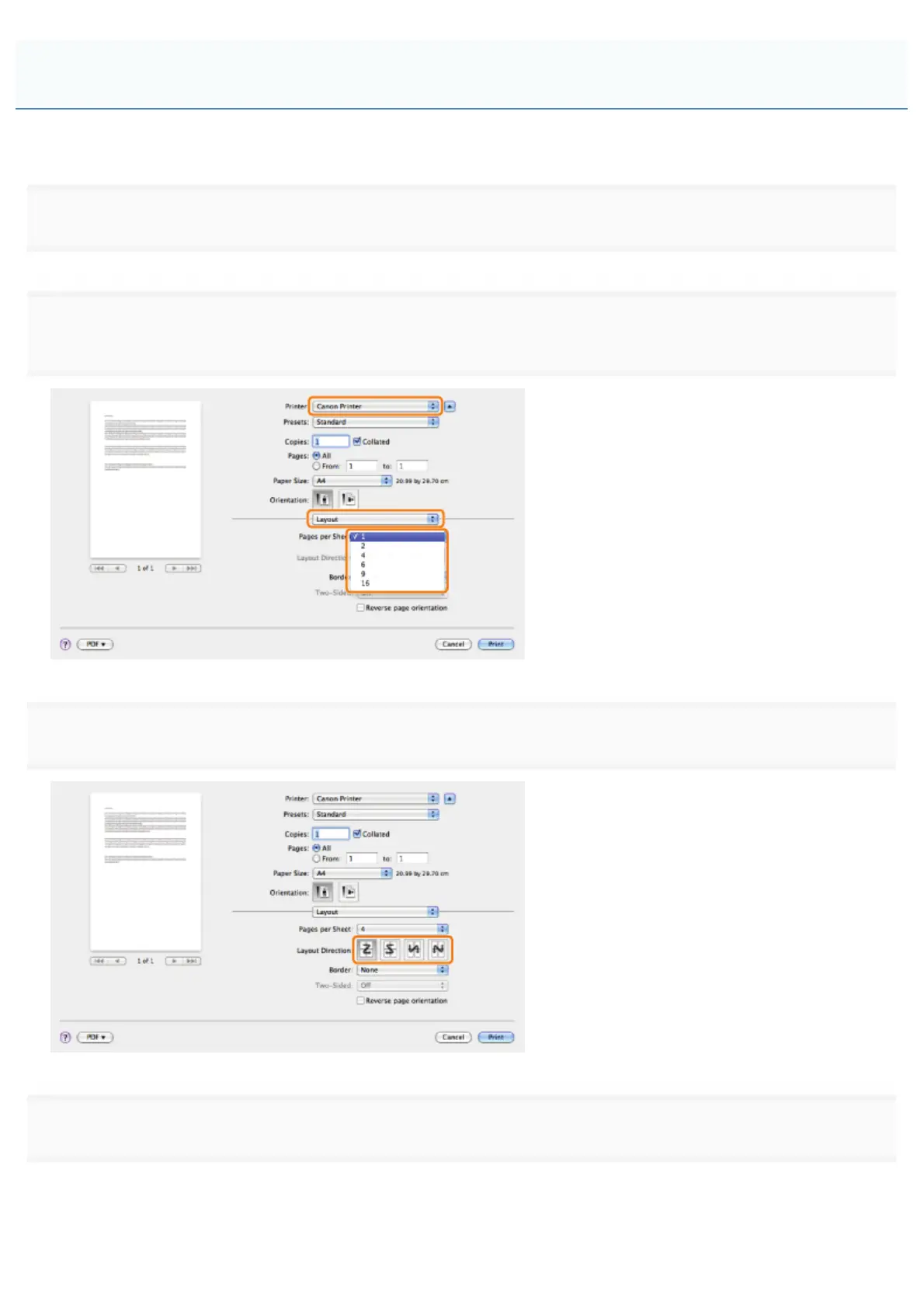
A multiple pages can be printed on one sheet of paper.
1.
Select [Print] from the [File] menu of the application.
2.

of paper from [Pages per Sheet].
3.
Select the page order from [Layout Direction].
4.
If you want to add a border to each page, select the line type from [Border].
Printing Multiple Pages on One Sheet
㻞㻡㻥㻌㻛㻌㻥㻣㻜


Table of Contents

Other manuals for Canon LBP6780x

Related product manuals