0978-0CK
1
Display the printer driver screen.
"Printing"
2
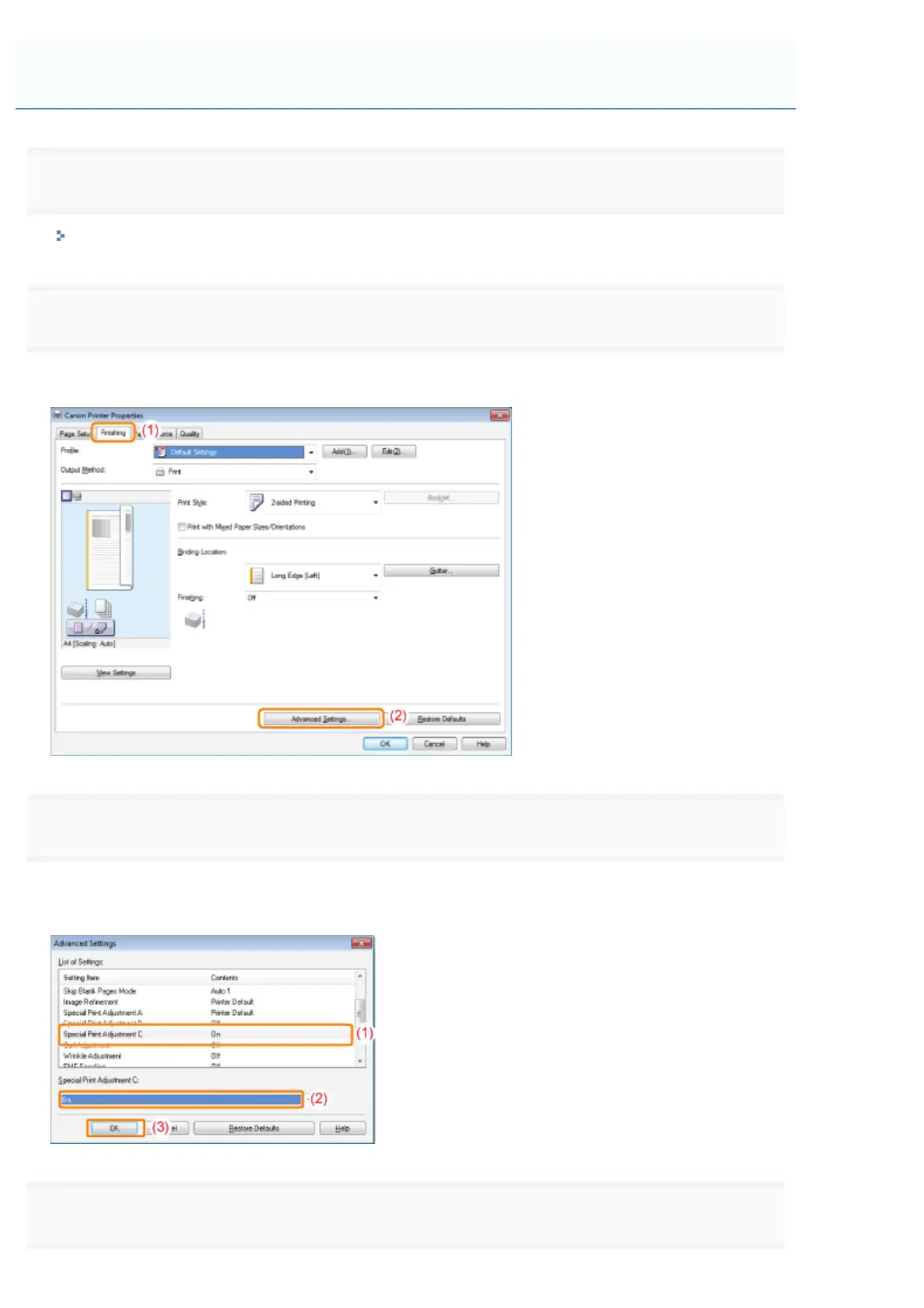
Display the [Advanced Settings] dialog box.
(1) Display the [Finishing] tab.
(2) Click [Advanced Settings].
3
Specify Silent Mode.
(1) Select [Special Print Adjustment C].
(2) Select [On].
(3) Click [OK] to return to the [Finishing] tab.
4
Click [OK].
Performing Printing with Silent Mode during a Designated Time
㻢㻞㻡㻌㻛㻌㻥㻣㻜



 To Next Page