IMPORTANT
About the paper loading orientation
Be sure to load paper in landscape orientation if all the following conditions are fulfilled.
You are using the UFR II printer driver.
[Drawer 1 Size], [Drawer 2 Size] and [Drawer 3 Size] are set to [Mixed Sizes].
Custom size paper whose long edges are 215.9 mm or less is loaded.
NOTE
When loading paper with a letterhead or logo
See "Paper Loading Orientation" and load the paper in the correct orientation.
4
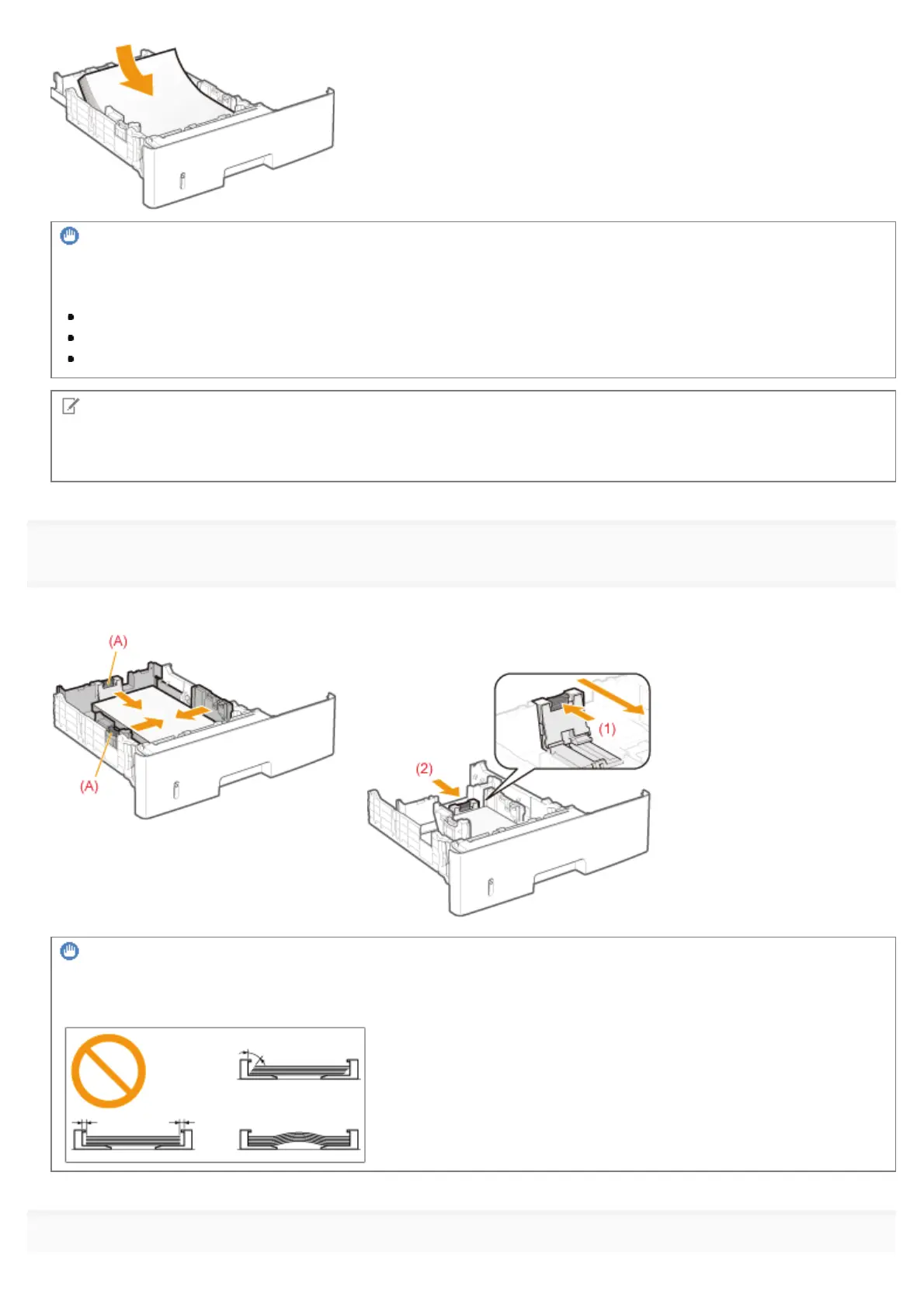
Align the paper guides with the loaded paper.
While holding the lock release lever (A), adjust the guides.
When loading paper whose length is shorter than A5
Slide the paper guide at the rear center toward you.
IMPORTANT
Be sure to align the paper guides with the paper.
If the paper guides are too loose or too tight, this may result in misfeeds or paper jams.
5
㻝㻢㻜㻌㻛㻌㻥㻣㻜



 To Next Page