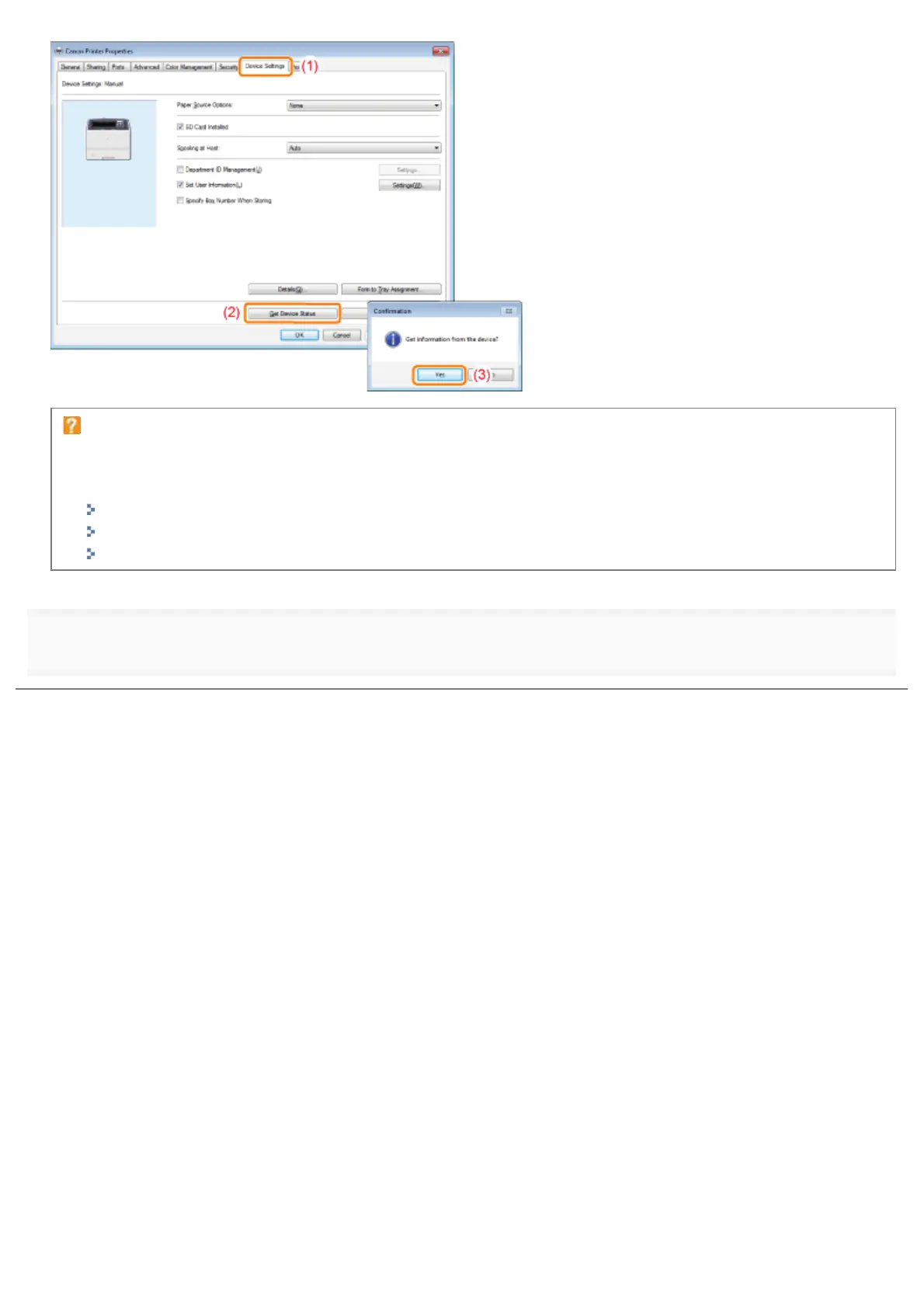
If the status of the paper feeder is not obtained
Remove the paper feeder once, and then install it again.
If the status of the paper feeder cannot be obtained even by installing it again, see the following and make sure that
the printer and computer can communicate with each other.
"Printing Cannot Be Performed (USB Connection)"
"Printing Cannot Be Performed (LAN Connection)"
"Printing Cannot Be Performed (via the Print Server)"
4
Click [OK].
㻤㻢㻡㻌㻛㻌㻥㻣㻜


 To Next Page