(2) While pulling the feed roller down, remove it from the compartment.
4
Clean the feed roller
Making sure not to touch the rubber pad directly with your hand, wipe the feed roller with a cloth dampened with water and
well wrung out.
5
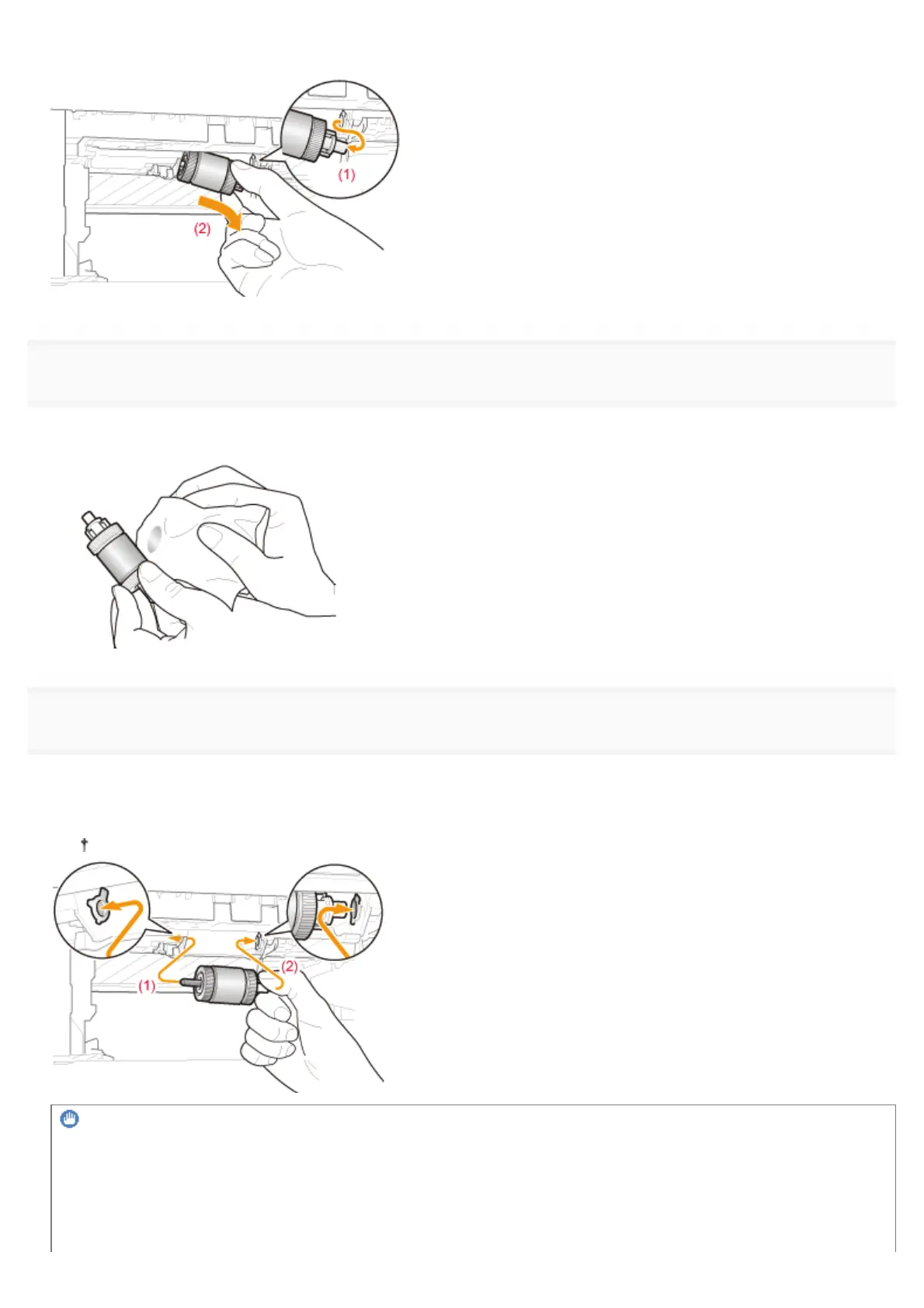
Install the feed roller.
(1) Insert the left shaft of the feed roller.
(2) Insert the right shaft while pushing the feed roller in the direction (1).
At this time, do not apply excessive force to the feed roller.
IMPORTANT
Hold the right shaft when installing the feed roller.
Hold the right shaft between your fingers when installing the feed roller. Do not hold the left shaft.
㻤㻤㻠㻌㻛㻌㻥㻣㻜



 To Next Page