3
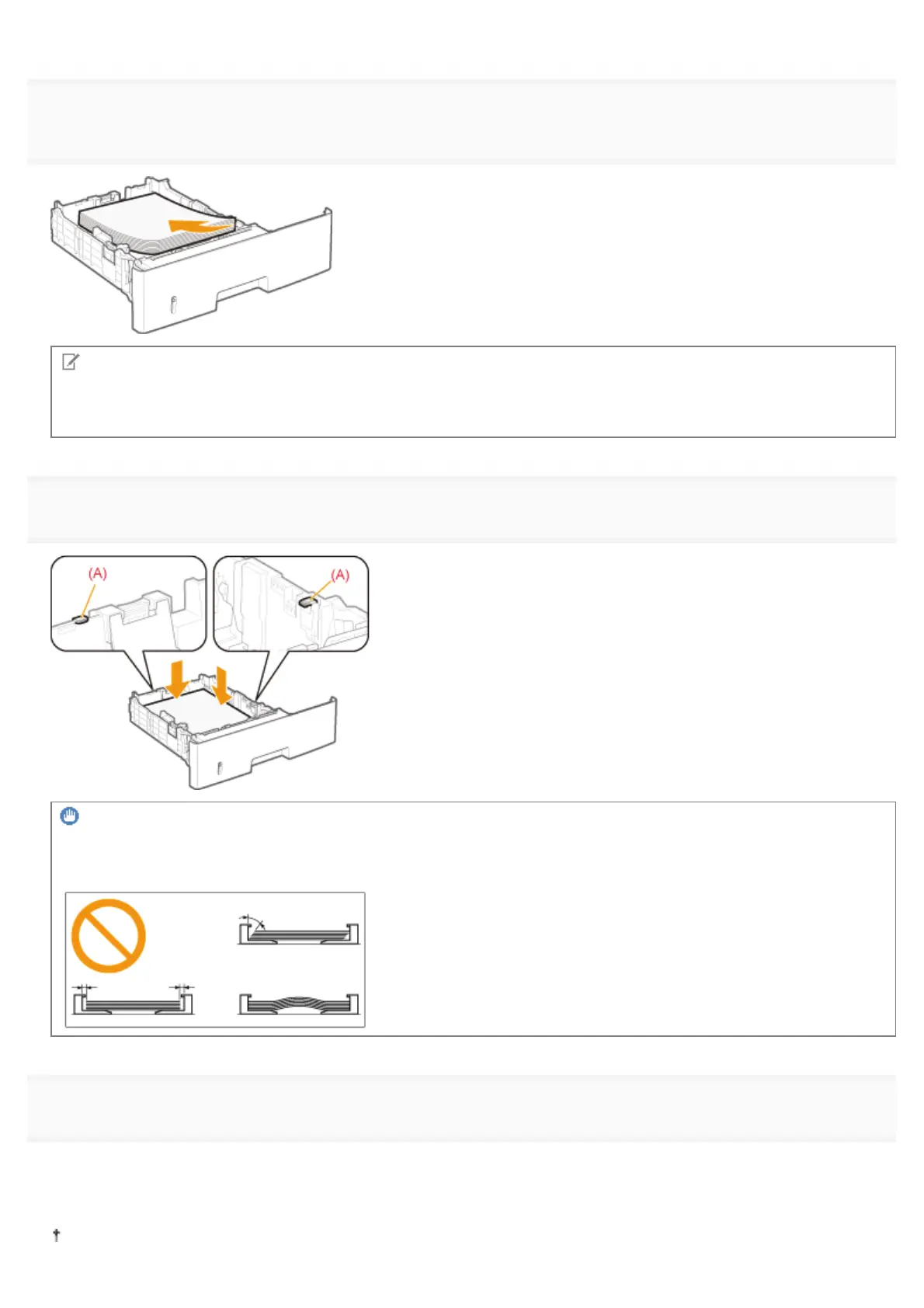
Load the paper with the printing side facing down so that the paper stack is aligned with the rear
paper guide.
NOTE
When loading paper with a letterhead or logo
See "Paper Loading Orientation" and load the paper in the correct orientation.
4
Hold down the paper, then set it under the hooks (A) on the paper guides.
IMPORTANT
Be sure to align the paper guides with the paper.
If the paper guides are too loose or too tight, this may result in misfeeds or paper jams.
5
Make sure that the paper stack does not exceed the load limit mark lines (A) or (B).
(A): Paper larger than A5 or Statement
(B): A6 paper
Be sure that the paper stack does not exceed the load limit mark lines. If the paper stack exceeds the load limit mark
㻝㻡㻢㻌㻛㻌㻥㻣㻜



 To Next Page