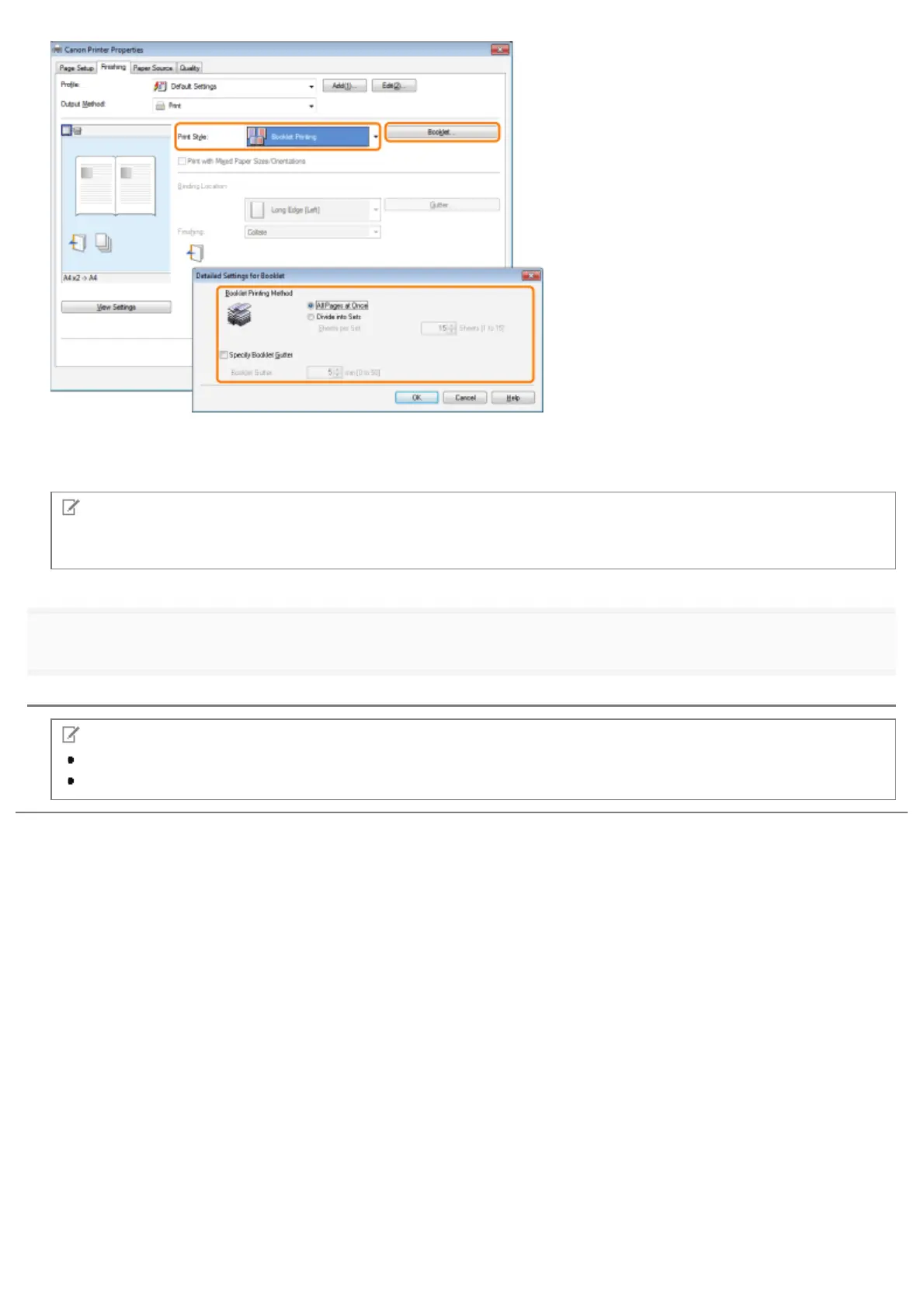
You can also configure detailed settings such as the opening direction and gutter width for booklet printing in the [Detailed
Settings for Booklet] dialog box, displayed by clicking [Booklet].
The output image is displayed in the preview area.
NOTE
For details about the various settings in the [Detailed Settings for Booklet] dialog box, view the online help. (See "Viewing
the Online Help.")
3.
Click [OK].
NOTE
You cannot specify the [Finishing] options in the [Finishing] tab when performing Booklet Printing.
The display may vary according to the operating system, as well as the type and version of the printer driver.
㻞㻞㻠㻌㻛㻌㻥㻣㻜


 To Next Page