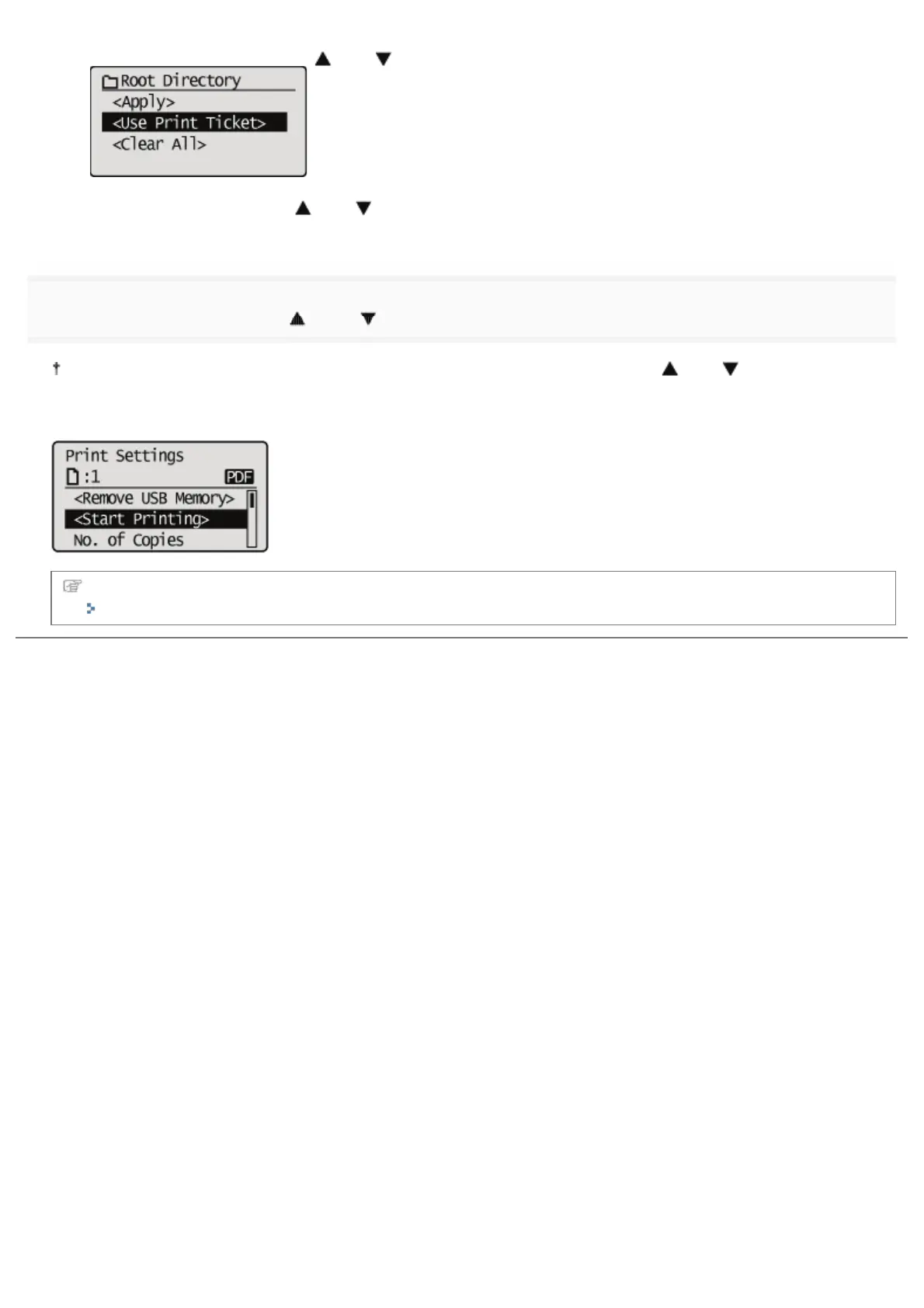
(1) Select [<Use Print Ticket>] with [ ] and [ ], and then press [OK].
(2) Select [<Start Printing>] with [ ] and [ ], and then press [OK].
It is printed using the print settings specified inside the file.
7
Select [<Start Printing>] with [ ] and [ ], and then press [OK].
To confirm/ change the print settings, select the setting to be confirmed/changed with [ ] and [ ], and then press
[OK]. For details on print settings, see "Print Setting Menu List."
The selected file begins printing.
Remove the USB memory device after printing has finished.
"Remove the USB Memory Device"
㻞㻥㻤㻌㻛㻌㻥㻣㻜


 To Next Page