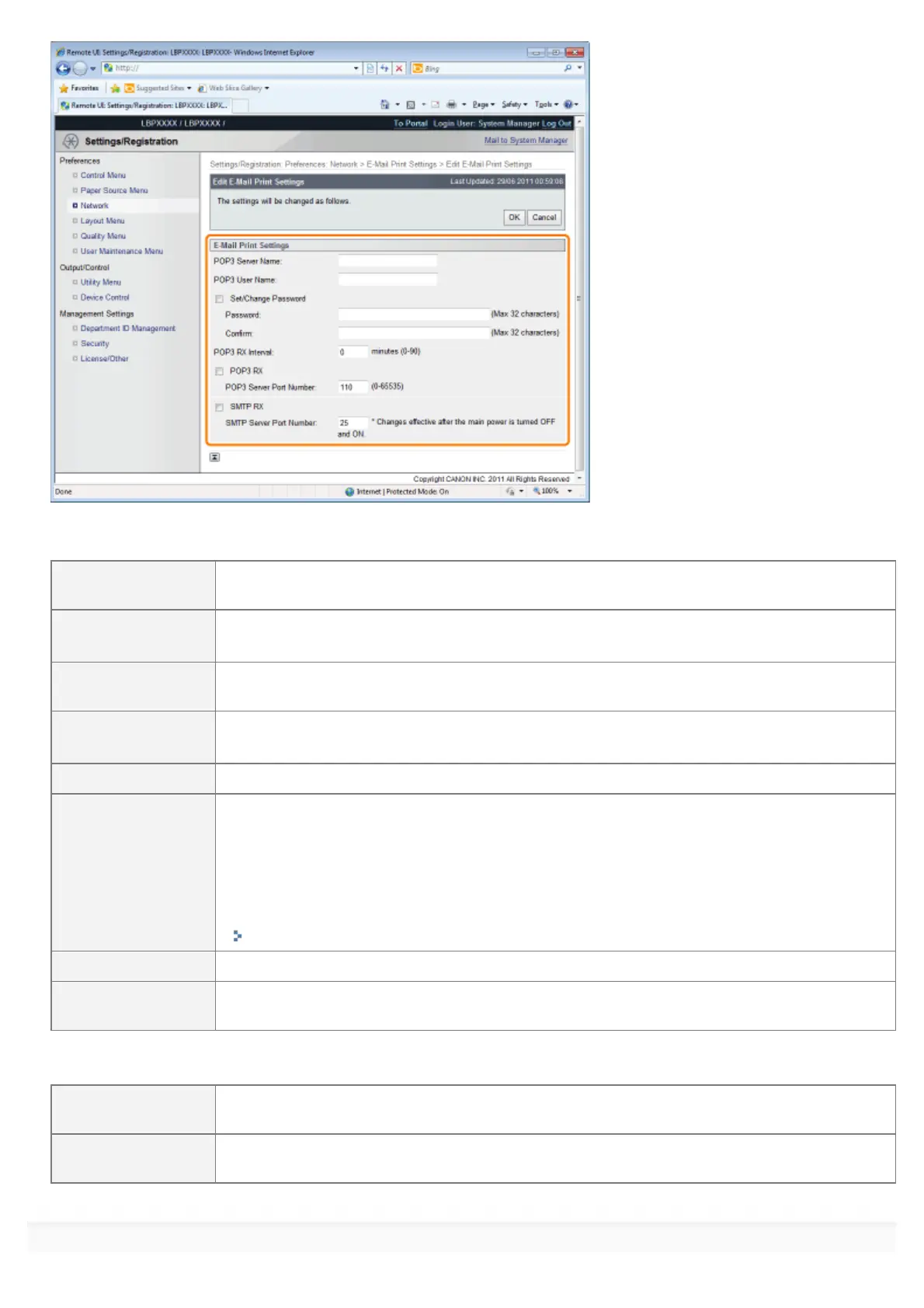
If you want to use the POP3 protocol
[POP3 Server
Name]
Specifies the name or sets the IP address of the server which receives e-mails.
[POP3 User Name]
Specifies the name of the user which receives e-mails.
You can enter up to 32 alphanumeric characters.
[Set/Change
Password]
Specifies the password for the name of the user which receives e-mails.
[Password]
Select the check box when setting/changing the password.
You can enter up to 32 alphanumeric characters.
[Confirm] For confirmation, enter the same [Password] again.
[POP3 RX Interval]
Set the interval for automatically connecting to the server that receives e-mail in minute units.
Receive e-mail at specified intervals and print it automatically.
You can set from [0] (minutes) to [90] (minutes).
When it is set to [0], it does not automatically receive e-mail from the server.
When it is set to [0] and when you want to connect to the server before it automatically
connects to the server that receives e-mail, you can receive e-mail manually.
"Receiving and Printing E-mails Manually"
[POP3 RX] Specifies whether to enable the e-mail print function.
[POP3 Server Port
Number]
Specifies the port number for the server which receives e-mails. You can specify the port
number between [0] and [65535].
If you want to use the SMTP protocol
[SMTP RX]
When it is checked, e-mail is relayed using SMTP protocol and it is automatically received and
printed.
[SMTP Server Port
Number]
Specifies the port number for the server which receives e-mails. You can specify the port
number between [0] and [65535].
6
㻟㻜㻥㻌㻛㻌㻥㻣㻜



 To Next Page