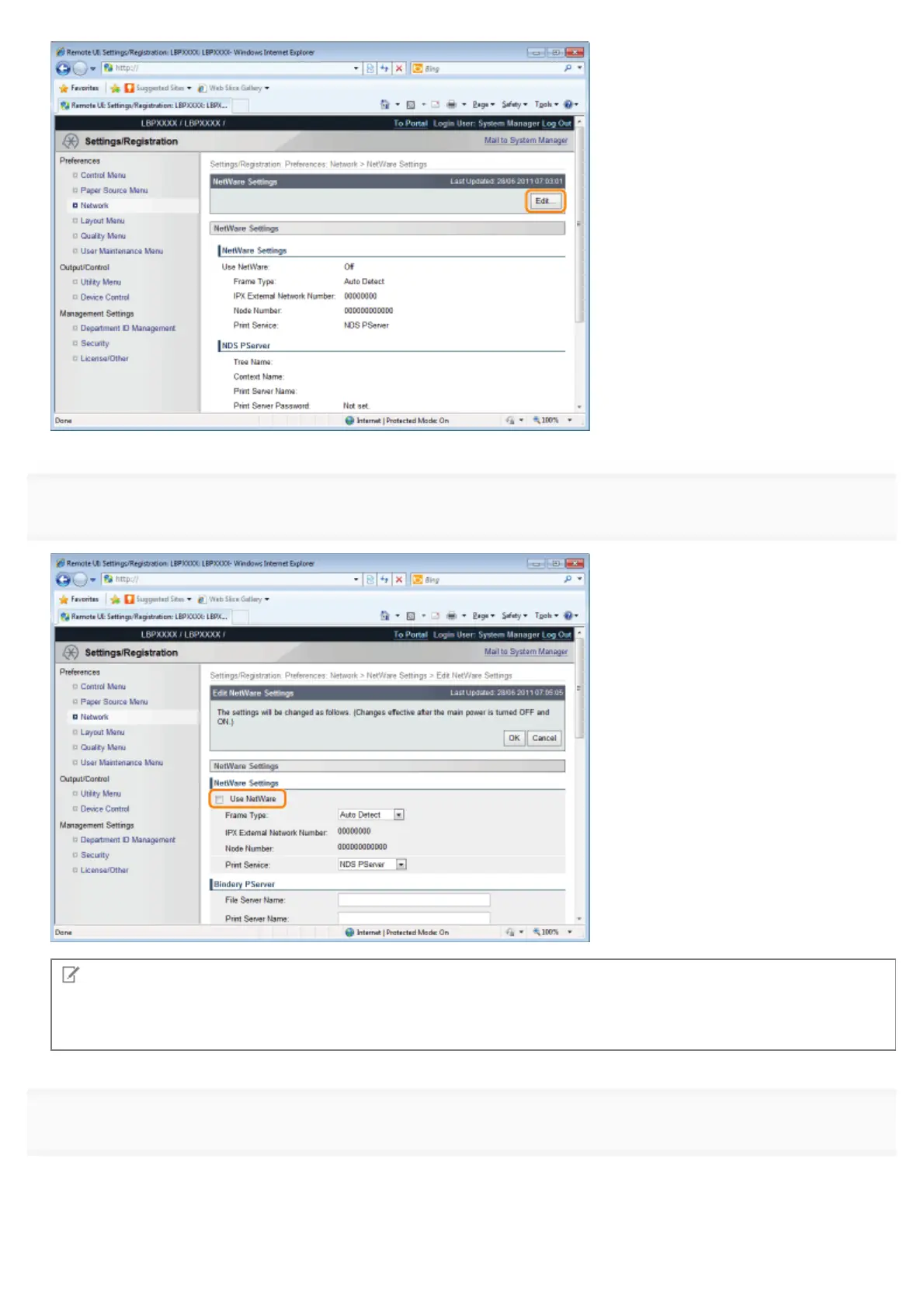
6
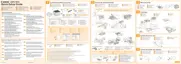
Select the [Use NetWare] check box.
NOTE
When the [Use NetWare] check box is cleared
The printer is not detected on the NetWare network.
7
Set [Frame Type].
Select the frame type that is used by the system environment you are using from [Auto Detect], [Ethernet II], [Ethernet
802.2], [Ethernet 802.3] or [Ethernet SNAP].
㻠㻥㻞㻌㻛㻌㻥㻣㻜


 To Next Page